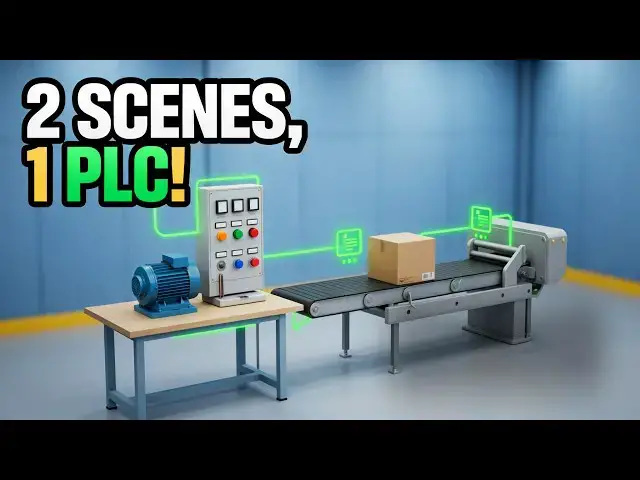

Run Two 3D Machines at Once — Multi-Scene PLC Simulator
Oct 12, 2026
Run two 3D machines from one program in the ACC PLC Simulator. Learn how address offsets keep each scene in its own block of PLC memory.
⚡ QUICK ANSWER
From version 121, the ACC PLC Simulator can run several 3D scenes against a single program. Because every scene ships thinking it owns X1, the simulator hands each connected scene an address offset — a number added to its discrete addresses before your program ever sees them — so the whole rule is one addition: PLC address = scene address + that scene's offset, applied to X and Y separately. Connect a second scene and the allocation is chosen for you and shown in three places, and the scene even relabels its own inputs to match. The worked remote-start example, the contention rules and the exceptions are in the full write-up.
📖 FULL STEP-BY-STEP + DOWNLOADS (project file, wiring diagrams, screenshots)
https://accautomation.ca/run-two-3d-machines-at-once-multi-scene-plc-simulator/
🕹️ TRY IT FREE — THE ACC PLC SIMULATOR
https://accautomation.ca/simulator/
⏱️ TIMESTAMPS
0:00 - Introduction
0:43 - Every Scene Thinks It Is X1
1:06 - Connect Both and They Collide
1:50 - The Fix Is an Address Offset
2:32 - A Worked Allocation: Starter at 0, Panel at 3
3:15 - The Simulator Picks the Offset for You
4:01 - Three Places You See the Offsets
5:02 - Build a Remote Start Station
5:42 - The Program, Rung by Rung — and Running It
7:03 - Contention, Shared Outputs, Analog and Modbus
9:09 - Limits, Performance and Why This Matters
10:35 - Try It Yourself
📚 WHAT YOU'LL LEARN
✅ Give each connected 3D scene its own block of PLC memory using address offsets
✅ Work out any address with one rule: PLC address = scene address + that scene's offset
✅ Let the simulator allocate offsets automatically, or type your own X and Y values per scene card
✅ Read the memory strip to see which scene owns each of the 16 X and 16 Y addresses
✅ Build a remote start station — a motor starter plus a remote control panel — from one program
❓ FREQUENTLY ASKED
Q: How do I work out the address for a scene that has been offset?
A: Add that scene's offset to the scene address. Apply it to the X addresses and the Y addresses separately, because the two axes are allocated independently.
Q: Do analog addresses and Modbus addresses get offset too?
A: No. Analog addresses stay exactly where the scene reference lists them, and a scene driven over Modbus from a real PLC is never offset.
Q: How many 3D scenes can I run at once?
A: The ceiling is 16 X addresses and 16 Y addresses. The palletizer alone takes 10 inputs and 5 outputs, so that plus one small scene is about the practical limit.
👉 Full step-by-step, code & wiring diagrams: https://accautomation.ca/run-two-3d-machines-at-once-multi-scene-plc-simulator/
🔗 MORE RESOURCES
▶ Series: https://accautomation.ca/series/
▶ PLC Beginners Guide: https://accautomation.ca/programming/plc-beginners-guide/
▶ Free eBooks: https://accautomation.ca (subscribe for download)
🛒 RECOMMENDED HARDWARE
▶ Shop: https://www.automationdirect.com/
▶ Parts Guide: https://www.accautomation.ca/purchase-find-parts/
💬 Questions? Drop a comment below.
🔔 New tutorials every Monday — Subscribe and hit the bell!
#PLC #LadderLogic #IndustrialAutomation #PLCProgramming #ACCAutomation #PLCSimulator #StructuredText #MotorControl #PLCTutorial #LearnPLC
Regards,
Garry
ACC Automation
http://www.accautomation.ca
Show More Show Less