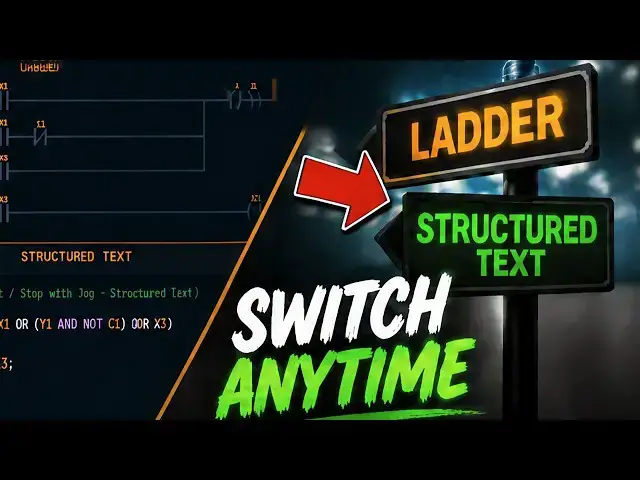

How I Learned Structured Text in the ACC Simulator
Sep 7, 2026

Structured Text in the ACC PLC Simulator: click the ST button, use the same X, Y and C registers as ladder, and write IF, CASE, FOR and TON function blocks.
⚡ QUICK ANSWER
Structured Text is the IEC 61131-3 text language that reads like Pascal or C, and the ACC PLC Simulator now runs it as a first-class mode beside ladder — nothing to install, just click ST on the Lang toggle in the toolbar. The important part is the shared I/O model: ladder and ST read and write the same memory, so the same X, Y, C, AX and AY registers work in both modes, and every 3D scene, the Modbus bridge and the gamepad all connect unchanged. The default ST program proves it. Two rungs of start/stop/jog ladder become two lines:
Y1 := (X1 OR (Y1 AND NOT C1) OR X3) AND X2;
C1 := X3;
X1 is start, X3 is jog, X2 is the normally closed stop, and C1 blocks the seal-in while jogging. Same addresses, same behaviour, same scene.
📖 FULL WRITTEN TUTORIAL + CODE SAMPLES
https://accautomation.ca/acc-plc-simulator-how-to-use-structured-text-st-programming/
https://accautomation.ca/simulator/
⏱️ TIMESTAMPS
00:00 ACC PLC Simulator — How to Use Structured Text (ST) Programming
00:47 Why Learn Structured Text
01:19 Switching to ST Mode
01:46 The Shared I/O Model
02:15 Your First ST Program
03:05 Start Stop Jog in ST
03:54 Control Flow
04:23 Function Blocks
05:05 Variable Watch Panel
05:27 Ladder vs ST Side by Side
06:01 Getting Started Tips
📚 WHAT YOU'LL LEARN
✅ Switch between ladder and Structured Text with the Lang toggle — the I/O panel, run/stop/step, scene connect, Modbus bridge and gamepad all keep working
✅ Use the shared I/O model: the same X, Y, C, AX and AY registers in both languages, on the same 3D scenes
✅ Read a two-line start/stop/jog and see exactly how the seal-in and the jog interlock map from ladder
✅ Write IF, ELSIF, ELSE, CASE and FOR blocks for analog comparisons, state machines and arrays — all far cleaner than the ladder equivalent
✅ Call function blocks that hold state across scans: TON with IN, PT and Q, CTU for counting, R_TRIG for a one-scan pulse
⚠️ REMEMBER THE SCAN MODEL
Your whole ST program runs top to bottom every scan. Use function block timers for delays. Never loop to wait — a FOR loop that waits will hang the scan.
❓ FREQUENTLY ASKED
Q: Why learn Structured Text?
A: Because it travels. Allen-Bradley, Siemens, CODESYS-based platforms, Beckhoff and Schneider all support IEC 61131-3 Structured Text, and job postings increasingly list it as a required skill. It also beats ladder for maths-heavy logic, analog scaling and multi-level conditionals.
Q: Do I have to rebuild my program to switch languages?
A: No. Ladder and ST share the same memory and the same addresses, so a scene connected in ladder mode behaves identically in ST mode.
Q: How do I debug an ST program?
A: The variable watch panel. It shows the live value of every variable and function block instance each scan — the elapsed time inside a TON, the current count of a CTU. It is the best debugging tool in the simulator.
🔗 MORE RESOURCES
▶ Launch the free simulator: https://accautomation.ca/simulator/
▶ Simulator help: https://accautomation.ca/simulator/acc-plc-simulator-help.html
▶ Scene guide: https://accautomation.ca/simulator/acc-scene-help.html
▶ PLC Beginners Guide: https://accautomation.ca/programming/plc-beginners-guide/
▶ Free eBooks: https://accautomation.ca (subscribe for download)
🛒 RECOMMENDED HARDWARE
▶ Shop: https://www.automationdirect.com/
▶ Parts Guide: https://www.accautomation.ca/purchase-find-parts/
💬 What ST program would you like to see built next? Drop a comment below.
🔔 New tutorials every Monday — Subscribe and hit the bell!
#PLC #LadderLogic #IndustrialAutomation #PLCProgramming #ACCAutomation #StructuredText #PLCSimulator #IEC61131 #LearnPLC
Regards,
Garry
ACC Automation
http://www.accautomation.ca
Show More Show Less