Up next in 10

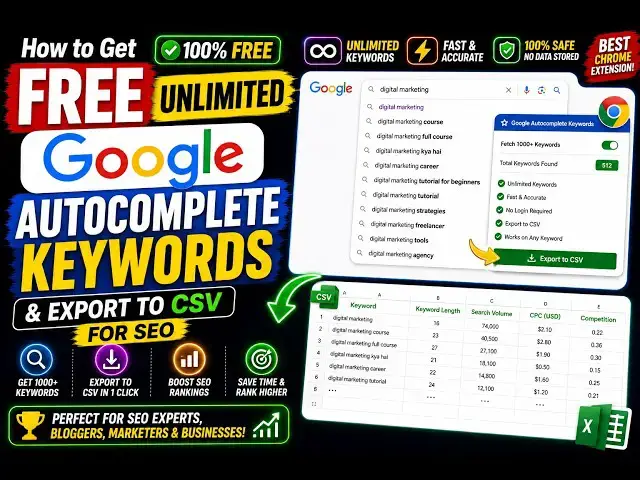
How to Get Free Unlimited Google Autocomplete Keywords & Export to CSV for SEO Best Chrome Extension
Aug 20, 2026

Buy the full source code of application here:
Watch My Visual Studio Code IDE Setup Video For Fonts,Themes & Extensions
https://youtu.be/Bon8Pm1gbX8
Hi Join the official discord server to resolve doubts here:
https://discord.gg/cRnjhk6nzW
Visit my Online Free Media Tool Website
https://freemediatools.com/
Buy Premium Scripts and Apps Here:
https://procodestore.com/
Show More Show Less View Video Transcript
0:00
Hello guys, in this video I show you a
0:02
very useful Google Chrome extension in
0:04
terms of SEO, search engine
0:06
optimization. So, if you do want to
0:08
actually get keyword ideas from Google
0:11
search engine, this is a very good
0:13
extension. It's called as keyword auto
0:15
complete magic.
0:17
Simply search for this. The very first
0:19
extension which comes, this is as you
0:21
can see.
0:23
It will extract from A to Z whatever
0:26
keyword that you write on Google.
0:28
First of all, install this. I have
0:29
already installed it.
0:31
So, the icon appears something like
0:33
this. So, now if I go to Google
0:36
and I basically type for any keyword
0:38
right here. Let's suppose I say how to
0:41
download.
0:42
So, this is my base keyword. I simply
0:44
written this keyword right here.
0:46
And I enter it. So, now automatically
0:49
this keyword magic will open and it will
0:51
extract all the suggestions from A to Z
0:55
related to this base keyword. So, as you
0:57
can see it is doing its job in the
0:59
background, actually extracting all the
1:01
keywords from A to Z.
1:04
And after that you can export all the
1:07
keywords in CSV or Excel file.
1:10
So,
1:12
this extension I totally love. It's
1:14
totally free and unlimited. There is no
1:16
subscription that you need to sign up.
1:20
And once it's completed, you will see
1:23
almost 260 keywords that it has found.
1:27
How to download Aadhaar card, how to
1:29
download Aadhaar card online, how to
1:31
download Ayushman card.
1:33
This is all A related.
1:36
Now we have B.
1:38
How to download birth certificate.
1:44
How to download CapCut, you will see.
1:52
So, we have this
1:54
button right here, export.
1:56
Click on export.
1:59
And all the keywords as you see has been
2:01
downloaded, exported to a CSV file.
2:05
These are actually suggestions which are
2:07
highly searched by people.
2:10
So, first of all, we actually started
2:12
with A.
2:15
All keywords starting from A. So, this
2:17
is the actual logic behind this.
2:20
After that, we come to B, then C,
2:23
D,
2:24
E.
2:27
We have F,
2:29
G, H, I, J, K, L, M, N, O.
2:36
So, in this
2:37
small period of time, you can actually
2:39
extract a lot of useful keywords that
2:42
can rank on Google and you will get a
2:44
lot of traffic.
2:45
So, I think it's a very good
2:48
You can even filter out the keywords as
2:51
well.
3:06
So, if I write here, "How to download
3:08
GitHub?" And once again, as you see,
3:11
it will start to find out keywords.
3:17
So, every keyword that you write here,
3:19
it will automatically run this
3:20
extension.
3:22
So, you will see that how to download
3:24
GitHub desktop on Android, iPhone.
3:29
Then we have B.
3:30
How to download GitHub branch. So,
3:33
whatever base keyword that you write, it
3:35
actually automatically extract all the
3:37
suggestions that appear on Google
3:39
automatically. So, you don't need to
3:41
manually search for
3:43
it and waste time. Instead, you can use
3:46
this extension, which actually
3:48
does the entire job for you. So, you
3:50
will see that in Windows.
3:53
So, through this extension, through
3:54
these suggestions, you will get a lot of
3:56
ideas to actually make blog post videos
4:00
and to actually rank on Google. So, you
4:02
will get to know what people are
4:04
searching
4:05
as soon as you write this. The user
4:08
interface is quite easy.
4:11
Automatically, this extension
4:21
using Python script too.
4:25
Now, again, it will start.
4:28
So, you can do this unlimited number of
4:30
time. There is no limit to it. So, this
4:33
extension is totally free.
4:35
There is no limit
4:37
to how many keywords you can perform.
4:40
So, it's limitless.
4:51
So, definitely check out this extension,
4:53
guys.
4:54
Specifically good for getting more
4:56
traffic and
4:58
ranking for keywords.
#Jobs & Education