Up next in 10

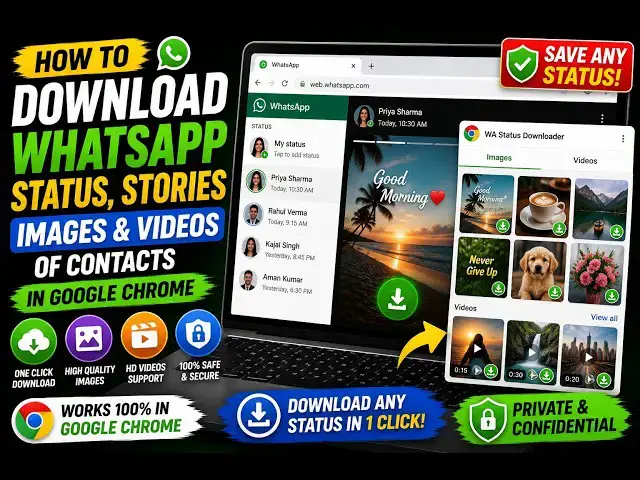
How to Download WhatsApp Status,Stories Images & Videos of Contacts in Google Chrome
Aug 28, 2026

Buy the full source code of application here:
Watch My Visual Studio Code IDE Setup Video For Fonts,Themes & Extensions
https://youtu.be/Bon8Pm1gbX8
Hi Join the official discord server to resolve doubts here:
https://discord.gg/cRnjhk6nzW
Visit my Online Free Media Tool Website
https://freemediatools.com/
Buy Premium Scripts and Apps Here:
https://procodestore.com/
Show More Show Less View Video Transcript
0:00
Uh, hello guys. In this video, I'll show
0:02
you a Google Chrome extension which
0:04
allows you to directly download status
0:06
stories
0:07
of your WhatsApp contacts directly
0:09
inside the browser.
0:12
Uh, the extension is Status Saver for
0:14
WhatsApp.
0:17
So, simply search for this. It's a free
0:19
extension. If you directly search for
0:21
this, the very first extension which
0:23
comes, it can save images, videos from
0:26
WhatsApp stories
0:28
and status.
0:30
As soon as you do that, click on add to
0:32
Chrome. It will
0:34
add this extension.
0:36
Almost 905 users are doing this.
0:40
So, simply
0:43
first of all, just activate this.
0:48
And simply open
0:50
your WhatsApp web.
0:51
So, if you do that, automatically all
0:54
the status that you download will show
0:56
right here. You can even customize the
0:59
settings. These are the options. Now, go
1:02
to your sidebar section.
1:04
And simply select the status.
1:07
So, right here, all your contacts'
1:09
status will come. So, right here, you
1:14
After that, you just need to refresh it
1:16
after you activate the extension.
1:19
So, a download button will appear
1:22
for every status.
1:25
So, just go to status.
1:31
So,
1:33
right here, guys, if you see,
1:36
I think we see
1:46
the download button. Where is the
1:48
download button?
1:51
Uh, let me see the download button
1:54
must appear right here.
2:05
So, as you see the download button is
2:07
not appearing.
2:10
Let me try a different extension.
2:13
This
2:16
There are a lot more other extensions as
2:18
well which are available. Simply type
2:21
status
2:24
download.
2:26
Various extensions will come. Uh
2:35
This one also, as you see,
2:38
399 people have installed it.
2:46
So, once it is added, simply activate
2:48
this.
2:50
And just open
2:53
Just refresh it after you have activated
2:55
this.
2:57
So, you will see that
3:01
You click the button start scan. So, it
3:03
will try to scan
3:05
the status which are there.
3:13
So, go to status and
3:15
if you see,
3:16
I think a download button will be
3:18
available.
3:23
So, now as you see as I click the
3:25
download button, the contact is showing.
3:27
So, I simply click that. Click on
3:29
download.
3:54
Click on that.
4:07
I think this also is not working.
4:11
I'm not seeing a download button.
4:16
So, let me just also remove that as well
4:18
and try another extension.
4:20
Sometimes extension don't work.
4:27
Let me try this one. Status downloaded.
4:30
Try those extensions which have lot of
4:32
downloads because
4:34
I think this one will definitely work.
4:36
It has 2,000 installs. Multi WhatsApp
4:39
status downloader.
4:41
So, let me try this.
4:43
So, it is actually coming out to be a
4:46
long video.
4:48
But, I do want to show you which
4:49
extension is actually working.
4:52
So, again, refresh the window.
4:55
You will see the icon appearing right
4:57
here.
5:04
So, you click the button scan statuses.
5:07
And now, as you see guys, the status is
5:10
coming right here. This is actually a
5:12
video. And you basically select
5:17
click on download.
5:23
So, as you see guys,
5:25
the
5:28
status has been successfully
5:30
downloaded. So, these are the number of
5:32
images which are actually it's a
5:34
slideshow
5:35
of various images. So, all the images
5:37
used in the status have been
5:38
successfully downloaded.
5:40
So, as you see that.
5:43
You will simply see a watermark
5:45
appearing right here. That's you just
5:47
need to
5:51
So, in this easy way, this is actually
5:53
Google Chrome extension that you can
5:55
use.
5:56
Definitely check this out, multi
5:58
WhatsApp status downloader.
Jobs & Education