0:00
Uh hello guys, in this video I will show
0:02
you how to preview your website while
0:05
you before you click on the search
0:07
result in Google. So, Google search
0:09
first by default if you search for
0:11
anything, it doesn't show the website
0:14
So, if you search for something, it
0:16
doesn't show the images of the website.
0:19
So, by default it appears something like
0:22
This Google Chrome extension allows you
0:23
to actually see the image of the website
0:25
as well in Google search. It's a very
0:28
popular Google Chrome extension
0:30
automatically has 30,000 installs.
0:33
So, simply search for search result
0:35
previews and this extension will come.
0:39
And it will save you a lot of time. You
0:41
can check out the website before
0:43
clicking it inside Google search.
0:46
So, click on add to Chrome and this
0:48
extension will get installed.
0:50
So, this icon will appear.
0:56
uh activate this. So, I click on that.
0:59
So, this icon will appear right here.
1:01
And again, if you refresh
1:08
as soon as you use this extension simply
1:11
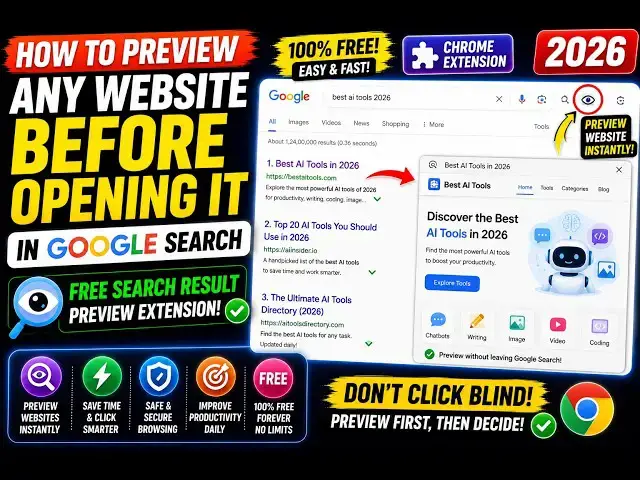
activate this. Now, if you check out the
1:14
for each and every result, you also see
1:19
So, if the website image is available,
1:21
then it shows on the left-hand side
1:23
alongside with the actual result. So,
1:27
this makes it easy for you to actually
1:29
see the preview of the website while
1:31
before clicking on it.
1:33
So, this will save you a lot of time.
1:39
So, if a website image is available,
1:41
then it is actually shown to you. So,
1:44
you can actually try out with any
1:45
result. So, let's suppose I say
1:58
So, you can see it works with all the
1:59
keywords. And as soon as you are simply
2:03
seeing the website, you also see the
2:04
live preview how the website looks.
2:07
So, if you like the preview, then you
2:13
So, this is a very useful extension. If
2:15
you like it, please hit the like button
2:16
and subscribe to the channel.
2:19
So, you can see that. So,
2:23
And it actually previews your website.
2:28
And right here in the search results,
2:30
you can actually see the live preview.
2:34
So, definitely install this and start