Up next in 10


Buy the full source code of application here:
Watch My Visual Studio Code IDE Setup Video For Fonts,Themes & Extensions
https://youtu.be/Bon8Pm1gbX8
Hi Join the official discord server to resolve doubts here:
https://discord.gg/cRnjhk6nzW
Visit my Online Free Media Tool Website
https://freemediatools.com/
Buy Premium Scripts and Apps Here:
https://procodestore.com/
Show More Show Less View Video Transcript
0:00
Hello guys, in this video I will show
0:02
you
0:03
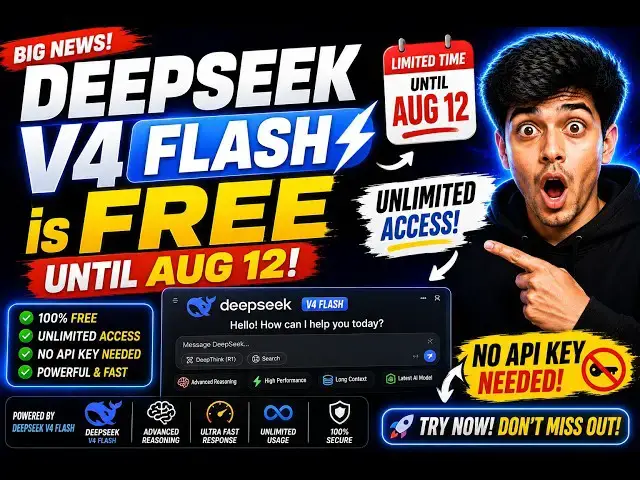
a website where you can try out DeepSeek
0:05
version 4 flash model
0:07
until August 12th. Today is August 3rd.
0:11
As you all know, DeepSeek have released
0:14
their latest model of version 4 flash.
0:17
And this website, inferex.net,
0:20
is actually providing free access of
0:22
this model until August 12th
0:25
to try out this. So, I've also given the
0:26
link in of the website in the
0:28
description.
0:29
So, this is the landing page.
0:32
Uh now to get started, it's quite
0:34
simple. You simply sign up on this.
0:38
So, they have the option to log in with
0:40
your Google account.
0:44
So, you can get started using your
0:46
Google account.
0:48
So,
0:50
DeepSeek version 4 flash model is quite
0:52
powerful
0:54
as opposed to Claude Opus fable.
0:58
So, now the interface will look
0:59
something like this.
1:00
So, developer plan.
1:05
As you see,
1:06
it also provides you with this API key.
1:11
DeepSeek
1:12
version
1:14
4 flash.
1:15
So, as you can see, it is giving to you
1:17
100% of discount
1:20
for input output tokens. It is $0.
1:24
Cash is also $0. So, you can
1:27
simply use this DeepSeek version 4 flash
1:30
model
1:31
for totally free.
1:33
So, now this is your API key. You simply
1:35
copy this API key.
1:38
And
1:39
now to use this is quite simple. If you
1:41
have an extension,
1:44
uh
1:45
I think Clean extension would be quite
1:48
useful. Simply install this.
1:50
I've already installed it. So,
1:53
simply activate this.
1:55
Um simply go to the settings of this.
1:59
Now to integrate this API
2:02
and from here API provider simply select
2:07
OpenAI compatible.
2:11
And simply paste the API key that you
2:13
bought.
2:15
As you see the base URL.
2:20
>> [snorts]
2:20
>> So
2:23
integration is quite simple.
2:28
You can either do a curl request.
2:32
As you see the API base URL is this. So
2:34
I simply copy this.
2:36
There are multiple multiple ways by
2:38
which you can integrate. So this is the
2:39
most safe way.
2:41
I paste the base URL.
2:43
OpenAI compatible simply paste the API
2:46
key.
2:47
And then for the model ID
2:49
you simply paste this Deep Seek version
2:52
4 flash.
2:54
So this is the most easy way, free and
2:56
unlimited way until August 12th.
3:00
Fill out all these four options. After
3:02
that uh
3:03
the configuration is complete and simply
3:06
send out a request.
3:14
Um now the API will return to you the
3:17
response.
3:21
And they also have the option to simply
3:23
run this as a playground. So you click
3:26
the run button.
3:37
You can see that now it actually
3:38
returned a Python script. Let me just
3:41
tell
3:42
top 10 frameworks
3:47
of
3:51
Node.js in 2026. Because it is totally
3:54
free and unlimited, you can get some
3:56
message service failure because many
3:59
people are using it at the same time.
4:06
So, this model Deep Seek version 4 Flash
4:09
model is very powerful. It's very fast
4:11
as well.
4:14
So, now you can see that it's returning
4:15
the response to you.
4:18
So, this is the best way by which you
4:19
can use this model. So, again
4:22
top 10
4:28
Node JS in 2026.
4:31
So, in this easy way, guys, you can use
4:34
this.
4:52
So, this is the first website by which
4:55
they are providing free unlimited
4:57
access.
4:58
They're providing a free API key.
5:01
The second website you can use is
5:03
OpenRouter, of course, because this is
5:05
the website where
5:07
uh if any new model is released, they
5:10
offer a free access.
5:12
So, as you can see in August, this model
5:14
was released.
5:16
Deep Seek version 4 Flash latest.
5:19
So, I already have my API key. So,
5:25
they do have the playground section as
5:26
well. So,
5:55
>> So, you can see that
5:57
it is responding to me.
6:00
So, in this easy way they have also have
6:02
instructions to integrate this Deep Seek
6:04
version 4 flash
6:06
for totally free. So, depending upon
6:08
your framework,
6:10
you simply paste the API key, which you
6:12
can easily create
6:14
by going to credit section, simply.
6:20
So, in this easy way, guys, I've shown
6:22
you two websites in which you can
6:23
directly get free access of this Deep
6:26
Seek version 4 flash model.
6:29
Definitely
6:31
integrate.
#Jobs & Education