Up next in 10

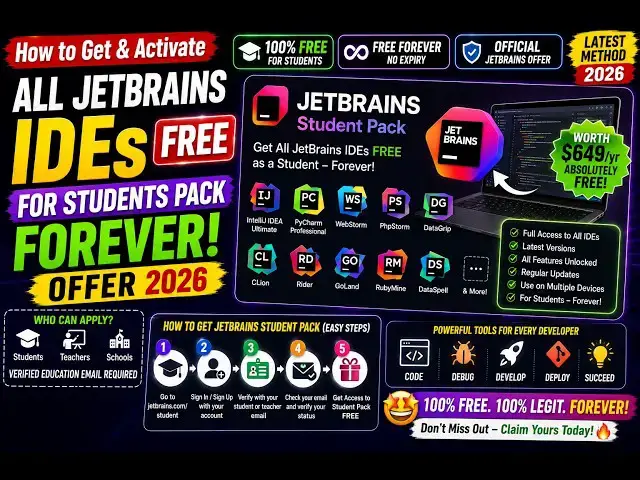
How to Get & Activate All JetBrains IDEs FREE for Students Pack Forever Offer in 2026
Aug 22, 2026

Buy the full source code of application here:
Watch My Visual Studio Code IDE Setup Video For Fonts,Themes & Extensions
https://youtu.be/Bon8Pm1gbX8
Hi Join the official discord server to resolve doubts here:
https://discord.gg/cRnjhk6nzW
Visit my Online Free Media Tool Website
https://freemediatools.com/
Buy Premium Scripts and Apps Here:
https://procodestore.com/
Show More Show Less View Video Transcript
0:00
Uh, hello guys, in this video I will
0:02
actually show you JetBrains, a very
0:04
popular company in terms of IDE. They've
0:07
released a student pack specifically for
0:10
students who are college-going,
0:12
university-going.
0:14
So, if you are a student, you can
0:15
actually unlock, activate their full
0:18
student pack that they're giving.
0:21
So,
0:22
simply go to Google, simply type
0:25
JetBrains
0:26
student pack.
0:29
If you just write this, the very first
0:30
website which comes.
0:32
This is their official website. They're
0:34
offering this full student pack,
0:37
which will include all the features, all
0:40
the IDEs, IntelliJ IDEA, PyCharm, PHP
0:44
Storm, GoLand, all the IDEs will be
0:47
there. A total of 10.
0:49
And
0:51
once you basically prove that you are a
0:52
student, you will get this forever.
0:56
So, how much time you are studying in
0:57
college, school, you will get the
0:59
subscription.
1:00
AI subscription, you will also get
1:02
unlimited code completion as well as
1:04
access to AI chat agents like Codex,
1:06
Cloud Agent, and Juni.
1:08
JetBrains Academy, you will also get the
1:10
ID.
1:11
So, once you go to the website, simply
1:14
click on this button,
1:16
apply for student pack. So, you must
1:19
have a account on this JetBrains.
1:22
So, once you fill out this form, so
1:24
basically they need to verify that you
1:27
are a student.
1:28
So, for that, they will actually ask
1:30
some information.
1:32
So, either you can also fetch if you
1:35
have
1:36
if you are already on a GitHub GitHub as
1:38
a student developer plan.
1:40
So, you can
1:42
also can authenticate with GitHub also.
1:44
If you already prove that you are a
1:45
student on GitHub, simply click on login
1:48
to GitHub.
1:49
Or you can actually provide a
1:52
official document sign up for student
1:55
developer pack.
1:58
You can also take ICT membership as
2:01
well.
2:02
So, for this you just need to fill out
2:04
this form.
2:05
Or you can authenticate yourself by
2:07
providing a university email address.
2:10
So, from here you select your country in
2:13
the drop down all the countries will
2:14
come. Select your country.
2:16
Level of study, are you a graduate or
2:19
undergraduate? Simply select that. After
2:21
that uh
2:24
computer science, if you're
2:26
major field of study, you select that.
2:28
Then you provide your email address.
2:30
This needs to be your
2:32
uh
2:34
school or university email address. This
2:37
need not have to be your personal email.
2:39
So, just provide the correct email that
2:41
you use inside your school or
2:43
university.
2:44
And then you basically personal email.
2:47
This belongs to you, so they will verify
2:49
this, first name, last name, everything.
2:52
I am under 13 years old.
2:55
If you are, you will basically
2:57
tick these options and apply for free
2:59
products.
3:01
So, once you do that, you need to first
3:03
of all verify this. So, you click on
3:05
that.
3:06
They will send out a code that you need
3:08
to write to actually verify this.
3:13
They will send out this code.
3:17
So, basically as you see, your
3:19
confirmation code.
3:21
So, they will send this code. So, I
3:23
simply copy this code.
3:26
Verify this. So, now as you see, your
3:28
personal email has been verified.
3:31
And click on apply for free products.
3:36
Email addresses from private domains are
3:38
not supported. So, this needs to be your
3:40
email address of your college or
3:42
university. So, let me just change it.
3:46
And click on apply for free products.
3:51
So, they it will automatically detect
3:52
that you have entered a wrong email
3:54
address. So, in my case I just entered a
3:56
wrong email address. This needs to be a
3:58
correct school going on your university
4:01
issued email address. They will
4:03
automatically verify whether it's
4:04
correct or not and give you this error.
4:08
So, basically this is the way guys in
4:10
order to apply for JetBrains offer
4:13
for all their products IDE AI products
4:17
everything you will unlock.
4:19
This is the student or developer teacher
4:22
pack.
4:23
There are multiple ways by which you can
4:25
actually verify this. If you are a
4:27
teacher, then you toggle this option.
4:30
Simply provide the information submit
4:32
this form or you can authenticate with
4:34
your Google GitHub account as well.
4:37
So, these are the options by which you
4:39
can get this
4:40
full student pack from JetBrains.
4:43
Definitely check this out.
Jobs & Education