Up next in 10



In this video, I go over the Bedred Dehumidifier.
Check it out here https://link.amazon/B03AAjzcp
Want FREE Shipping With Amazon Prime? Get a 30-DAY FREE TRIAL by signing up here http://www.amazon.com/tryprimefree?tag=thechrisreview-20
DISCLAIMER: This video and description contains affiliate links, which means that if you click on one of the product links, I'll receive a small commission. This helps support the channel and allows us to continue to make videos like this. Thank you for the support!
Show More Show Less View Video Transcript
0:00
Bed Red sent me their dehumidifier so let's test it out. So up top we're going to have the instruction booklet
0:05
and the dehumidifier itself. So this is a pretty compact looking dehumidifier and if you're
0:13
interested in the measurements this is going to be about 14 inches long by seven and a half inches
0:20
across by five and a half a little over five and a half inches wide. Now this is the front but first
0:27
let's take a look at the backside. Right on the back here we have the handle which makes it easier
0:32
to move out and about which is going to be a lot easier once this tank is actually full and it's
0:36
going to be heavier and when it's time to remove the tank just pull from the backside here and it
0:41
comes right off and then this can just be lifted upwards and then the water can be disposed of
0:46
This can be placed back in, put it back in and there it is. Now moving on the front we can see
0:52
the logo bed red followed by three buttons on the top. So I'm going to start by actually connecting
0:57
this and powering it on. Alright it's connected. You heard the beep and it's quiet. So it's
1:03
not on and to turn it on we just press the power button right over here and then you see
1:08
there's gonna be like a blue light over there and immediately starts working. And the other thing that also immediately starts is gonna be the LED light So if you look at the bottom over here there going to be a bit of a light right here And over time this light is going to change color So right now it a greenish color and then it turned to a blue You might have trouble seeing it
1:27
but it's going to be right at the bottom here. And when you reach the color you want
1:31
you just press the LED button, which is going to be right here, and it locks it into place
1:35
It locks that color into place. And if I press the LED button again, it's just going to completely
1:39
turn off the leds in this case i do want the led so i'll turn it back on and then the extra button
1:45
is going to be the sleep mode so when i press it basically the lights are going to shut off but this
1:50
is still going to continue to work and if i want to turn that mode off then just press that sleep
1:55
mode button again and then here we could see uh that everything turns back to normal you might
2:00
have a better chance of seeing yeah from the back side you could see a little bit more of the light
2:04
at the bottom there so there you can see it changed from green and i think it's slowly shifting colors
2:11
yeah to like an aqua color and i'll wait here a few more seconds so you can see uh the different
2:15
cycles of the colors another thing worth noting is that when the tank is full the color is going
2:21
to change to red and it's going to stay at red and it'll stop staying at red once you actually
2:26
like remove uh the bottom part and dispose of the water so here you can see now it like a pink purpley color and I think it might turn to red as well too yeah so now this is kind of like a magenta color hopefully you could see it like
2:39
down over here but going back to this now when you do turn it off it does take a few seconds to
2:45
fully off so i'll press the power button and there you heard there was still noise going on and as
2:56
far as loudness goes it doesn't feel too loud but let me actually test that out with a decibel
3:01
reader so right now let's see what the noise is of the room so the this room uh if you checked
3:07
over here it said low so that means it was too quiet for it to even pick up noise and let me
3:12
show you that one more time so i think this one goes from 30 decibels i want to say so it was less
3:18
than this room is less than 30 decibels probably or less than 20 i don't know but the room is quiet
3:23
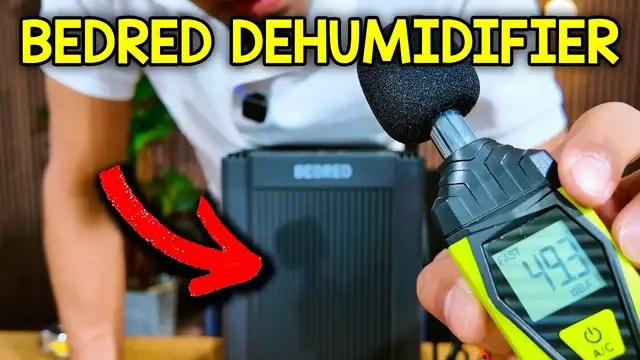
So now let me turn this on so you can see the different readings. Okay, so this was at about 53 decibels when it was about an inch away from this
3:42
and then when it was about a foot it was about 49 to 50 decibels So this is going to work best when it most humid This house isn the most humid at this moment maybe the basement is a bit more So let me put this in a place give it a few hours and come back
3:56
to see how much water it collected. So I just plugged in the bed red and here's what it looks
4:00
like. And when I turn it off, you can actually see the lights more clearly. They go on the floor. It
4:05
looks really cool. And you can also see it on the backside a little bit. Yeah, kind of barely. Oh
4:11
Wow, that actually shines a lot from there. Oh, actually, if I turn the unit over, yeah, we could see that blue is very intense
4:18
That looks very cool. So yeah, I'll give this a few hours, come back, so we can see how much water this one collected
4:23
So I left this one in the basement for about 18 hours, and here's what we have
4:29
Ready to open this up a bit, and there's going to be a few inches collected of water
4:34
Of course, not nearly as much as the capacity of this is of 1,000 milliliters
4:39
but again, this basement isn't too humid. And also one thing I noticed is once I took this off and this shook a little bit, a little bit of water did come from over here
4:48
So I guess there still might be a little bit water in here. It didn't fully drain, but that's fine
4:54
Yeah, overall, pretty happy with this. It's very easy to use. It's also very easy to, oops, put the tank back inside with one hand
5:02
But yeah, if you're looking for a dehumidifier for your place, definitely check this one out by Bedred
Computers & Electronics