Up next in 10



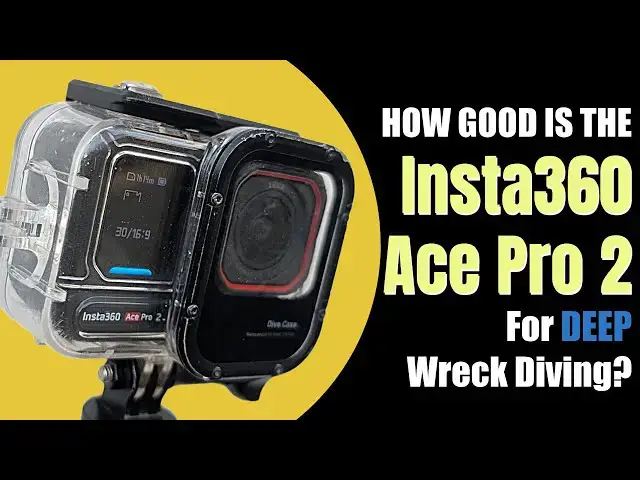
Over the last few months I've been putting this new Insta360 Ace Pro 2 Action Camera through its paces. It's done lots of deep wreck diving to see how it copes with low visibility, lack of ambient light and depth. Watch my video to see whether its now my best action camera for deep wreck diving!
*Thanks*
Many thanks to @insta360 for giving me the opportunity to use the Insta360 Ace Pro 2 Action Camera
*Buy One*
You can buy one here - http://bit.ly/46ScbrR
Note - affiliate link so this helps the channel!
*Highlights*
00:00 Introduction
01:40 How good is it - bottom line!
01:55 The stats & features
02:58 Different modes
04:00 Stunning octopus footage at 70 metres
04:36 Low light comparison
05:10 Insta360 Studio editor
06:50 Aquavision 3
07:40 Purevideo mode
09:45 Purevideo versus Standard video
Show More Show Less View Video Transcript
0:00
Over the last few months, I've been
0:01
putting this new Insta 360 Ace Pro 2
0:04
through its paces. As you'd expect from
0:07
me, I've been doing it on some proper
0:08
deep British Isles wrecks. So, this
0:11
isn't the usual shallow water holiday
0:14
video. This is UK deep wreck diving.
0:17
Cold water, really limited visibility,
0:20
not much in the way of ambient light,
0:22
strong currents, and obviously I'm
0:24
taking it to depths where very, very few
0:27
of these cameras get properly tested.
0:28
And we all know as technical divers that
0:31
it's super important that our kit works
0:33
when we need it. Often the chance of
0:35
going back and doing something again is
0:37
basically zero. So whether you know
0:40
you're poking around on the Lucatania or
0:42
diving an unidentified wreck in 80 m or
0:46
as I'm doing here trying to find out
0:48
what exactly this roll is made of. Now
0:51
the simple fact is when you're doing
0:53
this kind of diving you need your kit to
0:55
work. And I'm sure you'll have seen
0:57
plenty of examples in my videos when
0:59
that hasn't happened. So, I've had
1:01
torches fail. I've had cameras fail.
1:03
I've had divers, most notably myself,
1:05
fail on several occasions. So, in this
1:08
video, you're going to get some good,
1:09
honest feedback on how the Ace Pro 2
1:12
performs in the real world of British
1:15
deep wreck diving. There isn't going to
1:17
be any marketing fluff. I'm not going to
1:19
magically transport you to the
1:20
Caribbean, although if anybody would
1:22
like to send me there, I'd be really
1:23
happy to do that. No, you're just
1:25
getting some uh honest feedback from
1:27
somebody who's actually used it in some
1:30
pretty demanding conditions. And I
1:32
really hope and I think that's going to
1:34
be useful for a lot of people who do
1:35
similar diving to myself. So, let's not
1:38
mess around. The bottom line is it's
1:41
great. But I think you probably knew
1:42
that all already. You know, there's the
1:46
internet is full of people telling you
1:47
how fantastic these things are. And uh
1:49
you know, that's pretty much what I
1:51
found as well, although a few caveats.
1:53
Uh later on we'll get to that. So, but
1:55
first of all, we're going to have a look
1:56
at some stats. So, it does 8K 30 frames
2:00
pers or if you go down to 4K, it will do
2:04
120 frames per second. I mean, that's
2:06
that's incredible. Probably overkill for
2:09
diving where nothing really happens that
2:11
quickly. One of the things that I really
2:14
like though is that it is waterproof. Um
2:17
without doing anything else to it, you
2:19
can take it to 12 m, which is pretty
2:21
deep. And if you've got the uh the case,
2:24
the uh the standard case that they
2:26
supply, that will go down to 60 m. As
2:28
you've probably already seen from my
2:30
dives, I've had that down to nearly 80.
2:32
Um I'm pretty confident it would go
2:35
deeper. I just uh haven't uh haven't
2:38
risked it, but that's a really nice
2:40
touch as well. Um it's got a Leica lens.
2:43
It's got a dual AI chip. There's two
2:45
batteries in the box. It's really good
2:48
at picking up sound through the uh
2:50
waterproof housing. And probably big
2:52
confession here, I love the selfie stick
2:55
that's available as an optional extra.
2:57
As you'd expect within the camera
3:00
itself, you can change loads of
3:01
settings. You can put it in all the kind
3:03
of standard different modes that you
3:04
want, you know. So, there's a
3:05
photography one, there's a slow-mo one,
3:08
there's obviously the standard video
3:09
one. And the one that's particularly
3:10
interesting is the pure video mode,
3:13
which is um really good in low light.
3:17
And that's obviously particularly
3:18
relevant for what I'm going to be doing
3:20
with it. It's got uh smooth footage. So,
3:23
it's got a pretty cool stabilization
3:25
system. And it's got a screen on the uh
3:28
on the back that you can flip up, a 2
3:29
and 1 half in flip touch screen that you
3:32
can use to uh to do selfies and control
3:34
it and everything. Unfortunately, once
3:36
it's in the the dive housing, none of
3:38
that works. But we I did use it. Uh I
3:40
tried it out when we did the review of
3:42
the uh the Jetpack and uh that was
3:44
pretty awesome. But of course, what you
3:46
really want to know is how does this
3:48
thing perform in real life? What's it
3:50
been like on the majority of my dives?
3:53
You can see this video of an octopus was
3:55
nearly 70 m down. The Ace Pro 2 is
3:58
mounted on the front of my scooter and
4:00
I've got a couple of video lights, but
4:02
you can see what I've the quality of the
4:05
footage I've got here is is really
4:07
really nice. The octopus is nice and
4:09
crisp even though it's kind of
4:11
camouflaging itself against the sand.
4:13
And as you can see, it's about to head
4:15
off shortly. And even as that happens,
4:17
you can see it really distinctly heading
4:19
off into the distance. Now, I'm sure
4:22
many people will point out that it's
4:24
easy to get good quality video when
4:25
you've got strong, powerful video
4:27
lights, and that is of course the cor is
4:29
correct. The great thing about the Ace
4:31
Pro 2 is it also performs well in low
4:34
light environments. So to kind of do a
4:36
bit of a comparison, I've attached it to
4:38
my helmet alongside a paral lens vikita.
4:41
In fact, alongside two paral lens
4:43
vikitas. So you can see um the different
4:46
quality of footage that each generates.
4:48
And I think you'll agree that it is um
4:51
you know, absolutely
4:53
incredible the difference between the
4:55
two of them. And it is a proper test cuz
4:57
they are mounted both in the same place.
5:00
And I, you know, I haven't uh I haven't
5:03
artificially, you know, fudged the
5:05
results or anything. This is exactly as
5:07
it came out of the um out of the
5:09
cameras. So, something that's really
5:11
cool is the editing software. This is
5:13
Insta 360 Studio. You can see I've uh
5:16
I've brought a file in. It's taken a
5:19
standard video mode. There's some other
5:20
details and stuff about it there. But
5:23
what I want to do is obviously sort it
5:25
out because clearly it's a bit drab um
5:28
at the moment and not really, you know,
5:31
particularly colorful. Doesn't reflect
5:32
what I saw down there. So, the first
5:35
thing I've done there, you probably just
5:36
seen is mark the start point of the
5:37
video. And then I've got these different
5:38
switches here. That's color plus, which
5:41
uh as you can see has has improved it,
5:43
you know, quite a bit. But there's other
5:45
things I can do if I want to. You can
5:47
see you can change exposure and uh all
5:49
the other bits and pieces down there.
5:50
So, I'm mcking around with the
5:51
highlights and everything. So, that's
5:53
really nice for helping improve your
5:54
video. But the stuff that's a really big
5:56
guns, the stuff that really works well
5:57
is down here. So, you can apply an LUT
6:00
to it. And you can see there that has
6:04
transformed the uh the quality. Um
6:07
there's a whole load more color in it.
6:09
Looks really nice. And the other thing
6:11
we've got is this AI Aqua Vision. You
6:14
can see it gives you four AI presets
6:16
depending on what it thinks looks good
6:18
down there. Um, for me, A and D are two
6:21
extreme. B and C are the the kind of
6:23
best ones. You can also apply the the
6:26
strength um to to to get what feels
6:29
right for you. And for me about half
6:31
strength seems okay, but obviously
6:33
that's entirely personal preference. But
6:35
you can so you can see there I mean the
6:37
results of what I've just done there are
6:39
absolutely uh phenomenal. So, just to
6:42
kind of show you what it would have been
6:43
like otherwise. You can see I've turn
6:45
I've turned off everything. So, that's
6:47
what it was like before. And this is
6:48
what it's like putting stuff on. You can
6:50
see I mean it's a huge change. There you
6:52
go. Turning color plus on disables Aqua
6:55
Vision. So, for me, you've got to go
6:56
with the Aqua Vision.
6:59
And that's a really really nice touch I
7:02
think. So, to see what it looks like,
7:03
we're just going to play it a bit more.
7:05
Uh you can see that big old link coming
7:07
towards us. He's uh has, you know, lots
7:10
of lovely color to it. Um really nice,
7:13
really good texture and everything. And
7:15
then when I've got to the end, decide
7:16
that's enough. And obviously I can click
7:19
the export button and that will push out
7:22
a file to wherever I want it. And here
7:24
it is. Final result. As you can see, I
7:26
think that looks uh looks particularly
7:27
lovely. Shows you what a nice
7:29
combination the camera and the software
7:31
is. So, the next thing I'm going to show
7:33
you is something that I found as a
7:35
negative, and I have fed it back to
7:37
Insta 360. It's to do with um software
7:41
processing, I think, in the in the pure
7:43
video mode. So, I've got two clips, one
7:45
with pure video on, and one with pure
7:47
video off. This is a pure video off one.
7:50
And as you can see, 4K 30 frames pers,
7:53
etc. And if you have a look at the
7:55
video, you can see that it's um it's
7:58
really difficult for a camera to deal
8:00
with because there's a whole load of
8:01
stuff going on. There's loads of lights
8:03
and uh it's pitch black and there's
8:05
loads of flashing stuff and people are
8:06
shining lights at the camera and all
8:08
sorts of things. The camera needs to try
8:10
and make sense of this. What we can do
8:12
is obviously uh use all the stuff that
8:14
we've done previously. I can turn on the
8:16
UT and I can choose aqua vision if I
8:19
want to. And you can see there that's
8:20
kind of uh that improves. It makes uh
8:24
you know makes it look a lot nicer,
8:26
which is what we've seen already. So
8:27
that's great. Slight red tinges maybe
8:30
there in some of the in some of the
8:31
torches, but but not particularly uh
8:34
bad. This is the kind of environment in
8:36
which you'd expect pure video to be
8:39
absolutely brilliant. You know, this is
8:41
kind of what it's designed for, this
8:42
kind of low light environment. So, um,
8:45
this clip, I think, was taken shortly
8:47
after the one that you've just seen. I
8:49
switched the camera into pure video
8:51
mode, and here it is. And it kind of it
8:53
looks better, doesn't it? I mean, you
8:54
can see more. There's kind of more
8:56
definition, everything, which is exactly
8:57
what you'd expect for the pure video
8:59
mode. But what you also get is, as you
9:01
can see there, you just uh every now and
9:04
again, you can see red um kind of halos
9:07
really. And this is what I've noticed is
9:10
when the uh the light changes
9:12
dramatically, you often get red halos.
9:14
So you can see one from the strobe in
9:16
the top. You can see one from my torch
9:18
in the bottom left. And the guy in front
9:19
of me, you can see one from his torch
9:21
there as well. Now obviously we've got
9:24
all the same tools available to us. So
9:25
we can turn on aqua vision. And you can
9:28
see there that that makes it um a lot
9:30
lot better. It makes it better full
9:32
stop, but also gets rid of a lot of the
9:35
uh the red halos, which is ideal. It's
9:38
just just what you want. But what I
9:41
would say is I don't think it gets rid
9:42
of it entirely. So, for me, that's
9:45
enough of a negative that I'm not going
9:48
to be using the pure video mode. Now,
9:50
I'm sure it is outstandingly good in
9:52
other scenarios, and I know I've got a
9:55
very uh niche user case, but what I will
9:58
be doing uh for my videos is I will be
10:00
using the standard video mode and then
10:02
using the outstandingly good Aqua Vision
10:06
uh AI stuff to kind of bring it to life
10:09
uh as you can see in this video. So,
10:11
let's finish up with some final thoughts
10:12
on this thing, the uh lovely little
10:14
Insta 360 Ace Pro 2. What do you buy an
10:18
action camera for? Well, it's all about
10:20
the quality of the uh the imagery and
10:21
the video it produces, isn't it? And
10:23
it's great. You've already seen that
10:25
through the video. The other thing
10:26
that's really nice is the image
10:27
stabilization. Obviously, that works
10:29
really well. I do like the software. I
10:32
particularly like the fact that you've
10:33
got that uh Aqua Vision on it. And even
10:35
in the time that I've had this, they've
10:37
upgraded from Aqua Vision 2 to Aqua
10:40
Vision 3, which has made a significant
10:42
improvement. And so therefore, I'm
10:43
expecting uh more to come. So come on
10:45
in. I'm expecting more to come. I'm sure
10:47
they'll be doing that cuz clearly this
10:48
is a really competitive market. What is
10:52
uh what else is good? Well, I uh I like
10:54
the uh the flip screen. That's uh that's
10:56
really interesting in certain
10:57
circumstances. Maybe not so for so much
10:59
in my diving, but some of the surface
11:00
stuff that comes in really handy. Love
11:02
the fact that it's waterproof. I think
11:04
that's a really useful uh capability.
11:07
Love the fact that it actually captures
11:09
really good sound through the uh through
11:11
the casing. That does add a surprising
11:13
amount to diving videos, I think. Um,
11:16
right. What's what what else to talk
11:17
about? I guess at 60 m housing, I would
11:20
we know it's kind of good to 80 and and
11:23
possibly more. I would love that to be
11:25
100 or 120 or something else, but um,
11:28
you know, I guess that's a that's a
11:30
fairly niche thing. I love the selfie
11:32
stick. You mentioned that already. Um,
11:34
what what else? Well, there's the I
11:36
would love to be able to use pure vision
11:37
all the time. And I kind of hope that
11:40
they're going to sort that out through
11:42
um through, you know, further software
11:43
improvements that will that will remove
11:45
that kind of red haloing effect. And I
11:47
guess it's probably worth mentioning
11:48
that lots of other cameras that have got
11:51
any form of color correction have
11:53
exactly the same thing. So, I turn it
11:55
off on all my other cameras as well. So,
11:57
um Insta isn't isn't uh isn't the same
11:59
with that. So, a few things to kind of
12:01
improve there. Nothing is ever perfect,
12:03
but but frankly, um this is a pretty
12:06
awesome piece of kit. And if you're in
12:08
the market for uh an action camera that
12:10
you want to take diving with you, um you
12:13
know, this should be should be something
12:15
that you take a good long hard look at,
12:17
I