
I Replaced a $5,000 PLC Trainer with a Free PLC Training Simulator
Sep 28, 2026
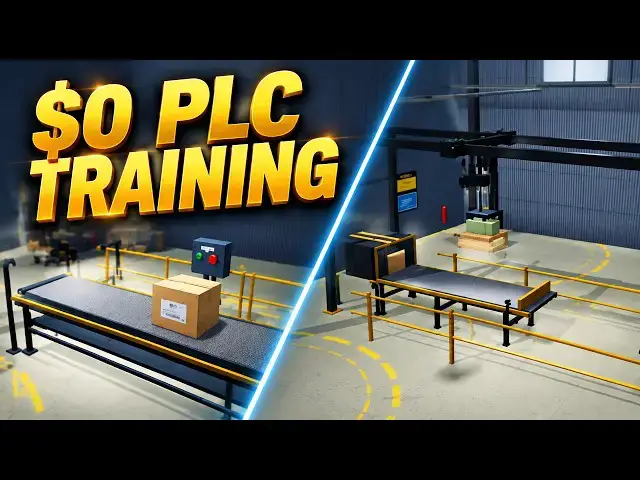
Free PLC training simulator: learn ladder logic and structured text in your browser with six 3D industrial scenes - no hardware, no downloads, no license fees.
⚡ QUICK ANSWER
A PLC training panel costs 3,000 to 8,000 dollars per station, and a classroom needs six to twelve of them. The ACC PLC Simulator runs free in your browser and covers the programming half of that training: a ladder logic editor, an IEC 61131-3 structured text editor, an I/O panel with toggle switches and analog sliders, run, stop and single-scan step mode, and six interactive 3D scenes - control panel, motor starter, conveyor, tank fill, traffic light and pick and place palletizer. What it cannot teach is the physical half: stripping wire, landing terminals, metering 24 volts and chasing noise and ground loops. Learn the logic in the browser first, then let the hardware be a wiring exercise instead of a programming exercise.
📖 FULL WRITTEN TUTORIAL + DOWNLOADS
https://accautomation.ca/i-replaced-a-5000-plc-trainer-with-free-plc-training-simulator/
📖 FULL WRITTEN TUTORIAL + FREE SIMULATOR
https://accautomation.ca/simulator/
⏱️ TIMESTAMPS
0:00 I Replaced a $5,000 PLC Trainer with Free PLC Training Simulator
0:46 What a Five Thousand Dollar Trainer Gives You
1:19 What the Free Simulator Gives You
2:02 Where the Simulator Wins
2:47 Where Hardware Still Wins
3:27 - The Smart Approach - Learn the Logic First
3:58 - For Instructors - Simulator Homework, Trainers for Wiring Labs
4:35 - What Makes It Different - 3D Visual Feedback
4:58 - Try It Yourself - Open a Scene, Write a Program, Press Run
📚 WHAT YOU'LL LEARN
✅ Compare a 3,000 to 8,000 dollar PLC training panel against a free browser based PLC simulator, feature by feature
✅ Use six 3D industrial scenes - control panel, motor starter, conveyor, tank fill, traffic light and palletizer - to practice different I/O patterns
✅ Switch between ladder logic and IEC 61131-3 structured text on the same program with one click
✅ Use step mode to execute a single scan and see exactly what changed - the fastest way to understand the PLC scan cycle
✅ Know exactly where a simulator stops: wiring, multimeter troubleshooting, electrical noise and ground loops are hardware only skills
❓ FREQUENTLY ASKED
Q: Can a free PLC simulator replace a physical PLC trainer?
A: It replaces the programming half. Logic, timers, counters, seal-in circuits, the scan cycle and structured text all transfer directly. Wiring, terminal work and multimeter troubleshooting still need real hardware.
Q: What do I need to install to run the ACC PLC Simulator?
A: Nothing. It runs entirely in your browser - no downloads, no license fees, no account. Open a scene and start writing logic.
Q: Is this useful for a college or training department?
A: Yes. Assign the simulator as programming homework so students arrive already knowing the logic, then reserve the physical trainers for wiring labs. Same lab hours, roughly twice the training.
👉 Open the free simulator: https://accautomation.ca/simulator/
🔗 MORE RESOURCES
▶ How to use the simulator: https://accautomation.ca/acc-plc-simulator-how-to-use-the-free-browser-based-plc-trainer/
▶ PLC Beginners Guide: https://accautomation.ca/programming/plc-beginners-guide/
▶ All series: https://accautomation.ca/series/
▶ Free eBooks: https://accautomation.ca (subscribe for download)
🛒 RECOMMENDED HARDWARE
▶ Shop: https://www.automationdirect.com/
▶ Parts Guide: https://www.accautomation.ca/purchase-find-parts/
💬 Questions? Drop a comment below.
🔔 New tutorials every Monday — Subscribe and hit the bell!
#PLC #LadderLogic #IndustrialAutomation #PLCProgramming #ACCAutomation #PLCTraining #LearnPLC #PLCTutorial #StructuredText #FreePLCSimulator
Regards,
Garry
ACC Automation
http://www.accautomation.ca
Show More Show Less