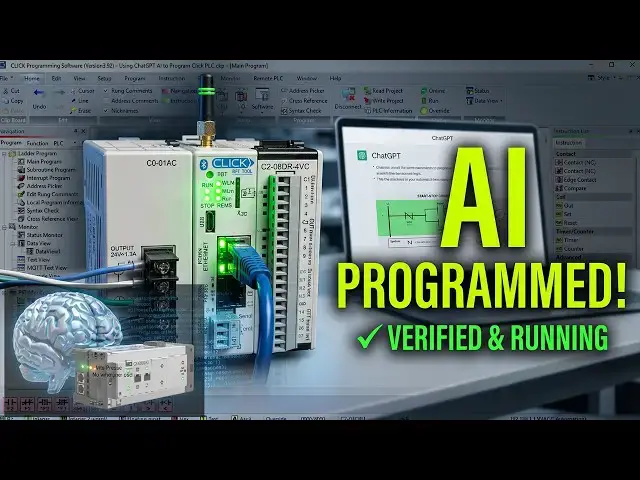

Using ChatGPT AI to Program a Click PLC
Jul 27, 2026

Using ChatGPT to help program a Click PLC — describe a machine in plain English, get ladder logic and an address list, then catch where the AI gets it wrong.
⚡ QUICK ANSWER
You can use AI to help program a Click PLC, but not the way the hype suggests. AI won't push a program into your PLC, it doesn't open the Click software, it doesn't know your wiring, and it can't test itself against a real motor. What it does well is act like an experienced programmer sitting beside you: describe a machine in plain English and it hands back an address list, a rung-by-rung plan, and an explanation of every instruction. The workflow is free — the AI, the Click software, and a free online ladder simulator for prototyping all cost nothing; you only need the Click PLC itself to test the real program, and it's one of the least expensive you can buy. The catch, and the reason you never paste AI logic straight into a running machine, is that the AI makes mistakes. The most common is the stop button: it may tell you to wire it normally closed and then use a normally closed contact in the ladder, which is a double negative that means the motor never starts — or it assumes a normally open stop button, which works on the bench but is unsafe, because a broken wire would leave you unable to stop the motor. You catch these two ways every time: ask the AI to explain the rung back in plain English and check it against your wiring, then test on the PLC with the field wiring off, forcing bits in Data View before a real output moves. The AI is a fast helper, but you are the safety check that never changes. The full walkthrough is in the guide below.
📖 FULL WRITTEN TUTORIAL + DOWNLOADS (address list, rungs, free links)
https://accautomation.ca/using-chatgpt-ai-to-program-a-click-plc/
⏱️ TIMESTAMPS
00:00 Using ChatGPT AI to Program a Click PLC
01:03 What AI can and cannot do
01:47 Getting the free tools ready
02:40 Describing the machine to the AI
03:34 The address list
04:06 Building the ladder logic
05:44 When the AI gets it wrong
06:58 Explaining and troubleshooting existing code
📚 WHAT YOU'LL LEARN
✅ What AI can and can't do when programming a PLC
✅ How to describe a machine so the AI gives you usable ladder logic
✅ How to take the AI's address list into the Click software
✅ How to build the seal-in start-stop rung the AI plans
✅ The stop-button mistakes AI makes — and how to catch them safely
❓ FREQUENTLY ASKED
Q: Can AI program a PLC for you?
A: Not on its own — it won't open the software, know your wiring, or test against a real machine. It acts like an experienced programmer beside you, producing an address list, a rung-by-rung plan and plain-English explanations, but you build, test and verify it. The full workflow is in the guide.
Q: What's the most common mistake AI makes with ladder logic?
A: The stop button. It may pair a normally closed button with a normally closed contact (a double negative, so the motor never starts), or assume a normally open stop button — which works on the bench but is unsafe, because a broken wire would leave you unable to stop the motor.
Q: How do you check AI-generated ladder logic safely?
A: Two ways, every time: ask the AI to explain the rung back in plain English and check it against your wiring, then test on the PLC with the field wiring disconnected, forcing the bits in Data View before any real output moves.
👉 Full walkthrough: https://accautomation.ca/using-chatgpt-ai-to-program-a-click-plc/
🔗 MORE RESOURCES
🎮 Free ACC PLC Simulator (our own 3D-scene browser simulator, no install): https://accautomation.ca/simulator/
▶ Click PLC Series: https://accautomation.ca/series/click-plc/
▶ PLC Beginners Guide: https://accautomation.ca/programming/plc-beginners-guide/
▶ Free eBooks: https://accautomation.ca (subscribe for download)
🛒 RECOMMENDED HARDWARE
▶ Shop: https://www.automationdirect.com/
▶ Parts Guide: https://www.accautomation.ca/purchase-find-parts/
💬 Questions? Drop a comment below.
🔔 New tutorials every Monday — Subscribe and hit the bell!
#PLC #LadderLogic #IndustrialAutomation #PLCProgramming #ACCAutomation #ClickPLC #ChatGPT #AI #AutomationDirect #StartStop
Regards,
Garry
ACC Automation
http://www.accautomation.ca
Show More Show Less