Up next in 10

Turn Your Video Editor into a PWA: Next.js + FFMPEG WASM (Install Like Native App) in Browser
Mar 3, 2026

Buy the full source code of application here:
https://procodestore.com/index.php/product/turn-your-video-editor-into-a-pwa-next-js-ffmpeg-wasm-install-like-native-app-in-browser/
Show More Show Less View Video Transcript
0:01
Uh hello guys, in this video I'll show
0:03
you I basically build out a progressive
0:05
web application which directly runs in
0:08
the browser. It's actually a nextJS
0:10
video editor where you can actually edit
0:13
your videos directly in the browser. All
0:15
the processing take place directly in
0:18
the browser. It's a single page
0:20
progressive web application. So we are
0:22
running it on local host and it's
0:24
actually a timeline based editor where
0:27
you can actually add your video. You can
0:29
also add images, text, your own audio as
0:33
well. Then we can export the different
0:36
edits that you have made. So this is my
0:38
video that I edited. I basically added
0:41
the text here. You can even change the
0:43
color of the text here accordingly. And
0:45
you can place it change the position of
0:48
the text as well. Same goes with image
0:51
as well. You basically have the image
0:53
here. You can control the size of the
0:55
image. You can just see here.
0:58
And then you can even control the X
1:00
position, Y position using these
1:02
sliders. So you basically have all the
1:05
control that you need to actually edit
1:07
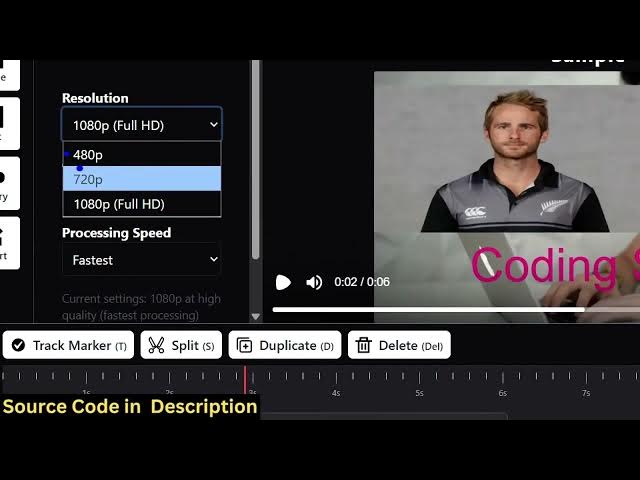
videos. And then you can even change the
1:10
resolution as well of the video, quality
1:13
of the video, processing speed as well.
1:16
And then you click render and fmpg web
1:20
assembly will actually do the processing
1:22
frame by frame. And when it completes
1:24
you will actually see the output video
1:26
created and then you will be able to
1:28
download the output video. So if you
1:31
need the source code of this project I
1:33
have given the link you can directly
1:34
purchase it. So I written this project
1:36
from scratch. So each and every file is
1:39
customizable. You can actually add more
1:43
features on top of this project.
1:46
So we are using the latest version of
1:48
next and react as you can just see here
1:51
for this progressive web application and
1:54
we are also using ffmpg web assembly
1:56
library
1:59
remotion as well. So
2:05
so it directly runs in the browser as a
2:07
progressive web application. So,
2:12
so when the processing completes, you
2:14
will actually see the output video
2:16
created.
2:20
And if you don't know, web assembly is
2:22
actually a library which allows you to
2:25
use
2:27
uh ffmppg directly in the browser. So we
2:30
are actually using this if [snorts] you
2:32
just write here ffmpg web assembly.
2:37
>> [snorts]
2:37
>> So this is essentially this library that
2:40
is actually powering this application.
2:43
So we are using this. So now you will
2:46
see the output is there for you to
2:48
download.
2:51
So this is your output video which is
2:53
successfully edited and you here you can
2:57
simply download as well. So if you're
3:00
interested in this project the link is
3:02
given you can directly purchase it. You
3:04
have all the options here for adding
3:06
text, images.
3:08
You can even split your video as well.
3:11
So you can even cut the video,
3:13
duplicate, delete. All the controls are
3:15
there. And the thing is that it runs
3:18
directly in the browser as a progressive
3:20
application.