Up next in 10

Build a JSON Editor to Format, Validate & Minify JSON in Browser Using HTML & JavaScript
Mar 3, 2026

Buy the full source code of application here:
https://procodestore.com/index.php/product/build-a-json-editor-to-format-validate-minify-json-in-browser-using-html-javascript/
Show More Show Less View Video Transcript
0:00
show you a complete JSON editor that I
0:03
developed directly in the browser using
0:05
HTML, CSS and JavaScript. It has all the
0:07
features. You can validate JSON minify
0:11
JSON.
0:13
So you have an option to upload a JSON
0:15
file or you can paste a URL or paste raw
0:19
JSON as well. So once you land on the
0:22
demo link, I've given this demo link in
0:24
the description of this video. So at at
0:26
the checkout page you will see this demo
0:28
link. So once you land on this you can
0:31
have this option to paste some JSON
0:36
or if you have an JSON file you can drag
0:38
and drop a JSON file or if you have a
0:41
URL
0:43
you can even paste a URL then it will
0:45
automatically load the JSON for you.
0:48
Let's suppose if you are
0:50
using any sort of API, you want to check
0:53
out the responses.
0:55
Let me take an example of a JSON
0:58
placeholder.
1:00
I simply copy the link
1:04
and just paste it. Click load. So now
1:07
everything that JSON will be loaded for
1:10
you directly in this editor. And now we
1:12
have all these options. You can either
1:14
minify validate just check whether it's
1:17
JSON is correct or not. Now you get this
1:20
notification that JSON is valid number
1:22
of lines characters everything. So if
1:24
you do want to purchase this source code
1:26
I've given the link in the description
1:29
of this video. So it's a single index
1:31
html file. All the processing is
1:34
happening directly in the browser. So no
1:36
serverside code is involved. It's round
1:39
about thousands lines of code here. So
1:43
it's a single static application. You
1:45
can even run this locally as well.
1:48
So as you can see now we running this
1:50
JSON editor directly in the browser in
1:54
local host.
1:57
So you can even paste raw JSON as well.
2:00
So if I paste it.
2:05
So just copy this and you can paste it
2:11
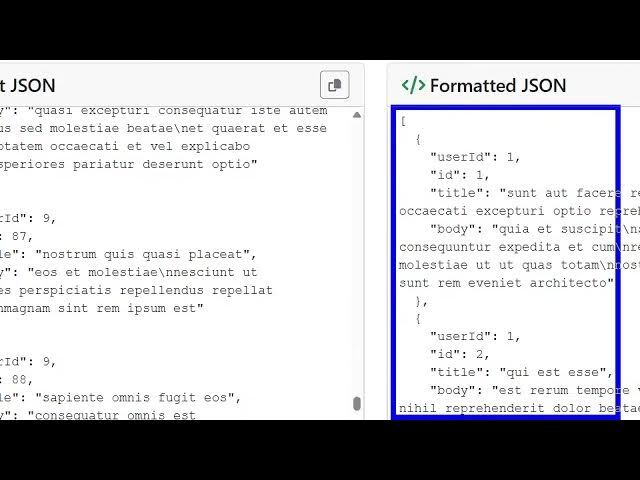
like this. And now you can format this.
2:14
Just click the format button and
2:16
everything will be formatted. So it will
2:19
basically format your JSON. If you want
2:22
to minify this, you can even minify
2:25
this.
2:26
Just click the minify button and
2:28
automatically on the right hand side the
2:30
JSON will be minified. And now you can
2:36
All the JSON is minified. So you can
2:39
just copy this and paste it anywhere
2:42
else. You also have copy to clipboard
2:45
button as well. This is a tree view. If
2:47
you want to see this in the tree view,
2:49
you can even do that as well. So
2:55
it's a simple application, very simple
2:58
but yet powerful as well. It has all the
3:00
features for you from file. If you have
3:02
a JSON file, you can even drop that JSON
3:05
file as well.
3:11
So just need to select a JSON file. You
3:13
can basically check out the demo before
3:15
purchasing it. I have given this. This
3:18
is a demo link. It will be available at
3:21
the checkout page. So
3:24
just see all the features here
3:27
from a URL upload file paste JSON.
3:41
So you can just see here
3:45
if you want to clear out everything you
3:47
can click the clear button as well. So
3:50
once you paste it, it will also shows
3:52
you the number of lines, characters, the
3:54
bytes, everything.
3:56
So for building this application, we are
3:58
using some third party libraries here
4:00
which is Bootstrap for the user
4:02
interface
4:04
and this is entirely HTML, CSS and
4:07
JavaScript.
4:10
So if you're interested, uh definitely
4:14
purchase it. I have given the link in
4:16
the description of the video.