Up next in 10

Build a React.js Client-Side PDF Invoice Builder & Editor Using jsPDF & html2canvas in Browser
Mar 4, 2026

Buy the full source code of application here:
https://procodestore.com/index.php/product/build-a-react-js-client-side-pdf-invoice-builder-editor-using-jspdf-html2canvas-in-browser/
Show More Show Less View Video Transcript
0:00
This PDF editor and generator I have
0:03
built inside the browser. It has all the
0:05
options if you want to generate a
0:06
billing invoice in PDF. So this is the
0:09
application I have running it on
0:11
localhost 3000. It's developed entirely
0:14
in ReactJS. We have used quite a number
0:16
of third party libraries such as JSPDF,
0:18
HTML to canvas as well React. As you can
0:21
see we are using React and this is
0:23
overall project. Uh the link is given.
0:26
You can directly purchase the source
0:28
code. So once you purchase it, you will
0:29
get the source code from Google Drive
0:31
automatically. So all the components are
0:34
uh basically coded inside JavaScript as
0:36
you can see. So now to run this project,
0:39
it's very simple. You simply go to
0:40
command line, simply type npm run start.
0:43
This will start the local development
0:45
server. And now in the invoice, you can
0:48
basically put
0:51
the name, email address, everything.
0:57
You can put any address here. Billing
0:59
from,
1:03
you can add items here. The description,
1:06
you can add any currency here. All the
1:09
currencies are supported in the
1:10
drop-down. You can select your currency.
1:12
You can also add multiple items. As you
1:15
change the rate, the total will update
1:17
or accordingly. You can change the
1:20
pricing as well. So, automatically
1:22
total, subtotal, discount, text,
1:24
everything is calculated. You can even
1:26
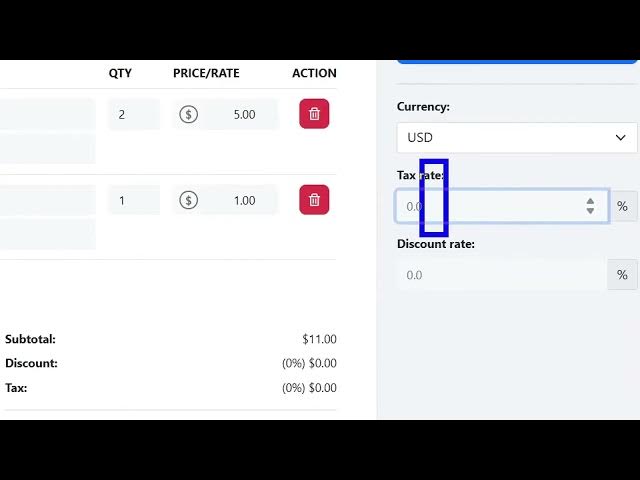
put a tax rate as well. Let's suppose 2%
1:29
of tax rate, 5% of discount. So
1:32
everything is calculated accordingly.
1:34
Now if you click review invoice, you do
1:37
need to provide a date of the invoice.
1:42
And now in this model like structure,
1:44
you will preview the changes. Now if
1:47
you're happy, you can click on download.
1:50
So now it will download the invoice as a
1:52
PDF file. So now if you open the PDF
1:54
file you can see all the changes is
1:56
reflected back. Your name, invoice
1:58
number, address, everything, email
2:00
address, the total number of items are
2:04
calculated and shown right here in the
2:06
output invoice. So this is the very
2:09
simple single page application in
2:12
ReactJS. So it has all the features as
2:14
you can see if you have knowledge you
2:16
can even add multiple
2:18
uh on top of uh you can modify anything
2:21
or add additional features as well. So
2:23
here you can change your currency as
2:25
well to pound euro just select the
2:28
currency or add your own currencies as
2:31
well.
2:33
It's a very famous application. You can
2:35
even add multiple items. just change the
2:37
rate total number of quantity and
2:41
depending upon the rate will change. So
2:44
here you can plug the information just
2:47
generate change the invoice number as
2:49
well
2:51
the due date just provide the
2:53
information whatever is the address
2:57
email address and uh the name of the
3:00
person again
3:02
preview the changes again the changes
3:05
will be reflected back so very simple
3:07
kind of a PDF invoice editor and
3:09
generator in ReactJS [snorts] and for
3:11
building this we are using these
3:13
libraries
3:14
s which is JSPDF as you all know it's a
3:17
very popular PDF generation library for
3:20
JavaScript and then we are also using
3:22
HTML to canvas which actually allow you
3:25
to take screenshots directly in browser
3:28
with the help of JavaScript. So these
3:30
are two libraries that we are using for
3:32
this project and you can directly
3:35
purchase it. The link is given in the
3:36
description. So easily you can run this
3:39
you can even deploy this application as
3:41
well. npm run build. So this will build
3:45
out your application.
3:47
So it's a professional looking invoice
3:49
generator and builder. So definitely
3:51
check out this