0:00
Hello guys, in this video I'll show you
0:02
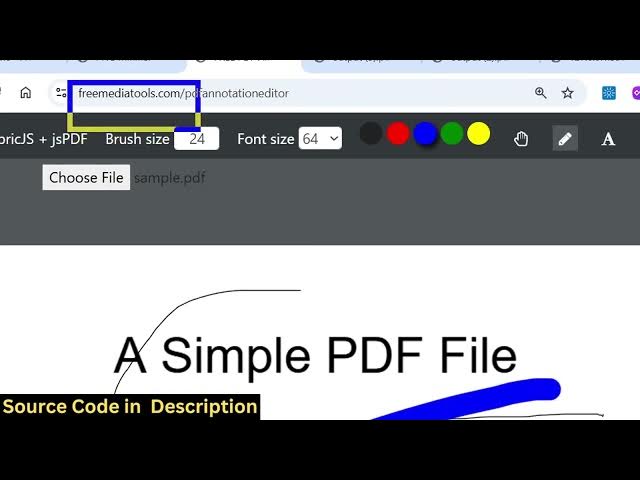
I built out a front-end Adobe Acrobat
0:05
PDF editor directly in the browser.
0:08
So, this is the directory structure of
0:10
this project. It's entirely built in
0:12
HTML, CSS, and JavaScript without any
0:15
This app directly runs in the browser.
0:17
It's very easy for you. So, once you
0:19
purchase the source code that the link
0:21
is given in the description.
0:23
So, you can simply run this file here.
0:26
And just select whatever PDF file that
0:30
After you select the PDF file, all the
0:32
pages will render out. You will see
0:36
And now you can individually select any
0:38
page and then using all these controls
0:41
which are there for pencil icon for
0:43
annotating something, you can change the
0:45
brush size, font size, everything. So,
0:48
you can even change the color as well.
0:50
Then move to the next page, do the
0:54
You also have different kinds of shapes
0:58
You also have the ability to add text as
1:04
So, I've also deployed this application.
1:07
The link is given in the description.
1:09
So, you can actually go to this
1:11
application and try out the application
1:15
So, check the full description. I've
1:18
And repeat the same process. You simply
1:20
select the PDF file that you need to
1:25
actually make use of the pencil icon
1:28
to actually annotate anything.
1:34
So, you can just see here.
1:37
Yes, from [snorts] here you can adjust
1:39
the brush size. You also have the
1:40
ability to add images as well.
1:53
And using the select icon, you can
1:56
resize the image here. Just place it
1:59
wherever you need to add this.
2:01
So, it's similar to Adobe Acrobat.
2:03
Directly runs in the browser. No need
2:05
for any installing any software for
2:09
After you make the change, you click the
2:14
output PDF file once you make all the
2:19
So, if you're interested in this tool,
2:21
guys, you can directly purchase it.
2:26
you will actually get the source code
2:28
from Google Drive automatically. So, you
2:33
And directly using HTML, CSS, and
2:36
JavaScript. So, the link is given.