Up next in 10

Node.js & React.js: Build Ultimate Canva-Style Image & PDF Editor Clone in Browser Using Express
Mar 5, 2026

Buy the full source code of application here:
https://procodestore.com/index.php/product/node-js-react-js-build-ultimate-canva-style-image-pdf-editor-clone-in-browser-using-express/
Live Demo of App:
https://freemediatools.com/canvaultimateeditor/
Show More Show Less View Video Transcript
0:00
to this live stream. So in this live
0:01
stream I'll show you an ultimate Canva
0:03
style PDF and image editor that I built
0:06
directly in the browser and I've
0:07
deployed this on my website
0:09
freemediatools.com/canva
0:11
ultimate editor. I've given the link in
0:14
the description of this video. So once
0:16
you land on this you will see this uh
0:19
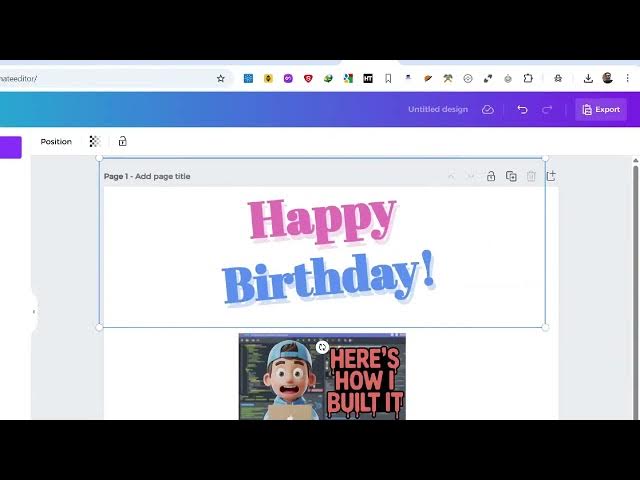
Canva clone kind of an editor in the
0:21
sidebar section. It's looks similar to
0:23
this. You you can add multiple pages
0:25
here. You can delete this page and start
0:28
from scratch. So the interface looks
0:31
very similar to actually the actual
0:33
Canva.
0:36
So here you can add your own text as
0:38
well. You can select from a presets of
0:40
text which are available. You can add
0:43
your own custom images. Then we can even
0:46
export this to a image or PDF file. So
0:48
let me show you the actual source code
0:50
of this. So it's built in entirely
0:52
inside NodeJS Express and ReactJS. This
0:56
is actual directory structure and the
0:58
link is given. You can directly purchase
1:00
the source code. After purchasing it,
1:02
you will get this directory structure
1:05
automatically
1:06
from Google drive you will download the
1:08
source code. So once you land in this
1:10
directory
1:12
uh you should have at least NodeJS
1:15
installed inside your system and first
1:18
of all simply execute this command npmi.
1:21
So this will create this node modules
1:23
folder. So all the modules will be
1:25
installed and same thing you need to
1:27
group just go to the API folder and do
1:30
the same thing and execute the necessary
1:35
npmi. After that once it is done you can
1:40
simply start this project npm run start.
1:43
So this will start this local
1:45
development server at localhost 5173.
1:53
And now you can see I'm running it on
1:55
localhost 5173. So we can simply run
1:58
this locally. And uh as I already told
2:01
you it is similar to Canva. So you can
2:06
create multiple pages. So as you can see
2:09
right here,
2:14
so if you just refresh, you have all
2:16
these options which
2:21
so you can go to the menu section. You
2:23
have different kinds of templates which
2:25
are available to you.
2:30
Let me just resize.
2:36
So you can basically first of all try
2:38
out this demo right here which is
2:40
available. I've given the demo link. So
2:43
you can add multiple pages here as you
2:45
can see.
2:47
Can add this text here.
2:50
So it's a layer based editor. So
2:53
everything is controllable. You can
2:56
control the size. everything. You can do
2:58
this. You can have frames, different
3:02
kinds of shapes. You can even upload
3:04
your custom image as well. Simply add
3:06
this into the canvas right here as you
3:08
can see.
3:11
So once you are done, you click the
3:12
export button either to export this as
3:15
an image file.
3:19
You can create this to also convert this
3:22
to a PDF file as well. So export
3:26
PDF. So now all the pages will be
3:29
converted to PDF.
3:42
So go to the file menu export all pages.
3:47
So
3:50
can see that it has been exported. You
3:52
can first of all try it. If you like it
3:54
then you can purchase it. The link is
3:56
given in the description. You can even
3:58
create a custom size thumbnail as well.
4:00
So you can provide a custom thumbnail.
4:02
Let's suppose you're building it 200 by
4:05
200. You can then control everything. So
4:09
here you have also support for third
4:11
party images. You can here search it.
4:14
We have different kinds of shapes as
4:16
well. You can add all these shapes.
4:21
Same goes with frames as well. You can
4:24
have your own images. So these are
4:27
different templates which are there
4:30
with a single click. So this will save
4:33
you a lot of time. It's an ultimate
4:35
Canva clone PDF and image editor. So
4:38
definitely try this. It's entirely made
4:41
inside ReactJS, NodeJS and Express. So
4:44
we are using the latest version of React
4:47
18.2.0.
4:48
And then this is a backend code which is
4:52
actually using NodeJS and express. So
4:56
very simple project
4:58
you can directly purchase it. The link
5:00
is given in the description.