Up next in 10

Build a Browser Based Invoice to PDF Generator with jsPDF and html2canvas Using HTML & JS
Mar 13, 2026

Buy the full source code of application here:
https://procodestore.com/index.php/product/build-a-browser-based-invoice-to-pdf-generator-with-jspdf-and-html2canvas-using-html-js/
Live Demo of App:
https://freemediatools.com/invoicepdfgenerator
Show More Show Less View Video Transcript
0:01
Uh hello guys, in this video I'll show
0:02
you a PDF invoice generator that I
0:06
developed entirely in the browser. It's
0:07
a static web application which runs
0:10
directly in the browser. No server side
0:12
is involved. So it's built inside HTML,
0:15
CSS and JavaScript. I have given the
0:18
demo link and also the purchase link
0:20
where you can purchase the entire source
0:22
code. So this is the actual source code
0:24
around about 800 lines of uh HTML, CSS
0:28
or JavaScript code. It's very easy to
0:30
run this. You basically open it in VS
0:33
code and directly you can run it at
0:35
local host. So we are running it on
0:37
local host. This is the interface of the
0:39
application. Here you basically provide
0:40
the details about your company, email
0:42
address, phone number and then you
0:44
provide the address. Then you basically
0:47
set the invoice date, invoice number,
0:49
currency. You can select from a
0:51
drop-down
0:53
and instantly on the right hand side the
0:55
invoice will be created. So here you
0:56
fill out the invoice client information.
1:00
You can add multiple items here for the
1:02
invoice. You can set the rate here.
1:06
So I'm just filling out the dummy data
1:08
and also you can provide discount and
1:10
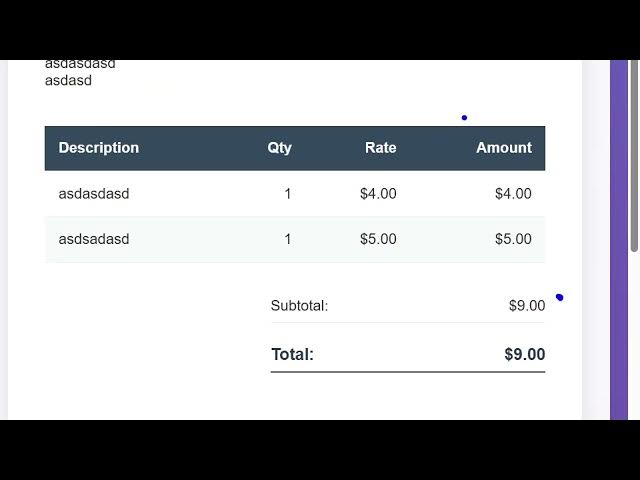
text. And here on the right hand side in
1:13
a tableau like structure as you can see
1:15
now we have this download PDF button. So
1:18
everything which is there right here
1:20
will be exported to PDF. So once you
1:23
open the PDF file you will see this will
1:25
be the end result you will be getting a
1:27
polished professionallook invoice
1:29
document will be ready in a matter of
1:31
seconds using this web application. So
1:34
definitely try this uh I have also
1:36
deployed this tool on my website as
1:39
well. You can check the demo link. So
1:42
here you can actually try this out
1:45
before purchasing it. So go to this
1:47
link. I have given this link in the
1:49
description of this video. So repeat the
1:51
same process. You fill out the necessary
1:54
details
1:55
and right in the right hand side corner
1:58
you will see the live preview of the
2:00
invoice and then again we have the
2:03
download PDF button. So we have used the
2:06
two libraries for this for building this
2:08
HTML to canvas and JSPDF. So we actually
2:12
included the CDN links of both these
2:14
libraries. As you can see right here we
2:17
included these links. So it's really
2:21
simple. So both these libraries are free
2:25
open-source libraries. So if you search
2:27
HTML
2:31
HTML 2 canvas and this is used for
2:34
taking screenshots
2:36
with the JavaScript and the second
2:38
library is JSPDF which is a PDF
2:41
generation library which is a very
2:42
famous. So we have used these two
2:45
libraries for building this. So
2:47
definitely check out this both the links
2:50
in the description if you are willing to
2:52
purchase this PDF invoice generator.