Up next in 10

Build a Javascript Online Image Compressor & Optimizer Like TinyPNG Clone Editor in Browser
Mar 5, 2026

Buy the full source code of application here:
https://procodestore.com/index.php/product/build-a-javascript-online-image-compressor-optimizer-like-tinypng-clone-editor-in-browser/
Live Demo of App:
https://freemediatools.com/bulkpngminifer/
Show More Show Less View Video Transcript
0:00
Uh hello guys. In this video, I'll show
0:02
you I built out a tiny PNG website clone
0:06
editor for editing your images,
0:09
compressing it, minifying it or
0:12
optimizing it. So this is actually the
0:14
editor. Uh it's actually built entirely
0:16
in HTML, CSS and JavaScript. It directly
0:19
runs in the browser. I've also deployed
0:21
this as well. You can check out this at
0:24
this address. I've given the link in the
0:25
description of the video.
0:28
So what this editor does, it's very
0:31
similar to this website here, Tiny PNG,
0:34
which is a very famous website for
0:36
optimizing compressing your PNG images.
0:38
So the interface is quite simple. You
0:40
actually drag and drop
0:43
uh your PNG images that you need to
0:45
optimize.
0:48
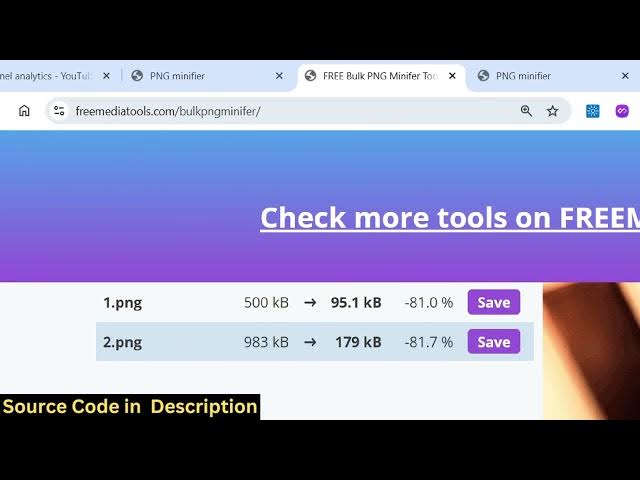
So one by one it will process each
0:50
image. you will see that it will reduce
0:52
it
0:54
from 500 KB to 95.
0:57
So it's similar to this website tiny
0:59
PNG. So if you're looking forward for a
1:01
clone. So I developed it entirely in
1:03
HTML, CSS and JavaScript. So we have
1:06
this slider here. You can actually
1:08
control how much size it basically
1:11
compresses and you can actually before
1:14
purchasing it you can try out this at
1:16
this address. The link is given in the
1:18
description. So the link is given. You
1:21
can directly purchase the source code of
1:22
this application. It's entirely built in
1:25
HTML, CSS and JavaScript. This is a
1:28
single index HTML file. So once you
1:31
purchase it, you can simply run this in
1:33
VS code open with live server. The
1:36
application will open and it's fully
1:38
customizable. You can change the source
1:41
code. Once you have the source code, all
1:43
the processing directly happens in the
1:45
browser. So once you select the images
1:48
one by one it will compress the images
1:50
for you and using this you can change
1:53
the size here quality of the image
1:57
using this slider and one by one
2:00
automatically it will compress out your
2:02
images similar to this website tiny PNG
2:06
and it's entirely built in HTML CSS and
2:09
JavaScript so there is no back end there
2:11
is no it's only front end application
2:14
and then you can click the save button
2:16
to individually save the output image or
2:19
you can click the download save all
2:22
button to actually download all the
2:24
images as a zip file. So this is an
2:27
ultimate
2:28
image compressor optimizer and shrinker
2:31
tool directly in the browser. If you're
2:33
interested in this, the link is given in
2:35
the description.