Up next in 10

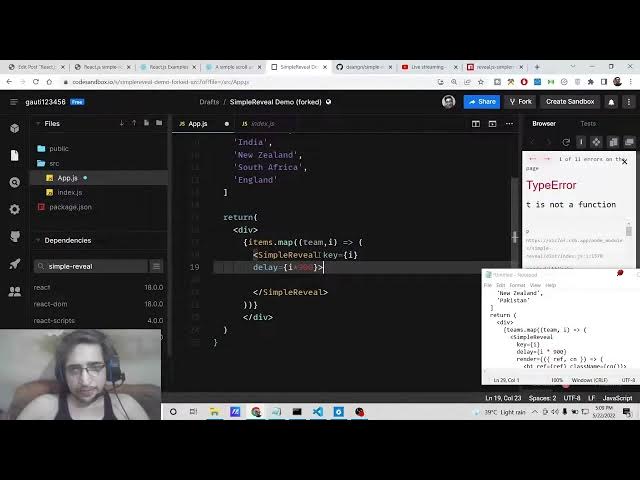
React.js simple-reveal Example to Implement Smooth Scrolling Animation for Lists & Arrays in Browser
Dec 22, 2025

Buy the full source code of application here:
https://procodestore.com/index.php/product/react-js-simple-reveal-example-to-implement-smooth-scrolling-animation-for-lists-arrays-in-browser/
Show More Show Less View Video Transcript
0:07
Hello friends today in this tutorial
0:08
I'll be showing you that how to initiate
0:12
how to make scrolling animation inside
0:15
react JS. So basically you have a long
0:18
list of items which needs to be
0:20
displayed in the browser. So for that
0:22
purpose we can implement the scrolling
0:24
animation something like this. So for
0:26
each item there will be some kind of
0:28
delay and this will be the animation
0:30
which will be there you will see that as
0:32
you scroll some kind of animation will
0:34
be there. So these are the list of items
0:36
which are displaying here one after the
0:37
other. So there is some kind of delay
0:39
here. So you will see that when you
0:42
scroll
0:43
one by one the list items will appear on
0:45
the screen. So we will be implementing
0:47
this
0:49
very efficiently.
0:51
How to do this very simply.
0:54
So [snorts] this is a scrolling
0:55
animation. So there is a list of items
0:57
which will be displayed in this animated
0:59
way.
1:00
So if you want to implement this we will
1:02
be using a special library inside
1:05
react JS which is called as simple
1:08
reveal which lets you do this effect
1:11
very efficiently.
1:13
So the name of the library is simple
1:16
reveal. So this is the
1:19
If you just search it on
1:22
Google here simple reveal.
1:26
I have given all the source code in the
1:28
video description. So if you want to
1:29
copy all the source code you can go to
1:31
the video description link and download
1:33
all the source code.
1:35
So this is the blog post I have written.
1:38
I have given the source code in the
1:40
video description. So simply go to edit
1:42
option and go to the description of the
1:44
video. So here guys you will see that
1:46
this is a simple scrolling animation
1:49
library in react.
1:51
So
1:53
this [snorts] is a simple example which
1:54
is given to you. Let me start the
1:57
example from scratch. So this is a brand
2:00
new react JS project you will see that.
2:02
So for this first of all we need to
2:04
import the library which we will simply
2:07
say
2:08
we need to import simple reveal.
2:12
And from that we need to import its CSS
2:15
file which is index.css. So simply
2:17
import this.
2:19
And now to add this dependency to simple
2:21
just add this using simple reveal. This
2:23
is a dependency. Simply install this.
2:26
So I'm using code sandbox website which
2:28
is useful for creating react JS
2:30
applications. After you imported this
2:33
you also need to import the actual
2:34
library which is simple reveal.
2:38
And this needs to be integrated from the
2:41
simple reveal library. That's it.
2:44
So now we will make a functional
2:46
component and here we will simply say
2:51
inside this basically we will declare
2:54
we will just return it first of all.
2:57
A div
2:59
and inside this div we will simply say
3:01
hello world.
3:02
So on the right hand side you will see
3:04
hello world is printed out. So first of
3:06
all we will need to declare a list of
3:08
items which needs to be displayed on the
3:10
screen. So this will be the items array
3:13
and there will be a different items
3:15
here.
3:16
You can give
3:18
list here.
3:32
So in this way guys you can build out
3:34
this array here. So it contains five
3:36
items here you will see that. Now to
3:38
loop through this it is very easy.
3:41
We will use the map method here inside
3:43
this div. Simply inside curly
3:46
brackets we will say teams sorry items
3:50
.map and inside this we will pass the
3:53
team
3:54
actual team to be displayed and the
3:56
index variable.
3:57
That's it.
3:59
This is the arrow function.
4:02
So inside this you will declare the
4:04
simple reveal.
4:06
We will close it
4:07
like this.
4:09
So this takes some options guys which
4:11
you can configure. The first option is
4:13
take is the key parameter which is very
4:16
much useful when you are displaying any
4:17
sort of list. So this will be equal to
4:20
the index variable.
4:21
The next option it takes is the delay.
4:24
How much delay you want? So this delay
4:26
will be there inside seconds. So I will
4:29
have
4:31
9 millisecond delay.
4:35
After this there is a render property
4:37
that you need to initialize how the
4:40
items will be rendered out.
4:42
So this will be
4:45
having these two options which will be
4:47
reference comma CN. These two properties
4:50
needs to be passed here.
4:53
So this is a arrow function.
4:58
Like this.
5:03
So, inside this function, guys, you will
5:05
display your items. So, we will have the
5:07
H1 tag.
5:09
So, inside this H1 tag, we will display
5:11
the actual team that needs to be
5:12
displayed.
5:14
So, we will simply say team.
5:17
And here
5:18
you need to initialize the parameters to
5:20
this
5:21
HREF tag, which is reference is equal to
5:23
the reference which we passed.
5:25
And the class name we need to initialize
5:27
the class name, which is equal to CN.
5:31
It's a actual function.
5:33
So, you can see that. So, now basically,
5:36
if you refresh it, refresh your
5:38
application, you will see that there
5:40
will be some kind of animation here. You
5:41
will see that it is taking
5:45
some delay, which we passed here. You
5:47
can also make it more delay like this.
5:50
If you refresh it, your application.
5:54
So, there will be more delay right here.
5:56
1.5 second delay will be there. So, in
5:59
this guy uh uh
6:01
you can implement the scrolling
6:03
animation, guys, whether you scroll
6:05
items. So, you can
6:07
have multiple things out there.
6:10
So, [snorts]
6:14
So, you can just see here. Let me copy
6:17
this.
6:25
So, this can be a very large list also
6:28
because coming from the API, the data is
6:30
coming from the API. So, you can
6:31
implement this
6:33
scrolling animation. So, now if you
6:35
refresh it, you will see that
6:37
now there will be
6:39
You can see as you scroll down, this
6:40
will be the scrolling animation will
6:42
which will be there for you. So, this is
6:44
exactly what we want from this library.
6:46
So, exactly it is doing the task
6:48
perfectly for us. So, this is the
6:50
scrolling animation that you can see.
6:52
All the source code will be there inside
6:54
video description. So,
6:56
if you like this video, then please hit
6:57
the like button, subscribe the channel
6:59
as well.
7:00
And I will be seeing you in the next
7:02
stream. Until then, thank you very much.