Up next in 10

Build a FFMPEG WASM Images to Slideshow Video Editor With Audio in Browser Using HTML & Javascript
Mar 3, 2026

Buy the full source code of application here:
https://procodestore.com/index.php/product/build-a-ffmpeg-wasm-images-to-slideshow-video-editor-with-audio-in-browser-using-html-javascript/
Show More Show Less View Video Transcript
0:00
So in this live stream I'll show you a
0:02
video editor that I built entirely in
0:04
browser using ffmppg web assembly
0:07
library and HTML CSS and JavaScript. Uh
0:10
so this is actually the demo of the
0:11
application. So I have given the link in
0:15
the description of the video. You can
0:16
check out the demo. So what this
0:18
application does it basically convert
0:21
your images into slideshows. You also
0:24
have the option to put background music
0:25
as well. So let me show you. You
0:28
basically select a bunch of images. Let
0:30
me select these three images. You can
0:32
even adjust how many times it appears in
0:35
the video. So now let's suppose I adjust
0:37
it. It should appear for
0:42
2 seconds. So here you can basically
0:46
adjust using the slider how much time
0:49
each app each image appear in the video.
0:55
So after doing this uh you basically
0:57
have the button to generate preview. So
1:00
now it will convert all these images
1:02
into a video file. So as you click the
1:05
button right here uh all these images
1:07
will be converted into a video. So just
1:10
need to wait for some time. After that
1:12
you will see now it has created the
1:14
slideshow for you. Each image appears
1:17
for 2 seconds and uh you can just see
1:20
here and you can even put some
1:22
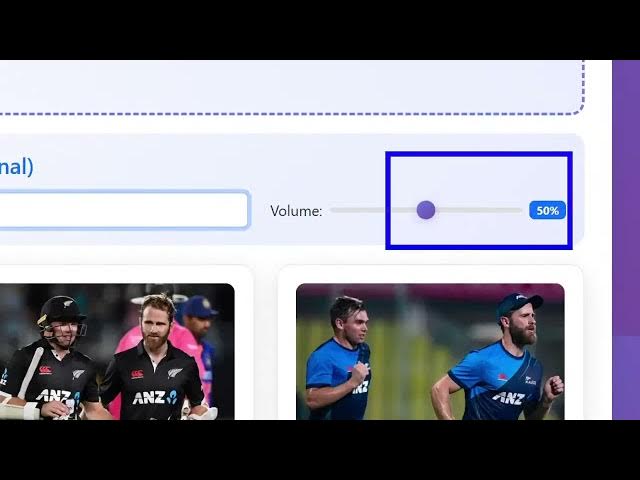
background music as well.
1:24
Or if you have audio track, you can
1:26
basically select this and put that audio
1:29
track if you have you can even adjust
1:32
the volume as well. So I basically coded
1:34
this project entirely in HTML, CSS and
1:36
JavaScript. If you basically need this,
1:39
this will be the full directory
1:41
structure. You will get after purchasing
1:44
it, you will get this from Google Drive
1:46
automatically. All the fMPPG binaries
1:48
are there. And I am also running this
1:51
project locally by starting an HTTP
1:54
server. So we are running it at
1:56
localhost 80080.
1:58
So the same application you can run this
2:00
simply
2:02
very after you purchase it you can run
2:05
this code.
2:24
I think I started.
2:29
Yeah. So you can easily run this
2:31
locally.
2:43
You can basically install an extension
2:47
in VS code basically.
2:50
So this will start this application
2:52
locally as well. So again you repeat the
2:54
same process. So before purchasing it
2:57
you can try this. I've given the
2:59
description link.
3:01
So you can have the option to download
3:03
the video. It will download this as MP4
3:06
file here.
3:08
So which you can easily open it.
3:11
So this will save you a lot of time
3:13
because images into video is a really
3:16
important feature for it's a Canva like
3:19
feature to export images into video.
3:24
So
3:26
it's an advanced editor. You select a
3:28
bunch of images. Then you adjust how
3:31
much time it appears using these sliders
3:33
and then you have this generate preview
3:35
button and you can simply download the
3:38
video. So
3:40
definitely check this out. If you're
3:41
interested, you can purchase it.