0:02
Uh hello guys in this uh live stream I
0:05
will show you uh yet another AI coding
0:10
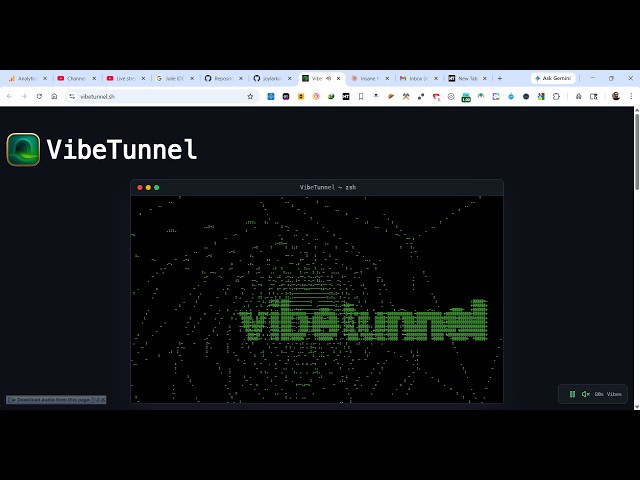
So this is called as wip tunnel.sh.
0:14
So if you go to your Google simply type
0:18
this on Google and the very first
0:20
website which comes so it's actually a
0:22
AI terminal to wipet.sh.
0:25
So once you go to their official website
0:28
it looks something like this. So wipet
0:32
and from you can access your terminal
0:35
inside your Mac operating system. Turn
0:37
any browser into your Mac terminal. The
0:41
wipe tunnel provides your terminals
0:43
right into the browser. So you can wipe
0:47
Watch output scroll in real time.
0:50
So you can download this if you are
0:53
running a Mac operating system. Simply
1:01
You can see the file will get installed
1:03
here. It's just 34 mgabytes.
1:06
And if your Linux you can simply
1:09
download as a npm package, npmi wipe
1:21
npm installation - g vip tunnel.
1:27
So these are it's a simple just download
1:30
and get going. No complex configuration
1:32
needed. Make any command or shell
1:34
available in your browser. access it
1:36
remotely from anywhere with
1:42
so what you can do if you want to
1:45
install this if you are on Windows I
1:48
don't know it is not written that
1:50
windows is supported you can use WSL
1:53
windows subset for Linux
1:56
and try to install This
2:14
just execute this command npm install- c
2:17
wipe tunnel. So once you do this, it
2:21
will try to install this globally inside
2:29
Yeah. So this Windows is not supported
2:33
at this moment of time. Only Mac and
2:35
Linux are supported. You will get this
2:37
error. Try to execute this on WSL
2:41
Windows subset for Linux.
3:05
So yeah, so inside your system, Windows
3:08
system, it is not installing it. But
3:10
definitely check this out if you are
3:12
running a Mac terminal. It can turn any
3:15
browser into your Mac terminal. So
3:19
definitely check this open-source
3:21
project out. So it's also available on
3:25
All the code is directly available on
3:27
GitHub. Here you can see that it's
3:29
really popular. 4.4K stars.
3:36
You can see their documentation.