Up next in 10

Build a Next.js Markdown to PDF Editor & Viewer in Browser Using jsPDF & HTML2PDF.js in TS
Mar 13, 2026

Buy the full source code of application here:
https://procodestore.com/index.php/product/build-a-next-js-markdown-to-pdf-editor-viewer-in-browser-using-jspdf-html2pdf-js-in-ts/
Show More Show Less View Video Transcript
0:00
Uh hello guys, welcome to this video. So
0:02
in this video I'll show you I built out
0:04
a NexJS markdown editor with live
0:08
preview features and also you can export
0:10
your markdown file into PDF as well. So
0:13
we are using the nextJS latest version
0:15
as you can see for this project. We are
0:17
also using React latest version as well
0:19
for let me show you the demo of this
0:22
application. We are running it locally
0:23
as you can see localhost 3000
0:26
and uh it has all the features. First of
0:29
all, you can actually if you have a
0:31
markdown file, you can create a new
0:32
markdown file by clicking the new button
0:35
and you can paste a bunch of markdown
0:37
right here. [snorts] Or if you have a
0:40
file that you want to edit as well, you
0:42
can drag and drop that markdown file
0:47
by simply clicking on this and right
0:49
here bringing your markdown file.
0:54
So once you bring it simply click import
0:57
this and simply click import. So all the
1:00
content inside that markdown file will
1:02
be imported and you will get this
1:03
notification.
1:05
It shows you clearly how many words are
1:07
there inside the markdown file. How many
1:10
characters how many lines it shows you
1:13
the live preview on the right hand side.
1:15
If you make any sort of changes it will
1:17
be
1:19
reflected back as you can see.
1:22
Then we have this button here of uh
1:25
download. So you also have the option to
1:28
export everything
1:33
to a new markdown file after making
1:35
those changes. And then we also have the
1:37
button for exporting this markdown into
1:39
PDF. So once you click this button, it
1:41
will generate a PDF file for you
1:44
instantly
1:45
and automatically that PDF file will be
1:48
downloaded. So all the processing is
1:50
directly happening it inside the
1:52
browser.
1:54
So you can edit your markdown files,
1:57
export them into PDF.
2:00
So it has a live preview.
2:04
So it's coded inside directly.
2:07
So once the processing completes your
2:10
PDF file will be downloaded as you can
2:12
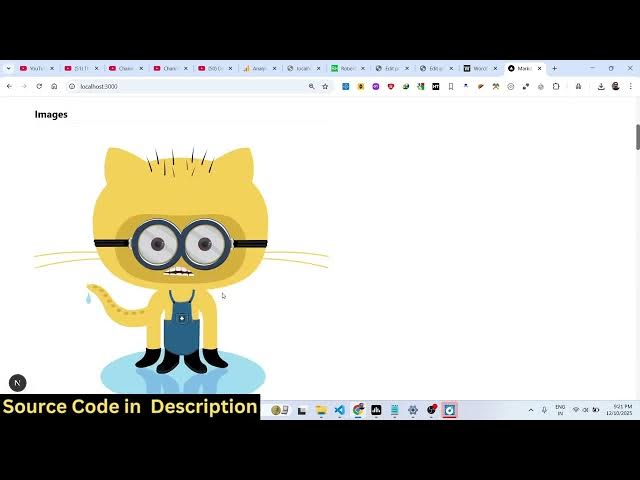
see into multiple pages. All the images
2:17
have been successfully inserted. So this
2:19
is a fullyfledged project. If you're
2:21
interested in purchasing it, the link is
2:24
given in the description. So once you
2:26
purchase it, automatically all the code
2:28
will be downloaded from Google Drive.
2:30
[snorts] So every component as you can
2:32
see it's divided into its appropriate
2:34
TypeScript file here. [snorts] So once
2:37
you make any sort of changes, it will be
2:39
reflected back. So we are using quite a
2:42
number of third party libraries for
2:43
this. First of all, we are using
2:45
markdown it JSPDF, HTML to PDF, HTML to
2:50
canvas, HTML to PDF. These are all PDF
2:53
processing libraries and markdown
2:55
processing libraries.
2:57
So, it's a fullyfledged project. We are
2:59
also using some Tailwind as well. So,
3:03
if you want to modify the source code or
3:06
add additional features. So, once you
3:08
get the source code, you can easily do
3:10
that. and we are running it on local
3:12
host as you can see.
3:16
If you want to create a new file, new
3:18
markdown file, you click the new file
3:20
button and then that editor will open.
3:24
So you paste your markdown file
3:27
automatically the live preview you will
3:29
able to see. So in this easy way you can
3:32
easily create your markdown file with a
3:34
fully fleshed editor with live preview.
3:37
All the changes you will be able to see
3:39
on the right hand side. You can export
3:42
them into PDF as well. You can save your
3:44
work by clicking the save button.
3:50
[snorts]
3:51
So this is a full screen mode as well
3:53
also available. This is a split view.
3:56
This is a preview. This is a fully this
3:59
is the editor mode
4:03
and this is a split mode. So this is the
4:06
fully fledged markdown editor directly
4:08
in the browser. I coded this in next
4:11
years. If you are interested in this
4:12
guys the link is given in the
4:14
description for the full source code.
4:18
[snorts] So it will be easy for you to
4:19
run this locally or also you can easily
4:22
deploy this if you purchase a domain
4:24
name you can easily deploy this offline
4:26
markdown editor it doesn't require
4:29
internet once it is deployed it will be
4:32
a static web application static markdown
4:35
editor so I showed you all the features
4:38
guys if you are interested the link is
4:40
given in the description