0:00
Uh hello guys in this video I'll show
0:02
you a application that I developed in
0:04
NodeJS Express which allows you to
0:07
download uh images and videos from X or
0:11
Twitter platform formerly known as so
0:13
this is the application I'm running it
0:15
locally here as you can see this is the
0:17
interface so here you will simply paste
0:20
the link here and then click fetch. So
0:23
now if I go to the X platform, I simply
0:25
copy the link here. Whichever post I
0:27
want to download, I simply go to the
0:29
address bar, simply copy the link and I
0:33
simply come to this application
0:39
and simply paste it. After pasting it,
0:43
now we have this button of download. As
0:46
I click this button, you will see the
0:48
video will display right here in my in
0:52
And we can play the video.
0:56
As you can see the video is playable.
0:58
And then we also get the download button
1:00
to actually download this video inside
1:02
your own machine. So we are
1:03
communicating with the Twitter API in
1:06
the background to actually make the
1:08
request and then basically download the
1:10
media. This can be a image file. This
1:16
So you can just see here this can also
1:18
be a static post as well. So you simply
1:22
copy the address and then paste it. This
1:25
is actually a image file. So
1:28
I think this is ad here. Sorry, this is
1:31
a ad here. Not a profile. Just make sure
1:36
accessing a profile here.
1:40
So let's suppose I want to download this
1:43
photograph. I simply copy the address
1:49
After pasting it, you will see the
1:50
photograph will display right here. All
1:52
the photograph because there were two
1:54
photographs which were there. This was
1:56
the first one. This was the second one.
1:58
So all the two photographs this script
2:00
has captured this. So this is a fully
2:03
fleshed project guys. If you interested
2:05
you can directly purchase it. The link
2:06
is given in the description. So once you
2:08
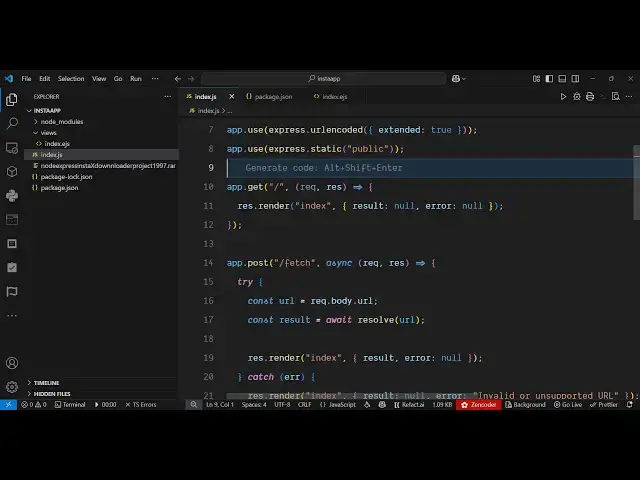
purchase it, you will get this directory
2:10
structure. It's coded inside NodeJS and
2:13
express. So it's very easy to run this.
2:16
Once you purchase it, you simply uh
2:19
start this node index.js the application
2:23
will start locally. So we are running
2:25
it. The server is running at localhost
2:30
So I'm just running this application as
2:34
So it's a very simple project.
2:41
you basically copy the link here and
2:45
simply paste it and then that video will
2:47
display. As you can see the video is
2:49
successfully downloaded from the X
2:51
Twitter platform. It can be a post, it
2:53
can be image. So this is actually the
2:56
application guys if you are interested
2:58
the link is given in the description. So
3:00
we are actually communicating with the X
3:03
Twitter API to actually uh download the
3:09
So this is a fully single page
3:11
application static application which
3:13
runs directly in the browser. So no back
3:15
end is there in this application. It's
3:18
basically directly is a single page
3:21
application. Backend is uh there but
3:24
it's coded inside express. So it's a
3:27
node express full stack uh project to
3:30
actually allow user to download x
3:33
Twitter post directly in the browser. So
3:36
you simply paste the URL and then after
3:38
that it will grab everything information
3:41
as you paste any let's suppose you
3:47
want to download this you simply copy
3:52
it's very very easy to deploy this
3:53
application as well. So you get this
3:55
download button and now this image file
3:58
is successfully downloaded. So it can be
4:00
a image it can be a video. So all sort
4:03
of files have successfully downloaded as
4:05
you can see. So the link is given guys.
4:08
You can directly purchase it. After
4:10
purchasing it, you will get that source
4:12
code automatically from from Google
4:14
Drive. And if you face any sort of
4:16
problem after purchase, I will help you.
4:19
You can ask me any question if you face
4:21
any sort of problem after purchase.