Up next in 10

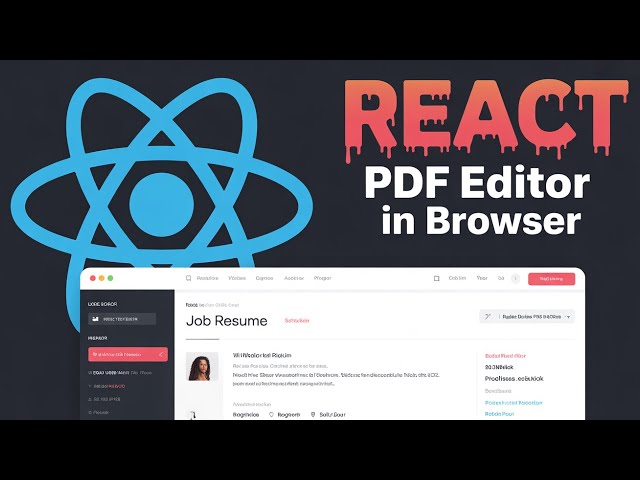
Build a React.js jsPDF Job Resume PDF Editor in Browser With Live Preview Using Html2Canvas in JSX
Dec 13, 2025

Buy the full source code of the application here:
https://procodestore.com/index.php/product/build-a-react-js-jspdf-job-resume-pdf-editor-in-browser-with-live-preview-using-html2canvas-in-jsx/
Show More Show Less View Video Transcript
0:04
Uh hello guys, welcome to this uh live
0:06
stream. So in this live stream I will
0:08
basically talk about a TDF rumier editor
0:12
that I developed inside ReactJS and
0:15
basically it works in the browser
0:19
and you will basically see I am just
0:21
opening this uh inside uh the browser
0:25
and it is running on localhost 3000. So
0:28
this is the actual react chase project
0:30
which allows you to create uh réumé for
0:34
any sort of job that you are applying.
0:37
So you can use this uh project or
0:40
software right in the browser itself and
0:43
then you can export this to PDF
0:46
or you can click this button to print
0:49
this rum right here. So this is a editor
0:52
uh live preview is available. You drag
0:56
and drop your image. Whatever image is
0:59
present, you will simply select your
1:01
image and this will be reflected right
1:03
here in the let me restart the project
1:06
here. npm run start. So as you just uh
1:11
execute this command right here, it will
1:14
actually start your React chase project.
1:17
And uh
1:19
now it will simply start on localhost
1:23
3000.
1:25
And uh you can see that there is also a
1:29
button out there clear all. You will
1:31
basically see as I just reloaded the
1:34
project the image still exist. So
1:37
basically we are storing all this
1:39
information in the local storage. So if
1:42
by mistake you close the application,
1:45
you will not lose your work. All the
1:47
information will be stored in local
1:49
storage and you will be able to recover
1:51
your uh work. So if you want to delete
1:55
this, you can simply click on clear all.
1:57
And now all the data will be cleared
1:59
out. And now you can select your image.
2:01
As I select the image, live preview will
2:04
be there on the right hand side in the
2:05
editor. Here you can type your name to
2:08
be there in the réumé and then the
2:12
title of the job that you're applying.
2:15
Let's suppose I say here
2:19
[snorts] can put a short little
2:21
description right here as well.
2:34
So you can put a short little
2:36
description. This this is actual live
2:38
preview. It will come and uh you can
2:40
even save it. If you click on print,
2:43
save as PDF. You can save this as a PDF
2:46
document as well inside your directory.
2:48
Click on save. So you can even print
2:52
directly by using that button. If you
2:54
open this now your PDF file is ready
2:57
right here. You will see the picture
2:59
appearing. This is actual name. This is
3:01
a description short description right
3:03
here. resume here and then extra
3:05
information you can put here which is
3:07
your email address automatically you
3:10
will see the icon will appear for the
3:12
email and then the contact number you
3:15
can even add right here with country
3:17
code you'll see that on the right hand
3:19
side as you type it automatically the
3:22
live preview will come right here
3:25
so you can even add some more numbers as
3:27
well
3:28
so there is support here.
3:33
So, you can even add any sort of address
3:36
that you want to.
3:50
So as you can see that you added the
3:52
address it will give you this nice
3:55
little icons as you basically write your
3:57
email address, phone number and address
4:00
automatically the réumé is building as
4:04
you are typing this information in this
4:06
input fields. So it is actually using
4:08
reacts guys and we have built this using
4:11
reacts and we have used these libraries
4:14
which are JSPDF and HTML to canvas. So
4:16
these are all the packages that it uses.
4:19
It is using material UI for this project
4:21
for building the UI user interface of
4:23
the application. If you are interested
4:25
guys, the link is given in the
4:26
description of the video. You can
4:28
directly purchase this project from my
4:31
website and you will actually get this
4:32
zip file after you make the payment from
4:35
Google Drive. You can simply extract
4:38
this zip file and you will actually get
4:39
this directory structure which uh you
4:42
can simply start this using npm run
4:45
start. So this will start your project
4:47
in local host 3000 and you can even
4:50
build this project. I will show you
4:51
later on. So this is actual demo. So the
4:54
link is given you can directly purchase
4:55
the full source code and this project
4:58
the link is given the description
5:00
payment link. So here you can even
5:02
provide your GitHub LinkedIn portfolio
5:04
address as well. Let's suppose you just
5:06
need to provide the username or full
5:08
address. You can even provide
5:12
this is actually username
5:17
and then you can even provide full
5:19
address or
5:22
you can even provide username as well
5:29
and then you can provide your website
5:31
any website that you have
5:35
like this. So all these clicks uh links
5:39
are clickable. So as you basically click
5:42
it will redirect you to the website that
5:44
you provided right here. So all these
5:46
links are clickable. So this is the
5:48
GitHub.
5:50
So you can see that. So
5:53
these are the things guys you will see
5:55
that it's a very good
5:59
uh editor.
6:01
And after that uh what you will find
6:03
right here go to experience the next tab
6:07
and here you can add some experience
6:09
that you have previously worked
6:16
can see
6:22
just add some experience right here.
6:26
So you will basically also change the
6:28
color coloring things as well. You can
6:30
pick the theme right here by using this
6:32
color picker. As you click this option,
6:34
you can have various themes of colors.
6:36
You can pick pre-made themes are also
6:39
available. So you can pick any theme. It
6:43
will change the icon color and the font
6:45
color as well depending. You can even
6:48
choose primary color like this secondary
6:50
color.
6:57
So this totally is customizable.
6:59
Whichever color coloring theme you can
7:01
save your new theme and then apply it
7:04
automatically. It will apply that. And
7:06
uh
7:09
you can even change the font as well.
7:11
Whatever font it is available right
7:13
here.
7:27
So you can see here.
7:48
So you can basically add these details
7:50
right here and it will automatically
7:52
reflect and the right hand corner.
8:08
So it becomes very much easy to do this
8:11
and uh automatically in the
8:23
You can see it will add this experience
8:25
right here and then you can add more as
8:27
well if you have go to the education
8:30
right here and here you need to provide
8:32
school name. You can see this is
8:35
pre-made. Everything is customizable as
8:38
you type right here.
8:53
You can click this button to add more
8:55
education. Simply add some more things
8:57
that you have.
9:01
Now go to the skills. So if you have
9:03
some skills right here, you can add. So
9:07
it will automatically add the stats
9:09
right here. And uh
9:16
uh so any skills are very much important
9:19
in resumes to actually convey to the
9:23
hiring person that which skills that you
9:26
have which technologies you're
9:27
comfortable in. So basically it is uh
9:30
useful in conveying that message. So you
9:34
will basically see it will have a
9:35
separate color and it is
9:39
uh nice looking you can see that. So
9:41
then we go to the project. So if you
9:43
have make some projects you can name
9:45
your project.
9:55
They provide the link here to that
9:57
website.
10:00
So this will come right here. You can
10:01
see that this is actual link it will
10:04
come simply if someone clicks on that
10:06
link they will redirect to their
10:08
website. These are the project and here
10:10
you will tell which technologies that
10:13
you have used. So you can just tell the
10:22
and here you can provide a short little
10:24
description about the project
10:27
the online tool website
10:32
in NodeJS Express and FFMPPG which
10:36
allows you to
10:39
convert
10:42
media files
10:44
So in this way you can provide your
10:46
projects and just
10:51
if you have some more projects as well
10:53
you can even
11:01
this
11:02
information will be available for you if
11:04
you have projects you can add them and
11:07
then I'm just filling out random data
11:09
here. So
11:12
this data will be yours. So
11:21
[snorts] you can see that as you just
11:23
type here automatically all your work is
11:25
saved and uh you can clearly print this
11:28
information right here and it will print
11:31
this uh réumé as PDF document or you can
11:34
print it at a [snorts] physical sheet of
11:36
paper. If you have a printer, you can
11:38
click this option.
11:40
Uh, select this option.
11:44
Paper size. You can select letter or
11:47
anything. Background prop graphics. It
11:50
will uh
11:52
make a colored print out. Can select the
11:55
pages layout. Landscape. If you want to
11:58
have a landscape layout scaling, you can
12:01
select. Click on save.
12:10
So now you can see that it has a rum
12:12
built in PDF and uh you can see that all
12:15
these things are clearly mentioned right
12:17
here. This is your profile picture,
12:18
name, description. This are the contact
12:21
details. These are the skills, number of
12:23
projects that you added. These are the
12:25
links right here. These are all
12:26
clickable links.
12:28
So if you someone clicks on that they
12:31
will go to that particular website free
12:34
media tools you can see that. So
12:37
these are the experience that you added
12:40
uh education. So it's a very good
12:42
project guys that I developed in job rum
12:45
builder in react and it uses JSPDF and
12:49
HTML to canvas library. If you don't
12:51
know about JSPDF, it's a open-source uh
12:54
PDF generation library in JavaScript and
12:57
it has both NodeJS package and it has
13:01
its official GitHub repository. You can
13:03
read more about it in the documentation
13:06
and HTML to canvas actually converts the
13:10
it takes the screenshot of HTML
13:14
and uh it converts the HTML to canvas.
13:16
So we have used these two open-source
13:18
libraries to for this project. And uh
13:21
you can actually see it in the screen
13:24
right here and it's a readym made editor
13:26
that you will get after you make the
13:28
payment. So the link is given in the
13:30
description of the video. So
13:35
lastly we have achievements as well. If
13:37
you have make some achieve a
13:38
achievements you can even do that as
13:40
well.
13:50
Just add them as you can see. It will
13:53
look something like this. Can list of
13:56
achievements here.
14:06
You can just change the theme here.
14:08
Whichever colors you like, red color,
14:10
orange, all the things are customizable.
14:13
It works in the browser. That's the
14:16
biggest advantage because no serverside
14:18
code is involved. It runs entirely in
14:20
JavaScript and it runs offline. If you
14:23
don't have internet connection, still
14:25
this application will work and you don't
14:27
require internet connection for this
14:29
application. So this is the biggest
14:32
positive of this application. And now
14:34
let me show you the source code as well.
14:36
This is actually the directory structure
14:38
that you will get after you make the
14:40
payment. And uh [snorts]
14:42
you will see that we coded this
14:44
application in JSX which is actually a
14:47
language derived from JavaScript.
14:50
So it actually contains a ReactJS
14:53
component. Every ReactJS component
14:55
consists of uh CSS, HTML and JavaScript.
14:58
You'll see that each component have some
15:01
properties right here. And uh this
15:04
overall application is basically divided
15:06
into different JSX components. So you
15:09
will see for each component in this
15:11
application we have a different JSX
15:13
component associated with this. So we
15:15
have education experience homepage. Uh
15:18
so if you open the application this is
15:21
actual homepage component you will see
15:23
that homepage.jsx
15:25
and it you can see that uh it contains
15:27
the code for that.
15:30
So it's a full ReactJS project guys and
15:34
uh you can see that this is the
15:36
component for education. So every tab
15:39
that you have here which is experience
15:41
where you will fill out the details for
15:43
experience, education, skills, projects,
15:46
achievements, every component has a JSX
15:48
component right here. And uh now I will
15:51
tell you guys if you want to deploy this
15:53
application to a real URL. So let's
15:56
suppose you are deciding to build this
16:00
project into a minified code so that you
16:02
can deploy that into a hosting platform.
16:05
So what you will do simply after you
16:09
want to deploy this simply go to the
16:12
command line and uh if you're
16:16
opening it for the very first time you
16:18
just need to install the modules here.
16:19
First of all execute this command which
16:21
is npmi. So this will actually create a
16:23
NodeJS modules folder right in the root
16:26
directory and [snorts] it will actually
16:28
install all the modules which are listed
16:30
in the package.json file. So it will
16:32
actually create the node modules folder
16:34
and [snorts] uh after it creates you can
16:37
start your application by npm run start.
16:42
[snorts] So I have already done that. So
16:44
now I need to build this application. So
16:46
for building this application there is a
16:48
separate command right here which is npm
16:50
run build. So this will actually build
16:53
out this whole application and it will
16:55
actually create a build folder. So as I
16:57
execute this command right here, you
17:00
will see on the left hand side, it will
17:01
actually create a brand new build folder
17:04
and uh it will actually create your uh
17:08
files which will be necessary. So you
17:10
will simply copy this folder and paste
17:12
it inside wherever you are deploying
17:14
that. It can be deployed to a very
17:16
simple hosting that you will purchase.
17:19
You will need a domain name and a
17:21
hosting and you will simply deploy this
17:24
application and uh you can deploy them
17:28
inside your own application. So it's a
17:30
very good job rumé editor guys you will
17:33
earn a lot of revenue as well. You can
17:34
put advertisements
17:36
and uh you can earn a lot of revenue
17:39
advertisement revenue as well once you
17:41
rank on Google. And you will see in
17:44
inside the static folder we have the CSS
17:47
code minified code [snorts] we have the
17:49
JavaScript code automatically generated
17:52
by this simple command and we have this
17:54
index html. So this file index html you
17:57
need to upload simply and uh in this way
18:02
you can deploy this resumeum maker. So
18:05
if you basically liking this video guys,
18:07
please hit that like button, subscribe
18:08
the channel as well and uh if you need
18:11
this source code, if you need this
18:13
application, the link is given you can
18:15
directly purchase it. You after
18:17
purchasing it, you will actually get
18:19
this source code from Google Drive. And
18:22
uh
18:24
thank you very much guys for watching
18:25
this video and I will be seeing you in
18:27
the next video.