Up next in 10

Build a Canva Clone PDF Editor & Viewer in Browser Using PDF js,Fabric js & jsPDF Library in Javascr
Mar 5, 2026

Buy the full source code of application here:
https://procodestore.com/index.php/product/build-a-canva-clone-pdf-editor-viewer-in-browser-using-pdf-jsfabric-js-jspdf-library-in-javascript/
Live Demo of App:
https://freemediatools.com/pdfannotationeditor
Show More Show Less View Video Transcript
0:00
Uh hello guys, in this video I'll show
0:02
you I built out a Canva clone PDF editor
0:05
and viewer in the browser. It's a static
0:09
application directly runs in the
0:10
browser. I've deployed this. You can
0:12
check the full description to actually
0:15
go to the demo link of the application.
0:17
So here you actually select whatever PDF
0:20
file that you want to edit.
0:23
So after you select the PDF file, all
0:25
the pages will render. So it contains
0:27
two pages. So it will render out. After
0:30
that you have various controls here to
0:32
actually highlight anything using this
0:34
pencil tool. You can change the color of
0:37
the pencil.
0:40
So you can just also increase the brush
0:44
size as well.
0:46
You can go to the next page do the same
0:48
annotation editing and you also have the
0:52
ability to insert shapes as well.
0:56
This is your select tool to actually
0:58
place anything. You can even add an
1:01
image. You can also add text as well.
1:13
After that making all the modifications,
1:16
click the save button and everything
1:18
will be saved here. You will see that.
1:21
So if you're interested in the source
1:23
code of this, the link is given. you can
1:25
directly purchase it. So this is the
1:27
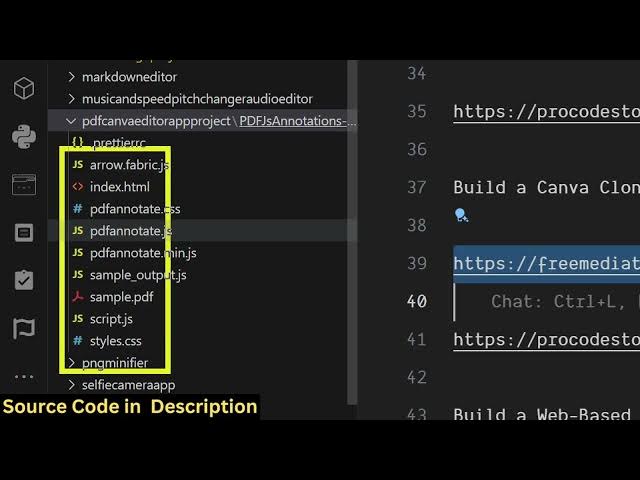
full directory structure of this editor.
1:30
It's entirely built in HTML, CSS and
1:32
JavaScript. And uh after purchasing it,
1:35
it's very simple to run this
1:37
application. Go to the index html file
1:40
and simply run this with inside VS code
1:44
open with live server. So now the
1:45
application will open right here. You
1:48
again repeat the process. You simply
1:50
select
1:52
the PDF file.
1:54
So let me select a different PDF file.
1:56
So now it contains a lot of pages here.
1:59
You can just see it actually render out
2:02
all the pages for you.
2:06
And you can even delete a specific page
2:08
as well.
2:10
Basically have the delete button.
2:13
Clear page like this.
2:20
>> [snorts]
2:21
>> You also have ability to add images
2:37
and then just use the select tool to
2:39
actually resize the image. Just place it
2:42
wherever you need to do this. So
2:46
it's a very simple tool guys similar to
2:49
Canva clone. It's a PDF editor tool
2:52
which allows you to add text, images,
2:55
anything you can do. After that you
2:57
click the save button. So
3:00
before purchasing it you can try out
3:02
this tool. If you're interested then you
3:04
can purchase it. It's using PDFJS by
3:07
fabric JS and JSPDF library. These are
3:09
the three libraries that we are using
3:11
for building this application.
3:13
Fabric JS as you all know it's a
3:15
JavaScript animation kind of a library.
3:19
Uh JSPDF is a PDF generation library
3:24
and we are also using PDFJS which is a
3:27
Mozilla based PDF rendering library.
3:31
So it can be used to actually annotate
3:34
your PDF, highlight anything, edit your
3:36
files directly using this pencil tool.
3:39
So the link is given in the description.