Up next in 10

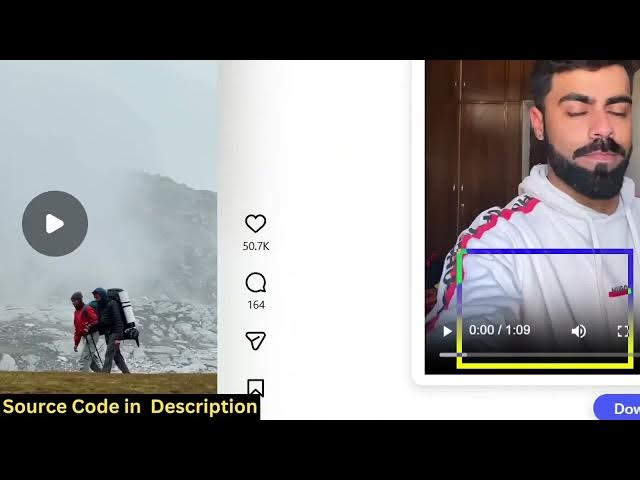
Build a Instagram Downloader Chrome Extension to Download Profile Posts,Stories,Reels & Videos in JS
Mar 4, 2026

Buy the full source code of application here:
https://procodestore.com/index.php/product/build-a-instagram-downloader-chrome-extension-to-download-profile-postsstoriesreels-videos-in-js/
Show More Show Less View Video Transcript
0:00
Instagram downloader Chrome extension
0:03
uh from scratch. So this Chrome
0:05
extension allows you to actually
0:07
download profile post such as images,
0:10
videos, stories, profile, res
0:12
everything. So I will show you the demo
0:14
of this Chrome extension. So I have
0:17
already added this Chrome extension. So
0:18
it's actually called as Instagram
0:21
downloader. So once you add this
0:24
extension, it will actually add this
0:26
download button as you will see inside.
0:29
If you refresh the Instagram profile, it
0:31
will add this download button. So now if
0:33
you drag down your profile picture, you
0:36
individually click on the picture and
0:39
you simply click on the download button
0:41
and this picture will appear right here.
0:44
And see, you simply click on the picture
0:45
and automatically the picture will get
0:48
downloaded.
0:50
And if you want this extension guys, I
0:52
have given the link in the description.
0:54
You can directly purchase the full
0:55
source code of this chrome extension of
0:58
Instagram. So all the things are
1:00
customizable. You will see it's actually
1:02
coded inside HTML, CSS and JavaScript.
1:05
So if you want to add additional
1:07
features or change any of these
1:09
features. So everything is customizable.
1:12
Once you purchase it, automatically all
1:14
the source code will be downloaded from
1:16
Google Drive. It also supports videos as
1:19
well. So let me show you the video
1:22
example.
1:25
So again if it contains multiple images
1:28
you again click download. All the images
1:30
will show. If the post contains multiple
1:32
images you will see one by one it will
1:34
actually show all the images which
1:36
contains inside the post. So you can
1:38
individually click on the image and the
1:40
image will get downloaded. So it's
1:42
really simple. It will save you a lot of
1:44
time if you're looking forward for
1:46
Instagram downloader extension. So
1:52
if you are it also supports videos as
1:55
well. So basically
1:57
if you click on the video. So you just
2:01
click on that and click on download. And
2:04
now you will see the video will right
2:06
here appear and you can click on this
2:09
video and you will see
2:12
the video will get downloaded as an MP4
2:15
video. So it's you can just see here it
2:17
is downloaded. It's really simple. It
2:20
also works with the Instagram res as
2:22
well. So again you click on individual
2:25
res. So you will see the video will
2:28
appear right here. You simply click on
2:29
that and the re will get downloaded.
2:32
Instagram stories as well. So if you're
2:35
if you purchase it. So now how to use
2:39
this extension? It's really simple.
2:41
First of all, just open your uh Chrome
2:43
browser and go to settings options and
2:46
go to extensions. And right here, this
2:49
option will appear load unpacked. So let
2:52
me just show you from scratch. So once
2:54
you actually want to once you purchase
2:57
it, you click on this button to install
3:00
this. So click on the folder wherever
3:04
the source code files are present and
3:06
just select the folder. After that this
3:09
extension will appear. So you will just
3:11
see right here
3:13
and automatically as soon as you refresh
3:16
your Instagram this button will appear
3:20
there's a button download button. So now
3:23
as you drag down you will see this
3:26
it will make the job very easy for you
3:28
to in download directly the profile post
3:32
from Instagram videos everything. So
3:35
this is actually the source code. If you
3:37
need this source code you can directly
3:38
purchase this full chrome extension
3:41
and u if you still face any sort of
3:44
problem you can message me after
3:46
purchase. I will definitely help you.
3:48
It's fully customizable. You can
3:50
basically see how I coded this
3:52
extension, what libraries I used. It's
3:54
totally free. Uh once you purchase it,
3:56
you can do this unlimited number of
3:58
time. It doesn't you basically click on
4:01
the post and just click on that and that
4:04
image will load. So if you're interested
4:06
in this, the link is given in the
4:08
description.