Up next in 10

Angular 14 Project to Read & Display JSON Data inside Bootstrap 4 Table in Browser Using TypeScript
Dec 22, 2025

Buy the full source code of application here:
https://procodestore.com/index.php/product/angular-14-project-to-read-display-json-data-inside-bootstrap-4-table-in-browser-using-typescript/
Show More Show Less View Video Transcript
0:07
Uh hello friends today in this tutorial
0:09
I will be showing you that uh how to
0:11
display JSON data from the file inside
0:15
your Bootstrap 4 table. So this is a
0:18
demo of the application we will be
0:20
building inside latest version of
0:22
angular which is 14. It will be
0:24
compatible with the older versions as
0:26
well which is 13 121. So you can just
0:29
see here we are displaying the JSON
0:31
data. It has various properties which is
0:34
ID, name, username, email. Four columns
0:37
are there and you can see 10 rows are
0:39
there. So if I show you the JSON file
0:43
here, this is a JSON file which is
0:45
stored here. Users do.json. It is an
0:47
external JSON file. It contains all the
0:50
data. It's a array of objects. We are
0:52
displaying it inside the table. You can
0:54
see this is a bootstrap table. it has
0:56
got some styling inside it. So we have
0:59
attached a external class to it which is
1:02
table striped class. So it gives the
1:05
styling unique styling to it. So we will
1:07
be I will be telling you step by step
1:10
how to do this process inside Angular
1:12
14. So if you just search latest version
1:15
of angular as of now I'm recording this
1:18
live stream it is 14. So it was released
1:21
in 29th June 2022. So we will be looking
1:24
at how to do this. So let's start
1:27
building this application from scratch
1:29
guys. So I will be deleting all this
1:32
code and start from scratch.
1:36
Let me delete all this and start from
1:39
scratch.
1:42
So I have written a complete blog post
1:44
guys inside my video description. So if
1:47
you want to
1:49
uh
1:51
copy paste all the source code and
1:53
follow the step-by-step instruction you
1:56
can go to the video description link. So
1:59
now you can see nothing is there
2:01
complete empty project is there. So we
2:03
are starting from scratch. So I would
2:07
assume that you will know that how to
2:08
create angular project. So it is very
2:10
simple ng new followed by your project
2:12
name and just create your angular
2:14
project. So this is my project guys. Oh
2:17
sorry this is the blog post I have
2:19
written step-by-step instruction is
2:20
given with images. So the link will be
2:25
there inside the description of this
2:27
video. So here you will find out inside
2:30
the description you will find out the
2:32
blog post link. So the very first thing
2:35
guys we need to do is that inside your
2:38
source and app directory you need to
2:41
make a JSON file. You can just call this
2:44
anything. I will call that users do.json
2:48
and this will be a array of objects.
2:51
It will have various properties
2:54
name let's suppose
2:59
and then you can have age.
3:05
Then we can have country.
3:13
You can also have email like this.
3:24
So this you can repeat for every put a
3:27
comma here and you can have
3:32
array of objects here.
3:40
So just change the name to anything
3:42
here.
4:05
So this you can do this. You can have
4:08
your own data coming from API or any
4:11
kind of static data that you have. You
4:14
can do this.
4:24
So I am just taking the static data here
4:27
just for illustrating the application.
4:42
So you can see that guys we have uh five
4:46
objects here inside present inside our
4:49
users do.json file. So now we need to
4:51
display this inside the bootstrap table.
4:53
So the very first thing you need to do
4:55
is that you need to install the
4:56
bootstrap dependency. So just type here
4:59
npmi bootstrap. So this will install the
5:01
bootstrap dependency inside your angular
5:04
application.
5:05
Now you can start your angular
5:07
application ngsurf. So now to add the
5:10
styles guys of bootstrap you need to add
5:13
a line here inside your angular.json
5:16
file. So just open this file and right
5:18
here inside this if you find out this
5:21
styles array here. So right here just
5:24
before your styles doc CSS you need to
5:27
[snorts] write this line which is very
5:29
simple
5:31
uh
5:34
this will load the styles which are
5:36
present for bootstrap node modules/
5:39
bootstrap/dist/
5:41
css bootstrap
5:44
main dot css. So we are just loading the
5:48
dependency of css or bootstrap. So we
5:51
are just including it. it is present
5:53
inside this path here which is node
5:55
modules bootstrap dists and this one
5:58
this is a whole path. So this is
6:00
necessary you need to do it in order for
6:03
bootstrap to apply the css. So now you
6:05
can close this and here you can move on
6:08
to app.component.ts
6:09
file. So we need to now include this
6:12
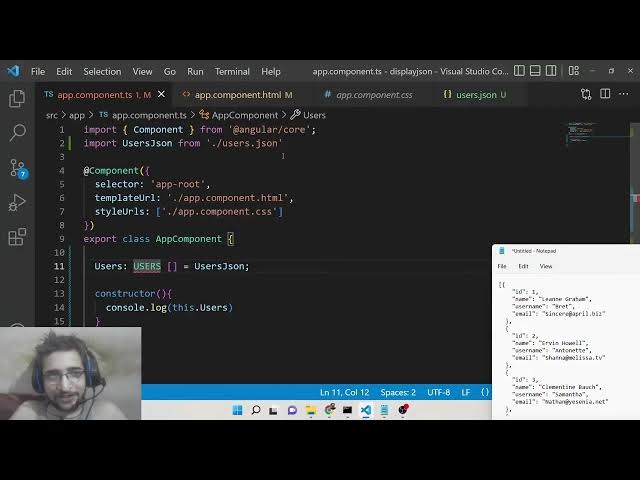
users.json file. So what we can do is
6:15
that right here we can include this
6:20
import we can import this as anything
6:23
user state JSON we can from
6:28
users dojson. So basically it will give
6:31
you this error guys which is cannot find
6:33
modules users JSON consider using
6:35
resolve JSON module. So for resolving
6:39
this error you need to explicitly go to
6:42
this file which is tsconfig json. So
6:46
this is called as t typescript
6:48
config.json file. Inside your compiler
6:51
options you need to add these two
6:52
options here which is very much
6:54
necessary for resolving this. First is
7:00
resolve
7:02
JSON module and this takes a boolean
7:05
value. So this needs to be true. And the
7:07
second option is es module interop. This
7:12
also is needs to be true. It's a boolean
7:14
value. So just make sure that you add
7:17
these two options guys inside your
7:19
tsconfig.json file. So now you can close
7:22
this. So now you will find out the error
7:24
is gone. So now we have successfully
7:27
removed this error. So now inside our
7:29
app component we need to make a array
7:33
here which is users array. This will be
7:36
of the type
7:38
we have imported this. This will be of
7:41
the type users JSON.
7:49
So there is some kind of error. Cannot
7:51
find name users.
7:57
Put a semicolon. I think
8:01
I think we need to have a space here.
8:09
We can have a constructor here which is
8:13
console log
8:15
this dot users.
8:32
Let me copy paste the code here. Uh it
8:36
is given in the video description.
8:38
Uh I think let me copy. Oh sorry we need
8:43
to uh declare the interface guys that
8:45
that is why it was having this error. So
8:47
we need to convert this JSON here to an
8:50
interface so that we can map it inside a
8:52
table. So for converting to a interface
8:55
as you all know interfaces it is very
8:58
much popular in programming. So you need
9:00
to declare it by this keyword interface
9:02
and then followed by the name which is
9:04
users. So typically it's an object here
9:08
you declare the properties. So id will
9:10
be of type number
9:13
and name.
9:15
So I don't think so I have declared ID.
9:18
So this is name, age, country, email. So
9:22
uh so name again will be of type string
9:29
and uh age will be of type number
9:33
and uh country
9:37
of type string
9:40
and lastly we have uh
9:45
email.
9:46
So [snorts] what we can do is that just
9:48
make it capital which is name, age,
9:50
country, email
9:52
or just do it like this. I I need to do
9:57
it for every let me do it.
10:00
Just put capital characters at the
10:03
starting here like this.
10:17
So now it is synchronized. So we can
10:19
simply say name here and age.
10:24
Last property is our email. So this will
10:27
also be of type string. That's it. This
10:29
is our interface guys. So now
10:51
Uh let me copy this.
10:56
I don't think so. Why it is creating
10:57
this problem?
11:13
Uh let me paste this data guys which is
11:16
this data
11:18
inside users do.json.
11:23
So now you can see the error is gone. So
11:25
you can see that id name username email
11:28
string here you can see that.
11:31
So now the error is gone.
11:34
So this is not mandatory that you need
11:36
to uh take this data. You can take it
11:38
any uh any data which is coming from the
11:40
API or you can take your own data as
11:42
well. [snorts] So after this guys inside
11:45
your app.component html file you need to
11:49
display this data using bootstrap table.
11:53
So inside this we will now have a div
11:57
element. So here we need to give it a
11:59
class of bootstrap which is container
12:01
margin top from five
12:04
and we will give it a h2 heading which
12:07
is angular display data
12:11
from JSON file.
12:15
So we will have a table
12:18
table head tag table row and
12:25
we have four columns here ID name
12:32
uh username
12:35
and email address.
12:39
[snorts] So we can
12:42
after this we can have table body tag
12:45
inside this we can have uh loop through
12:50
inside in order to loop through it we
12:53
can use a ng4 directive ng for
12:58
let user of users. So basically this is
13:01
an array that we are looping through.
13:03
You can see this is users array.
13:07
So we can display this inside table data
13:12
user dot id
13:18
user dot name
13:23
user dot username
13:29
user dot email
13:31
so that's complete the application guys
13:33
you can see we are displaying all the
13:35
four properties here all the four
13:36
columns And if I open here localhost
13:39
4200, you will now see it is displaying
13:42
all this data which is coming from this
13:44
JSON file. You can style this table by
13:47
attaching the bootstrap class which is
13:49
table table striped. That's all that you
13:53
need to do. This will have the styling
13:55
here attached to it.
14:07
Uh let me see. Uh
14:11
let me copy this.
14:13
Just go to your angular JSON file.
14:35
So again type ngs serve. So if you make
14:38
this slight adjustment inside this you
14:41
need to restart your application I
14:44
think. So now you can see it is taking
14:47
the CSS styles here and you can see now
14:50
your application is complete. So it is
14:52
displaying this JSON data inside the
14:54
table. So that's how you make this
14:56
application. and all the source code
14:58
will be there inside video description.
15:00
So please hit the like button also
15:02
comment on this video and I will be
15:04
seeing you in the next live stream.