Up next in 10



Quick tips to reclaim iCloud storage without paying for an upgrade.
Show More Show Less View Video Transcript
0:00
I feel like I'm always in a battle with iCloud storage on my iPhone, but we can be tough guys
0:05
because you know what? Let's just admit offloading your photos and videos can be a messy task
0:11
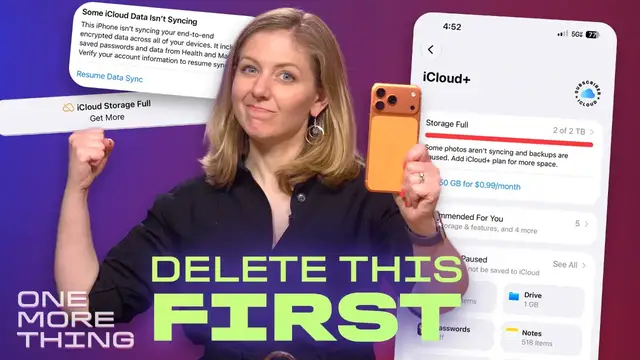
That said, I have found a quick fix to free up some space. I'm going to share three steps that
0:17
you can follow right now. This is going to take you 15 minutes and you won't have to pay Apple
0:22
for more storage. I speak from experience because when I run out of storage, I often just take the
0:28
easy way out and I pay for more. I never delete anything. I mean, look at this. I was taking
0:34
photos of fireworks, but you know what? I don't need 190 photos of fireworks, but this is who I
0:41
have become. Maybe this is who you have become and stuff like this is why I filled up two terabytes
0:46
of iCloud storage. Apple is happy to solve this by taking more of my money to give me more storage
0:52
but there comes a time where you have to say no and actually delete something or move it to
0:58
a backup drive. I'm bringing this up because you need to know how to manage your iCloud account
1:04
for iOS 27. iCloud storage is tied into some of Apple's new AI tools. Stick around. I'm going to
1:11
explain how, but right now let's do this together. Don't wait. I'm going to walk you through easy
1:16
things you could do on your iPhone right now with me. Let's play out some space together
1:21
Start with finding your largest video files first. You're going to move them out and make the biggest
1:26
impact you're gonna go to settings click on your name to see your Apple account
1:31
then click on iCloud click on recommended for you these are tools
1:36
Apple offers to tweak your iCloud you're gonna scroll to the section that says
1:42
free up storage review your photos and videos now click to get started here Apple tells you a few things you can do I want you to click into videos and here you going to see the largest video files up high
1:55
So you can target everything here at the top. Up here I have a video that's from seven years ago
2:02
It's over two gigs in size and I dropped my phone in a couch cushion and recorded nothing for 15
2:10
minutes. This is not a keepsake. We can go ahead and delete that. Okay. Now I need to offload some
2:17
of the bigger memories, all sorts of videos of my kids being cute, videos of birthday presents
2:23
being unwrapped. So we're going to offload this to another hard drive. Now at this point, you could
2:28
airdrop this to a computer, or if you have a portable hard drive or a thumb drive, you could
2:34
just plug it in directly and move it to the drive. Now to do that, you're not going to click
2:40
airdrop you're going to click export unmodified original now pick where you want it to save you'll
2:47
have to put it in the right drive not icloud of course you might need to click the back button to
2:51
find where you want it but once you got your place click save and it'll go on the drive now you can
2:57
also batch select a bunch of photos or videos at once into a folder i find that i get errors if i
3:04
do too many files at once something always seems to glitch on me but at least here if you do it one
3:11
video at a time you are getting the biggest videos out first once that's complete i need you to
3:17
remember which videos you saved to the other hard drive or the other computer because once they're
3:23
moved over you can go ahead and delete them next we're going to go through duplicate photos and
3:29
other junk like screenshots. You going to go back into iCloud settings to find these as other recommendations for freeing up your storage Duplicates is easy to handle Sometimes we just get two versions of something because we sending photos to friends
3:43
or maybe you forgot you saved something twice. Apple just pulls it all together for you
3:47
You can select these quickly to merge the files or delete what you do not want
3:52
And now we're going to clear out the junk in old screenshots
3:56
I save screenshots a lot as a way to send myself reminders
4:01
and clearly I don't remember what I did with all these so I forgot, goodbye, forgotten screenshots
4:07
You're just gonna wipe all of these by selecting all of your old stuff
4:11
and you might wanna keep some of the recent ones from the past week or two just in case
4:16
In the iCloud settings, there is more to poke around if you have time
4:20
Another big area might be messages. I have over 147 gigs inside my messages
4:26
and I'm afraid to just delete it all So I will chip away at this area later
4:33
It depends how much time you have to delete things, but it does show you the biggest files first up top
4:38
Now, the final step to cleaning up is that when you delete photos and video
4:43
they're not really deleted right away. You have to go into your recently deleted folder
4:48
inside the Photos app and then delete from here. Poof, now you finally have your storage back
4:53
Congratulations. Go back into your iCloud settings page and see if that worked to get you enough space
4:59
to do a system backup. If nothing else, I hope it stops nagging you
5:04
that you ran out of storage space. So for a little while now, I have been testing out the iOS 27 beta
5:10
It uses a Siri app and I was getting a big pop-up on top
5:14
letting me know I ran out of iCloud space. And that meant it could not sync my Siri conversations
5:19
on my iPhone with my Mac. Now much of these new Apple intelligence tools are designed to sync across your devices So a conversation you have with Siri AI on one device can be there on other devices
5:32
and it syncs privately through iCloud with end-to-end encryption. Now, if I wanted to get that message off my Siri app
5:40
I had to free up space or disable iCloud syncing. The same kind of syncing happens if I use image playground to generate images
5:48
and the type of iCloud Plus plan you have will impact what you can do with Apple Intelligence
5:55
That's because image generation is going to have daily usage limits. But Apple says most iCloud Plus subscription plans
6:03
will offer increased access, meaning you can get a little bit more play time with it
6:09
And it also includes AI tools for going through home camera footage
6:13
When iOS 27 does launch for the public in a couple of months
6:17
We should find out more details. Now, if you're in a family of other iPhone users
6:21
you may want to consider paying for an Apple One bundle instead of just paying for more iCloud storage
6:26
because it can boost your iCloud storage while also giving you access
6:30
to other Apple subscription services. I pay for Apple One Premiere so I can share two terabytes of storage with my husband
6:37
and it is a little pricey, but that's because I'm also using Apple's other services too
6:42
like Music and Apple TV and News Plus, so it works out well for my needs
6:46
But when I filled up the iCloud storage, that meant my husband couldn't back up his phone
6:52
And yeah, that motivated me to find a quick fix. And I know there are better ways to be more responsible with doing more backups
6:59
So if you have a method, I'd love to hear it in the comments. I am inspired now to see if there are easier ways to do this, such as using Apple shortcuts tools
7:08
Let's all help each other save some storage space and save our money
7:12
And I'll catch you next time when there's one more thing to talk about in the world of Apple
Celebrities & Entertainment News