0:03
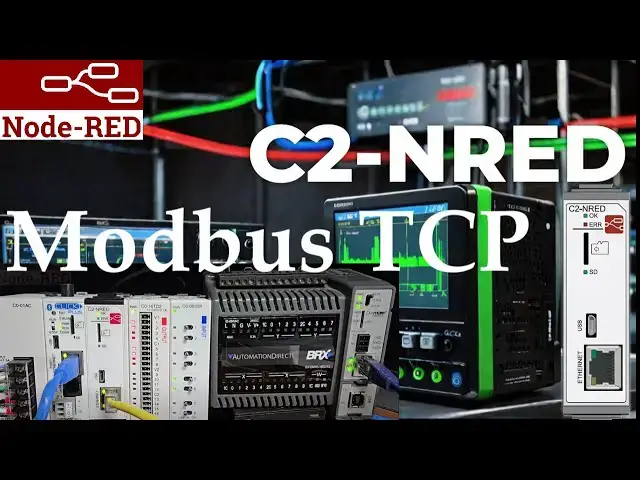
we will now establish communication
0:04
using Modbus TCP from a C2 NRED module
0:08
to the Ethernet ports of the BRICS do
0:12
PLC's previously we installed version
0:15
5.31.0 of Node Red Modbus
0:18
contrib we utilize the C2 NED package
0:22
compatibility finder to locate and
0:24
download this Node Red package
0:27
efficient PLC communication is essential
0:31
operations in this process we will use
0:33
the installed Modbus nodes to read 10
0:35
registers from the bricks do more PLC
0:38
and write these values to the click plus
0:41
PLC this will be done through the
0:42
Ethernet port on a C2 NRED module the C2
0:47
NRED Node Red module is a versatile
0:49
platform for integrating different
0:51
systems and enhancing the overall
0:52
efficiency of industrial setups
0:55
let's get started detailed information
0:58
contained in this video can be found at
1:00
accccclautomation.ca a link has been put
1:02
in the description below if you have not
1:03
watched the other videos yet there'll be
1:05
links in the description below that will
1:06
start you with video one there'll be
1:08
links to the rest of the videos in the
1:13
well setting up the bricks do more
1:17
PLC setting up the bricks do more PLC is
1:20
critical in establishing a robust
1:22
industrial automation system the bricks
1:24
do more PLC known for its reliability
1:26
and versatility offers advanced features
1:28
that cater to a wide range of industrial
1:30
projects we have an entire series on the
1:35
PLC configuring the bricks do more PLC
1:38
involves setting up the Ethernet port
1:40
with a fixed IP address and enabling the
1:44
slave call up the system configuration
1:46
in do more designer programming software
1:49
select the system configuration under
1:51
tools in the project browser menu this
1:53
can be also selected from the main menu
1:58
configuration the system configuration
2:02
displayed under the CPU configuration
2:05
selection which is the default you will
2:06
see the industrial Ethernet port
2:08
configuration this will show you the
2:10
current IP address that has been
2:14
configure this will allow us to set the
2:16
static IP for our network
2:23
close under the Modbus TCP server
2:26
configuration on the same page ensure
2:28
that the enable Modbus TCP server is
2:31
checked we will leave all of the default
2:33
settings for the Modbus TCP settings
2:36
window note that the port for Modbus TCP
2:39
is 502 we will need this and the IP
2:42
address for our next step
2:47
node Red C2 NR red Modbus
2:52
flow we will set up our Node Red C2 NED
2:56
module for our Modbus TCP communication
2:59
using the Click programming software we
3:01
have connected to our click plus PLC and
3:03
are viewing our previous ladder logic
3:05
program where we installed the Modbus
3:09
call the C2N and red module
3:11
configuration window by selecting C2N
3:13
red under the main menu setup slot zero
3:19
setting you will see the static IP
3:21
address for Node Red module and the
3:23
setup parameters we have discussed
3:27
previously we can now select the port
3:30
management setup under the C2 NRED
3:32
module configuration window this will
3:34
display the port management setup window
3:37
you will see our existing MQTT port we
3:41
can now add our port 502 for our Modbus
3:45
communication select okay to add our
3:50
Modbus select okay to close the port
3:55
window finally select okay to close the
3:57
C2 NRED module configuration
4:01
window our port is now set up for Modbus
4:03
TCP communication node Red is a powerful
4:06
tool for industrial automation offering
4:08
a seamless solution for Modbus
4:11
communication the Node Red nodes and
4:13
flows specific to Modbus TCP allow users
4:16
to unlock a world of possibilities in
4:18
PLC programming and data
4:22
acquisition c2 and red Modbus TCP flow
4:26
to read bricks do more
4:30
PLC open our previous flow using the
4:33
click programming software
4:36
this can be done by selecting the PLC
4:38
menu option on the click programming
4:40
software select Ethernet and then choose
4:44
connect your default browser will be
4:46
displayed with the flow program we
4:50
time we will add a tab for our new flow
4:55
communication select add flow and name
5:04
add an inject function Modbus flex
5:07
getter and Modbus response nodes into
5:11
workspace connect the nodes
5:21
together in the help section for the
5:23
Modbus flex getter select the code
5:26
example for multiple inputs right click
5:28
and copy this selection
5:36
double click on the function node paste
5:39
this code example into the onssage tab
5:46
node we will separate the parameters to
5:48
make it easier to read the function node
5:51
will be three to indicate we are reading
5:53
holding registers unit ID which will be
5:56
one which we are reading at address zero
5:59
and will read 10 registers select
6:04
done the red triangle on the Modbus flex
6:07
getter node means we must set up this
6:09
node or provide additional information
6:11
double click on the node the red box
6:14
indicate that we must set up the Modbus
6:16
client so it will know where to send the
6:18
instructions that we have to set in the
6:25
client our type will be TCP and the host
6:28
will be the address for the bricks do
6:29
more PLC that we just reviewed our port
6:33
will be set for 502 which is the default
6:36
all other settings will be left as their
6:42
add our Modbus flex getter node is now
6:45
set to communicate with our bricks do
6:52
select deploy to write program into the
6:54
C2 NRED module and execute our
6:58
flow select the inject or timestamp node
7:01
to test our flow you will see that the
7:03
Modbus response node will show you the
7:05
information returned from the bricks do
7:07
more PLC under array called
7:11
data using the data view window in the
7:14
do more designer software we can change
7:16
and verify the registers that are being
7:20
this test ensures that our Node Red flow
7:24
intended if you're enjoying this video
7:26
please hit the like button below keeping
7:28
up with all the latest automation
7:29
innovations can be difficult so hit the
7:32
subscribe button remember to click the
7:33
bell beside your subscription to
7:35
actually receive those
7:39
notifications setting up the Click Plus
7:45
returning to our click PLC programming
7:46
software call up the compport setting
7:48
window main menu setup
7:52
compport select port one in the compport
7:54
setup window we will ensure that we
7:57
configure this click PLC Ethernet port
7:59
with a fixed IP address this will enable
8:02
our Node Red flow program to find this
8:07
network the default for the Modbus TCP
8:10
server is enabled in the Click
8:12
programming software we will verify this
8:14
by selecting Modbus TCP from the main
8:16
menu setup this is chosen in our case
8:20
with the default port
8:25
okay the Click Plus PLC just like the
8:27
BRICS do is now set up as a Modbus
8:30
server or slave on our network we can
8:32
now write the information to our Click
8:35
PLC and read the information from our
8:37
bricks PLC on our Modbus network
8:43
c2 and red Modbus TCP flow to write the
8:50
PLC returning to our flow
8:54
function Modbus flex write and another
9:09
join the Modbus flex getter node to the
9:12
new function node then the new function
9:14
node to the Modbus flex
9:16
right then join the Modbus flex write to
9:19
the Modbus response node
9:24
under the help menu for the Modbus flex
9:26
right copy the multiple right
9:46
example paste this in a new function
9:48
node under the onssage tab
9:51
we will separate the parameters to make
10:21
the function code will be 16 to indicate
10:24
we are writing holding registers unit ID
10:27
will be 1 which we are writing at
10:29
address zero and we will write 10
10:36
done the red triangle on the Modbus flex
10:40
right node means we must set up this
10:41
node or provide additional information
10:46
node the red box indicates that we must
10:49
add the Modbus client to it so it will
10:51
know where to send the instructions that
10:53
we have just set in the function
10:55
node add a new Modbus client our type
10:58
will be TCP and our host will be the
11:00
address for the click plus PLC that we
11:02
just reviewed our port will be set for
11:06
502 which is the default all other
11:08
settings will be left as our
11:13
add our Modbus flex right node is now
11:16
set to communicate with our click plus
11:23
done select deploy to write the program
11:26
into the C2 NRED module and executor
11:30
verify using the Modbus response nodes
11:32
that everything is working as
11:36
expected we will change the inject node
11:39
to trigger communication for our flow
11:41
automatically double click on the inject
11:43
mode change the repeat interval to set
11:45
this to 0.2 seconds the communication
11:49
will happen every 200 milliseconds or
11:55
select deploy to write this program into
11:57
our C2 NRED module and execute our
12:02
flow the Modbus response node will show
12:04
the information returned from our bricks
12:06
do more PLC under the data array the
12:09
Modbus response node for the Modbus
12:11
write will show this same data
12:14
written using the data view window in
12:17
the click PLC programming software we
12:19
can monitor the registers we are being
12:20
written this ensures that our Node Red
12:23
flow is working as intended
12:27
with the potential of the Click Plus in
12:29
conjunction with the C2N Red you can
12:31
optimize data acquisition streamline
12:33
communication and elevate the efficiency
12:35
of your automated projects this
12:38
integration simplifies the connection
12:39
process and enhances industrial
12:41
automation systems overall performance
12:43
and reliability making a valuable asset
12:46
in PLC communication and automation
13:01
to review how we found and installed the
13:03
Modbus nodes with our recommended
13:07
here click here to learn more about the