Up next in 10

Lovable AI Builds Full Stack Coding Web Apps From Prompt Destroys Claude & Github Copilot??
Mar 31, 2026

Get the full source code of application here:
Show More Show Less View Video Transcript
0:00
In this video, I'll show you a very
0:02
popular AI coding platform which is
0:04
called as lovable AI coding platform.
0:07
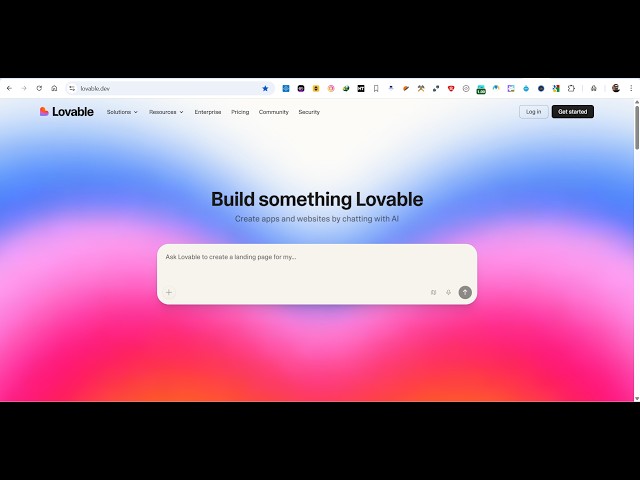
This is the address. If you go to the
0:09
browser, simply type lovable.dev.
0:13
It's similar to cloud cursor GitHub
0:15
copilot. So where it allows you to build
0:18
out full stack coding applications. So
0:21
good to get started. You can sign up
0:24
using your Google account.
0:28
So I personally use this AI coding
0:30
platform for building many of my
0:32
applications. It's a professionallook AI
0:35
coding platform. It has its own AI
0:37
coding IDE similar to VS code. So once
0:41
you sign up using your free account, you
0:44
will redirect you to the dashboard area.
0:46
So here you can simply select configure
0:50
some options, the name, theme,
0:52
everything.
0:58
So once you answer all these questions,
1:00
you will be redirected to the IDE where
1:04
you will be able to build out your
1:05
coding applications. So you simply have
1:08
this prompt where you simply tell the AI
1:11
what sort of application you want to
1:13
generate. So I will simply say build
1:15
image to PDF web app in browser.
1:19
So as I told you once I submit this
1:22
request
1:24
the AI will actually take over and code
1:27
this entire full stack application from
1:30
scratch.
1:32
So
1:34
as you see right here
1:37
it will start building out this coding
1:41
application as well.
1:42
It will uh install the necessary modules
1:45
one by one and code the files one by
1:49
one.
2:01
So once it completes you will get a
2:03
notification that the AI has completed
2:06
its work. So this is a really good
2:09
alternative to platforms like GitHub
2:11
copilot claude cursor
2:14
or chart GPT quen.
2:17
So this lovable
2:19
you can get started for completely free.
2:22
So there is no money which will be
2:24
charged. So you just need a simple
2:26
Google account and
2:29
after that you do need to upgrade. Uh
2:31
there is a sample amount of credits
2:34
which are available to you.
2:36
But uh
2:40
you can even ask follow-up questions as
2:42
well once it finishes.
2:53
So it will show you the live preview and
2:56
also we'll deploy the application as
2:58
well.
3:14
So you can see that the AI has completed
3:19
and you see the live preview right here.
3:21
Uh so here you can test out your
3:22
application as well. Very simply
3:26
just select a bunch of images and click
3:28
on download PDF.
3:31
So your PDF file will get downloaded
3:33
having both these images. So if you want
3:36
to see the code right here, you click
3:38
the file section.
3:40
So
3:43
if you want to see the code here, this
3:45
is actually the full code generated by
3:47
this AI coding platform. So
3:51
these are as you can see
3:54
it's a react application using the
3:57
latest version 80 jspd all these
4:00
dependencies are there. So the component
4:03
is divided into its appropriate
4:06
typescript files here.
4:10
So you click the download button to
4:12
actually download the full code file.
4:15
You click this button.
4:18
So they do offer a paid plan as well if
4:21
you are interested in this.
4:24
The paid plan starts with basic $5 per
4:27
month. So we will be giving you 20
4:30
monthly credits.
4:32
Unlimited domains apps you can create
4:35
with this. Five daily credits you would
4:37
also get.
4:40
Then we have the $50 plan as well.
4:44
So personally I use this AI platform a
4:46
lot because it builds out professional
4:49
looking coding applications with a
4:51
single prompt
4:53
in a matter of seconds. So I've shown
4:56
you in this video. So if you are
4:58
interested in this simply sign up on
5:01
lovable.dev
5:03
and start using this AI coding platform.