Up next in 10

This Google Antigravity AI Coder IDE is INSANE Builds & Deploy Full Stack Unlimited Apps For FREE
Apr 5, 2026

Watch My Visual Studio Code IDE Setup Video For Fonts,Themes & Extensions
https://youtu.be/Bon8Pm1gbX8
Hi Join the official discord server to resolve doubts here:
https://discord.gg/cRnjhk6nzW
Visit my Online Free Media Tool Website
https://freemediatools.com/
Buy Premium Scripts and Apps Here:
https://procodestore.com/
Show More Show Less View Video Transcript
0:01
Uh hello guys. Uh in this uh live stream
0:05
I will show you a Google has released a
0:09
product here specifically for
0:11
programmers and developers
0:13
is called as anti-gravity.
0:16
So it's kind of a AI IDE for developers
0:20
and programmers for building fullstack
0:22
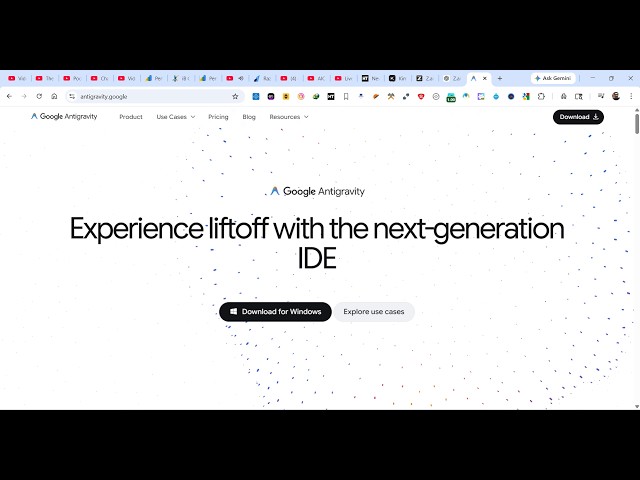
coding applications. So if you go to
0:24
Google simply type anti-gravity this the
0:27
very first link which comes. So as you
0:30
can see it developed by Google here
0:32
anti-gravity.google.
0:34
So it's actually an IDE where you can
0:37
actually download this inside your
0:39
Windows machine and build out any sort
0:42
of coding application. So it it's a
0:45
complete IDE like uh Visual Studio Code.
0:48
It builds out complete coding
0:50
applications which is shown right here.
0:54
So now you simply download this for
0:57
Windows. If you are on Mac, Linux, so
1:01
you can simply click the download button
1:03
for respective operating system. So if
1:06
you're running Windows 64-bit, you click
1:08
this button. So it's just 234 MGB. So
1:14
once you
1:16
simply download the setup file will take
1:20
uh very less time to install this. So
1:23
once it completes simply open the setup
1:30
uh just run the setup and it will
1:32
install this Google anti-gravity AI IDE
1:36
inside your machine.
1:38
So it's similar to cloud cursor
1:42
Gemini to for to actually code fullstack
1:45
applications. So now it is installing
1:47
it. So it hardly takes five to 10
1:50
seconds for the installation to
1:52
complete.
1:54
So as you see it's free to try. This is
1:58
their pricing model. The individual plan
2:01
gives you access $0 per month. So anyone
2:05
can build coding application using this.
2:08
So it actually uses the Google Gemini
2:10
models cla
2:13
unlimited tab completions. You get
2:15
unlimited command request
2:18
everything there.
2:21
So it's completely free to try. So
2:25
definitely visit anti-gravity and
2:27
download this. So just wait for the
2:29
installation to complete. So I will show
2:32
you how I built a sample application
2:35
using this.
3:10
So it's basically installing it. So just
3:13
wait for the installation to complete.
3:18
So it's similar to VS code cursor where
3:22
you have the actual IDE complete IDE
3:26
where you simply write the prompt and
3:28
then the AI will do the stuff for you.
3:30
So these are some of the screenshots
3:32
right here. So right here in the chat
3:34
prompt you write whatever application
3:36
you want to develop and then the AI
3:38
develop all the files automatically for
3:41
you.
3:42
So
3:57
as you can see it's still installing.
3:59
It's a pretty big software. So that's
4:03
why taking a lot of time. So you will
4:06
also need to wait for the entire
4:09
installation to complete.
4:14
So you can check out their
4:15
documentation. Let me show you in the
4:17
meantime as it's installing.
4:26
So as you see right here, this is
4:29
actually the screenshot. So it pretty
4:30
much looks similar to VS Code in terms
4:34
of UI structure.
4:36
So you basically have this chat prompt
4:40
where you actually tell the UI what sort
4:43
of application you want to develop.
5:25
So, as you can see, still installing the
5:28
actual
6:15
So you can see now the installation is
6:18
complete.
6:20
So you can click the finish button and
6:23
automatically the editor will open. It's
6:26
Google Anteity. So I basically showed
6:28
you from scratch how to download and
6:31
install it. And now the editor directly
6:35
opens right here as you see.
6:43
So you will see this message welcome to
6:45
anti-gravity.
6:46
So if you have actual settings in Azure
6:50
editor, you can import them.
6:53
Wind surf cursor everything or you can
6:55
start fresh and select your theme here.
6:58
Whatever theme you want to select. Let
7:00
me stick to the default theme. So here
7:02
you want to save how you do you want to
7:04
use anti-gravity agent reviewdriven
7:08
agent review. So this is a recommended
7:10
one. So just select the recommended
7:12
settings.
7:13
So first of all you can sign in with
7:15
Google with your Google account. So if
7:19
you're running it for the very first
7:20
time simply login with your Google
7:22
account.
7:24
So just grant the permission and
7:30
so now you are successfully
7:31
authenticated simply.
7:36
So it will set up your account here. So
7:38
this will only happen for the very first
7:41
time when you install this. So click on
7:46
next. And now this
7:50
opens. So you can actually open a folder
7:54
or clone a GitHub repo as well.
8:01
So
8:04
let me open a folder right here.
8:11
create a new folder
8:16
just open this. So now the folder will
8:20
open directly in the editor and uh so
8:24
now the folder is open. So you can just
8:27
see the interface looks similar to VS
8:30
code. So right here you inside the agent
8:34
it specifically uses the Gemini 3.5 pro
8:37
model. So
8:41
you can use claude sonet claude opus
8:43
everything you can use. And now right
8:45
here you specify let me say build a
8:48
angular
8:50
image to editor
8:52
or build angular pdf editor
8:57
project in browser.
9:00
So we specifically tell this Google
9:03
anti-gravity I want this project and now
9:05
the AI will start generating the
9:08
necessary files.
9:11
So it will you can see as I written the
9:15
prompt here
9:19
it is automatically searching for the
9:21
required library. As you can see, it is
9:23
searching the internet in the
9:25
background, automatically installing the
9:29
necessary dependencies
9:31
and creating the files.
9:48
So, automatically as you see it's
9:54
First of all, it lays out your entire
9:58
project in the implementation plan right
10:00
here.
10:23
So you can say please continue. I
10:36
so step by step now it will execute this
10:39
plan right here after it created this
10:42
file implementation plan. So here it
10:44
lays out all the instructions. So now
10:47
you just need to grant the permission as
10:49
the AI create the file. So you click on
10:51
run and automatically it will create the
10:54
necessary folder for your angular
10:56
project. So automatically as you see
10:59
it's creating that folder for you.
11:03
So it's completely free. You don't need
11:06
to pay for anything. Simply install and
11:08
start using it.
11:20
You can even change the permission
11:22
always ask every time or always run. So
11:26
let me stick to always run.
11:54
So in this easy way guys you can install
11:56
it and start using it. So with a single
11:59
prompt you can generate fullstack coding
12:01
application in any framework.
12:04
So the process will remain the same. You
12:07
open the folder in the editor directly
12:09
type what sort of application you want
12:11
to generate and then the AI will start
12:13
generating it. You can use any model
12:15
Gemini or claude. You can switch between
12:19
different models. All the models are
12:21
completely free
12:23
and uh this software is pretty amazing.
12:28
So right here you need to accept the
12:31
changes. So I will say accept
13:00
So in you can see in the left hand side
13:02
it created this project here angular
13:04
project automatically the source code
13:06
files are appearing. So this is created
13:09
by this AI everything.
13:12
So if if you check the package.json
13:15
file, we using the latest version of
13:17
Angular.
13:25
So step by step, it's creating one by
13:28
one the actual file for this PDF editor.
13:31
And once it completes,
13:33
you can see it's installing the
13:35
packages. And then it will automatically
13:37
run the application for you once it
13:40
completes.
14:30
So in this way you can use this software
14:33
guys. Google anti-gravity. It's a pretty
14:35
awesome software. So definitely use it.