0:00
Uh, hello guys. In this
0:03
uh, live stream, I will show you a
0:06
AI agent directly inside your terminal.
0:09
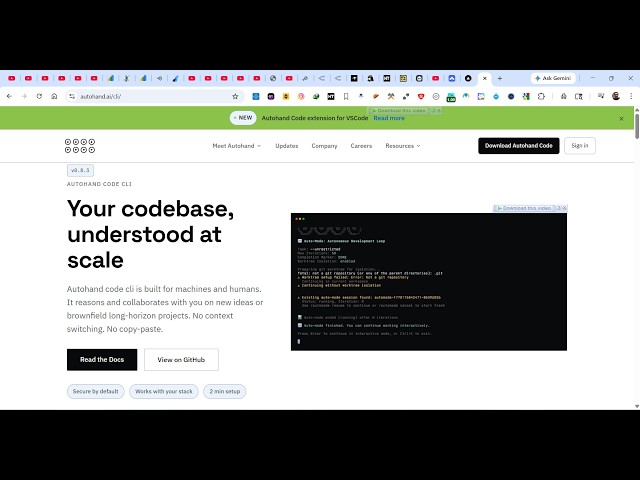
So, if you go to Google, simply type
0:11
auto auto hand code CLI.
0:14
So, if you search this,
0:16
the very first link which comes, this is
0:19
the website auto hand
0:23
So, it's a all-in-one coding AI
0:25
extension which directly runs in your
0:28
And you can connect to any AI model and
0:30
directly build out full stack coding
0:34
So, now to get started, it's completely
0:37
open source. It's available on GitHub as
0:40
So, now to install this, these are the
0:42
instructions which are given for Mac and
0:44
Linux. You simply copy this command.
0:47
If you are on Windows, you do this.
0:51
If you do have Node.js installed, this
0:53
is the command npm install -g
0:56
for globally installing it. So, just go
0:59
install this by executing this command.
1:09
you simply provide the prompt and it
1:11
builds out a full stack coding
1:15
you can even try this for completely
1:19
extension as well. So,
1:22
you simply need to first of all sign up.
1:27
So, as you can see, it is installing it.
1:36
So, once it get installed, you will
1:37
actually see these are
1:41
You can code right here.
1:46
The different models it uses. So,
1:50
you can read the documentation.
1:53
So, it's also available as a VS Code
1:55
extension as well. So, simply search for
2:02
This extension will come right here.
2:13
So, you can install this. Click the
2:15
install button to install this. It's
2:24
So, you can see we are
2:27
running this command. It's still
2:28
installing it. So, just wait for the
2:30
installation to complete. And after
2:33
that, you can use this
2:34
directly inside your command line for
2:36
building coding application.
2:39
So, I think it's telling me that
2:41
you should have at least
2:44
Let me check my Node.js version. So,
2:47
it's actually using the latest version.
2:51
I think you should It's not supported
2:58
So, you can use any different Node.js
3:02
if you are getting this error.
3:06
use these different commands which are
3:10
Or you can use the VS Code extension if
3:13
you want to try this out.
3:18
So, click the install button
3:20
to install this extension if you are
3:22
getting error while installing the CLI.
3:28
So, once it get installed, you will
3:37
First, activate this.
3:41
Click on get started and
3:44
it will automatically detect that auto
3:48
So, first of all, you click the install
3:53
So, it's actually installing it using
4:05
use this extension to automatically
4:07
install this auto hand extension.
4:10
So, once it get installed, you will get