Up next in 10

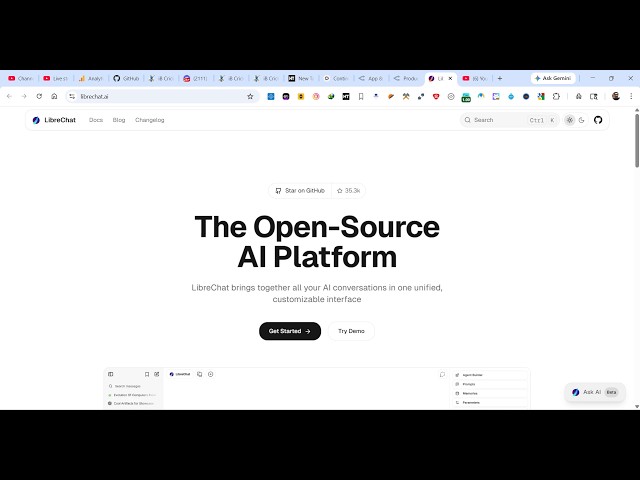
This LibreChat AI Open Source Alternative to ChatGPT,Claude Builds Full Stack Apps From Prompts
Apr 8, 2026

https://www.librechat.ai/
Watch My Visual Studio Code IDE Setup Video For Fonts,Themes & Extensions
https://youtu.be/Bon8Pm1gbX8
Hi Join the official discord server to resolve doubts here:
https://discord.gg/cRnjhk6nzW
Visit my Online Free Media Tool Website
https://freemediatools.com/
Buy Premium Scripts and Apps Here:
https://procodestore.com/
Show More Show Less View Video Transcript
0:00
an open source alternative to Claude
0:03
GPT.
0:04
So, it's actually a
0:07
If you go to Google, simply type
0:09
LibreChat
0:10
AI.
0:11
So, I personally used it and I I can
0:13
tell you it's a great alternative to
0:15
Claude GPT where you can build out
0:17
coding applications, chat with the AI.
0:20
So, it's completely open source AI
0:22
platform and it actually is a unified
0:25
destination where you can chat
0:28
and it's available on GitHub. And now to
0:30
get started, it's simply very easy for
0:33
you.
0:34
You can either install it using NPM
0:38
or Docker or Railway. You can see that.
0:43
Local installation.
0:45
Either you can do this using Docker.
0:48
Simply clone the repo.
0:50
Go to CD and
0:53
and you can easily also do this using
0:55
NPM as well.
1:01
So, I think it's very simple LibreChat
1:05
AI.
1:10
So, you can see that. So,
1:12
you can also try out the demo as well.
1:14
This is their functionality
1:15
chat.librechat.ai.
1:18
So, from here you can continue with
1:20
their
1:23
either with Google or GitHub. Let me
1:26
just continue with
1:28
Google account. Just grant the
1:30
permission. So, here it's a cloud-based
1:32
platform.
1:33
So, right here chat.librechat.ai.
1:36
So, from here you can select any AI
1:38
model.
1:39
It can be Google, Anthropic,
1:43
Deep Seek,
1:44
any model.
1:46
It's completely free. So, you can see
1:48
that.
1:50
Now from here you can chat with the AI.
1:52
You can simply say build a
1:55
image to PDF
1:57
web app in browser.
2:00
So, as soon as you do this, from here
2:02
you need to simply paste the API key. No
2:05
key [clears throat] found.
2:06
You need to configure it. So, whichever
2:09
AI you are using,
2:11
you need to set the API key. So, from
2:13
here you paste the API key, whatever API
2:16
key you're using. So, it's a cloud-based
2:17
platform.
2:19
It actually uses
2:21
Same goes with Anthropic as well.
2:23
Paste the API key and then
2:26
submit this.
2:32
You can see that. So, all the AI
2:34
providers are there.
2:36
So, OpenRouter. Some are free, some are
2:39
not. This is I think it's a free model,
2:41
which is a You can see it's a free
2:43
model. So, again,
2:45
if you send out the request
2:48
for this, I think
2:54
Yeah, so OpenRouter is one destination
2:58
that you can actually
3:00
use it
3:01
for completely free.
3:04
Simply go to your account.
3:07
Get your API key. Paste it.
3:19
So, you'll get your API key. Simply
3:21
paste it here.
3:24
So, you'll get this notification. After
3:26
that, again submit.
3:29
So, now the AI will start developing
3:31
this application for you, which actually
3:33
uses the Google Gemini.
3:39
So, it's an open source platform,
3:41
LibreChat. Definitely check this out.
3:44
And you can actually compare your models
3:47
in real time. It has a agent code
3:49
interpreter as well.
3:52
You can
4:06
So, it's also available on GitHub as
4:09
well.
4:09
So, quick start that I already showed
4:11
you.
4:16
You can see that. So, it's a node-based
4:18
dependency.
4:19
At least Node 20.19 version should be
4:22
required. So,
4:27
first of all, clone the repo, CD into
4:29
this and
4:32
NPM run front end, everything. You can
4:34
do that.
4:43
Locally as well, you can do that using
4:45
Docker. Everything runs in the
4:46
container.
4:48
These are all the instructions which are
4:49
given. Simply
4:51
you can
4:53
do this.
4:58
Or you can even check this out. You can
5:00
attach images.
5:02
Just select the model, whichever model
5:04
you want to use.
5:10
You can also build your own agent as
5:12
well. So,