Up next in 10

Build a React.js 19 Video to GIF Editor in Browser Using FFMPEG WASM & TailwindCSS in JSX
Mar 5, 2026

Buy the full source code of application here:
https://procodestore.com/index.php/product/build-a-react-js-19-video-to-gif-editor-in-browser-using-ffmpeg-wasm-tailwindcss-in-jsx/
Show More Show Less View Video Transcript
0:00
Uh hello guys, welcome to this video. So
0:02
in this video I'll show you I built out
0:04
a react video to GIF converter kind of
0:07
an application in browser using ffmpg
0:11
web assembly library. We running this
0:13
application directly in the browser. The
0:16
interface looks quite simple. will come
0:18
to the interface. Select your video file
0:21
whatever video file
0:25
and after selecting this the video will
0:27
play in the video player and right here
0:30
you select the duration in seconds or
0:34
what seconds you want to cut the video.
0:38
So what I'm telling the application is
0:40
this go to the 10th second in the video
0:44
and for two duration create a gift here
0:47
and you can add the text as well to the
0:49
GIF
0:50
as you click.
0:59
So once you click the start button the
1:02
processing will take place directly in
1:04
the browser.
1:10
So if you're running it on local host
1:12
you will get this course error that no
1:15
access control allow origin header is
1:17
present but if you actually upload this
1:21
or deploy this application then that
1:23
error will not take place because
1:25
normally this cause error directly
1:28
happens
1:29
if you're running it on local host. So
1:32
that's why
1:34
you do need to deploy this and for
1:37
deploying this is really easy. You come
1:40
to the application right here. As you
1:42
can see
1:52
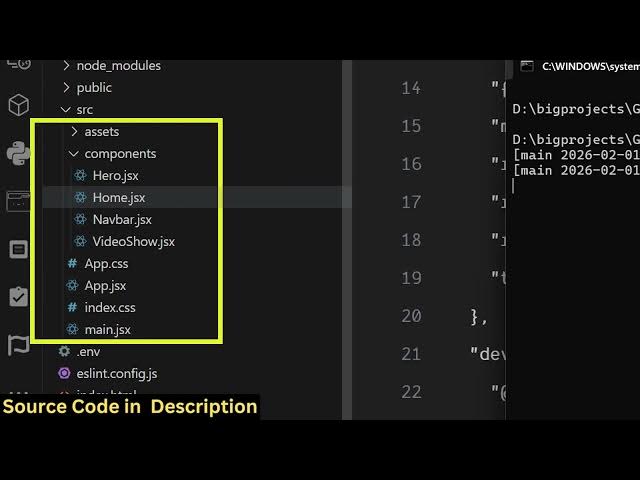
all the components are pre-coded right
1:54
here. It's fully customizable. If you
1:56
need the source code the link is given
1:57
in the description.
2:00
And uh you can run this project npm
2:02
rundev or if you want to compile it you
2:05
simply run the npm run build command. So
2:07
this will deploy your application into a
2:10
single folder.
2:13
You can see that. So
2:24
it compiled everything into this disc
2:26
folder. The processing is complete here.
2:28
You will see that. So you can easily
2:30
deploy this to any hosting platform.
2:32
Simply upload this folder
2:35
and it's fully coded inside ReactJS. So
2:38
if you're interested in this
2:41
uh the link is given in the description.
2:43
You can directly purchase it. The
2:45
application interface is quite simple.
2:47
You select the video file
2:51
and then specify the starting and the
2:53
duration.
2:56
And this will create a GIF file for you.
3:08
So you do need to upload this to a real
3:11
server for it to work. So you can't run
3:14
it on local host.