Up next in 10

Build a Next.js Full Stack Client Side Video Editor Web App in Browser Using FFMPEG WASM in TS
Mar 5, 2026

Buy the full source code of application here:
https://procodestore.com/index.php/product/build-a-next-js-full-stack-client-side-video-editor-web-app-in-browser-using-ffmpeg-wasm-ints/
Show More Show Less View Video Transcript
0:00
Uh hello guys, welcome to this video. So
0:03
in this video I'll show you I built out
0:05
a full stack uh client side nextjs uh
0:09
video converter and editor directly in
0:12
browser. So we are running this
0:14
fullstack project inside localhost 3000.
0:17
So it's a we're having a simple
0:19
interface. So right here you will select
0:21
your video file.
0:23
So whichever video file you want to
0:26
select. As soon as you select the video
0:28
file, [snorts] the video will play as
0:30
you will see in the video player. And
0:34
you have this option to resize the
0:36
width, height.
0:38
You can even
0:41
change the width, height as you can see.
0:47
Frame rate also you can change. You can
0:49
also change the duration as well.
0:55
and click on convert. So now you will
0:58
see ffmppg web assembly will do its job.
1:01
Once it completes you will be able to
1:04
download the output file. So this is
1:06
actually full stack next.js project.
1:08
It's all the components as you see it's
1:11
coded inside typescript. It's fully
1:13
customizable. You can purchase the
1:16
source code. The link is given in the
1:18
description. So once you purchase all
1:20
the source code will get downloaded from
1:22
Google Drive automatically.
1:25
And we are using latest version of next
1:27
which is and react. We are also using
1:29
fmpp web assembly library for actually
1:33
the processing.
1:39
So it actually shows you the actual
1:41
extension dimension size everything
1:44
related to the video. And this is
1:46
actually the library that we are using
1:48
which is ffmppg web assembly library
1:51
which allows you to use ffmpg directly
1:53
in the browser.
2:20
So as you can see in the console first
2:22
of all it loads.
2:24
the FMPPG core library and then it
2:28
actually starts the processing.
2:33
The interface is quite simple uh as I
2:36
showed you.
2:45
So here you need to drag and drop your
2:47
video.
2:58
So here you can adjust the width and the
3:00
height. You can even adjust the duration
3:03
as well.
3:07
And then the processing will start. It
3:09
will also show you the progress bar as
3:11
well. So once it reaches 100% your video
3:14
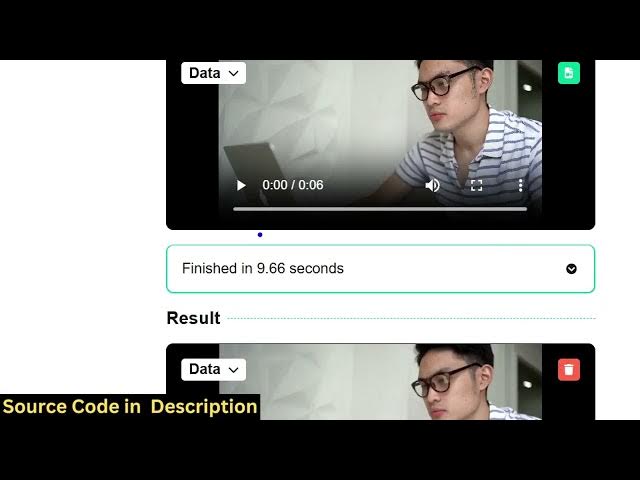
will get automatically converted. You
3:16
will see it is successfully trimmed from
3:19
6 second to 2 second and the resize
3:22
functionality is also working. So video
3:24
is successfully resized as well.
3:29
So in a matter of seconds it all
3:31
executes directly in the browser. There
3:33
is no back end or
3:35
server side code. So it all happens
3:38
directly in the browser. as you you can
3:41
even change the FPS as well.
3:45
So you can do this unlimited number of
3:47
time. So once you purchase it, you will
3:49
also see how I coded the project from
3:51
scratch using FMMPG. So if you wanted to
3:55
make a NextJS video editor project, this
3:59
will be a good starting point. You can
4:00
even add more features on top of this
4:02
project. But the essential feature is
4:05
remains the same. It actually converts
4:06
the videos in a matter of seconds. So
4:10
once you upload this, you can adjust the
4:12
width and the height everything such as
4:14
the duration as well,
4:18
frame rate, everything.
4:23
And this is the main important thing. We
4:25
also shows the progress bar as well.
4:40
So if you're interested in this project
4:42
uh you can definitely purchase it and uh
4:48
you can even deploy this. So all these
4:50
commands are there for deploying running
4:52
it lo local host npm runtime
4:57
and also you can deploy the project as
4:59
well.