Up next in 10

Build a Canva Clone Image & Graphics Editor in Browser Using Fabric.js & Canvas API in Javascript
Dec 13, 2025

Buy the full source code of the application here:
https://procodestore.com/index.php/product/build-a-canva-clone-image-graphics-editor-in-browser-using-fabric-js-canvas-api-in-javascript/
Show More Show Less View Video Transcript
0:03
Uh hello guys, welcome to this video. So
0:06
in this video I basically developed this
0:08
uh image canvas editor something like
0:11
Canva
0:13
which allows you to basically do
0:15
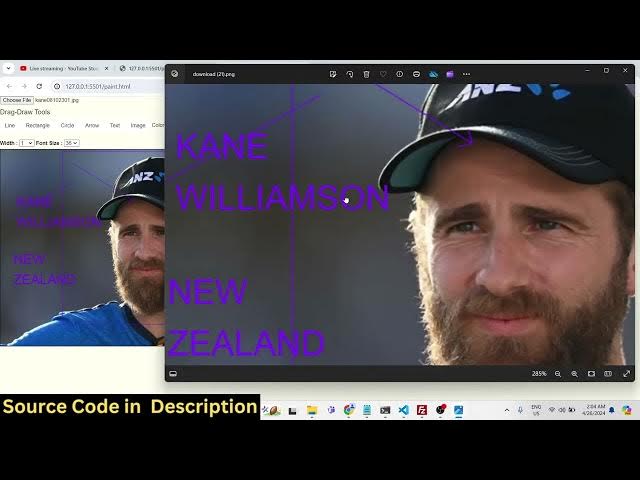
everything related to images. So let me
0:18
select the image.
0:21
So you will basically select any image
0:23
PNG or JPG. All extensions are
0:26
supported. So as you basically select
0:28
your image file, the image will be shown
0:30
right here guys. You will see that. And
0:32
now you can actually overlay text and
0:35
graphics. You can draw on this image.
0:38
You can basically add a watermark. You
0:40
can draw shapes such as arrows,
0:43
rectangles, circles, and you can change
0:45
the color of it as well. Something to
0:47
Canva. It's a minimalistic client side,
0:50
fully client side. No serverside code is
0:52
involved. It works in the browser. It's
0:54
very fast and efficient and you can
0:56
basically see it is coded entirely in
0:59
HTML, CSS and JavaScript and it uses
1:02
fabricjs library guys which is a
1:04
open-source image graphics library of
1:07
JavaScript and here we have different
1:09
options right here that you can see the
1:11
user interface we have option to
1:14
actually draw a line. So we can see we
1:16
can draw a line here. We can also change
1:19
the color using this color picker. You
1:22
can we we can basically draw lines right
1:25
here. Then we have the option to
1:27
actually draw a rectangle like this. You
1:31
can change the phone size.
1:34
You can draw a rectangle. We can even
1:37
draw circle as well. You can change the
1:39
width to actually make it slightly
1:42
bigger. There's option in the drop-down.
1:45
If you want a bigger thicker circle, you
1:48
can basically do it like this. Then we
1:51
also have the arrow. If you want to add
1:54
some arrows, we can even add arrows as
1:57
well like this.
1:59
Then we also have the like this we we
2:03
can add text as well. So if you want to
2:06
add some watermark of your company or if
2:08
you want to add text on top of the
2:10
images as overlay, you can control the
2:13
width of the text and the phone size.
2:16
You can see that. So you can resize it,
2:20
click on apply and the text will be
2:21
added on the image. So if all the
2:26
changes are done, you can simply export
2:27
your image. Simply click the export
2:29
button and then this output image will
2:31
be downloaded with all the modified
2:33
changes that you have put to place. You
2:35
can added shapes, you added the text,
2:38
different colors, different shapes,
2:40
different arrows. After modifying it,
2:42
you can simply export your image to a
2:44
output image file. So the link is given
2:47
in the description guys. You can
2:48
directly purchase this fully clientside
2:50
image editor such as Canva. If you are
2:53
interested, the link is given. You will
2:54
actually get this directory a zip file
2:58
after you make the payment on my
3:00
website. You will be automatically be
3:01
redirected to Google Drive where you
3:03
will be actually be getting this zip
3:05
file where you can actually get this zip
3:08
file. You just need to extract the zip
3:10
file and you will actually get this
3:12
content. This HTML, CSS and JavaScript.
3:15
So it this entire application is coded
3:18
using HTML, CSS and JavaScript. no
3:21
thirdparty
3:22
uh server is involved in it. So it
3:24
entirely works in the browser. So if you
3:27
just open your index html file, this is
3:29
actual code right here. Uh you just need
3:32
to open with live server and ordinary
3:35
server can host this application. So if
3:37
you have a real domain name then you can
3:39
simply deploy this application very
3:41
easily and user will comes to your
3:44
website. They will select the image and
3:46
they will be able to edit their images
3:48
by drawing text on the image. If you if
3:51
they want to add some watermark if they
3:53
have a company
3:55
if you want to add some watermark you
3:58
can change the color.
4:01
You can see that using this color
4:03
picker.
4:07
This is my channel name. So what I can
4:09
do?
4:10
I can place this anywhere else. If you
4:13
want this, you can resize it using the
4:16
mouse.
4:19
Just place it accordingly.
4:25
Select your phone size accordingly.
4:36
So you can see that click on apply. So
4:40
basically the watermark will be getting
4:42
added. So
4:44
you can add multiple text.
4:52
So multiple text you can add guys. And
4:54
basically you can add lines, we can add
4:57
a rectangle,
5:00
multiple rectangles. We can add we can
5:03
add circles as well.
5:10
You can see we can edit anything. You
5:13
can see that how easy it is and just
5:16
change the colors as well. Totally
5:18
depends upon you how you want to do
5:20
this.
5:22
And uh
5:24
we also have the undo and redo options
5:27
as well. So if you basically done
5:29
something wrong, you can undo or if you
5:32
want to redo something, there is a root
5:34
redo button as well. So undo and redo
5:36
buttons are there. If you want basically
5:39
clear everything, there is a clear
5:41
button is also available. If you click
5:42
it, everything will go away. So it is
5:46
very easy. So
5:49
you could see that. So these are all the
5:51
options which are there guys. You can
5:53
see that.
6:10
So you can basically see how easy it is.
6:13
Then you can simply export your work.
6:15
It's a very good tool website guys and
6:18
which is similar to image Canva clone
6:20
kind of a editor that you have seen on
6:22
various uh internet. So you can
6:26
basically purchase this source code
6:27
guys. The link is given in the
6:29
description and uh you will be able to
6:32
also see how I coded this application
6:34
which is uh you will be getting to know
6:36
about a lot of things using fabric js.
6:39
It's a very good library which makes it
6:41
easy to actually build these awesome
6:42
applications related to image and uh
6:45
text. If you just search for fabric JS
6:49
JavaScript canvas library HTML 5 it's
6:52
open-source library and we are actually
6:55
using this actual library to for this
6:57
application. So if you're watching it
6:59
for the very first time guys please hit
7:00
that like button subscribe the channel
7:02
as well. This is actual library HTML 5
7:05
canvas library which makes it easy to
7:07
actually design these canvas related
7:10
applications which uh here essentially
7:13
what we are doing we are essentially
7:14
loading the image in the canvas that you
7:17
see if you load this application the
7:19
canvas is empty you can see you can
7:21
control the size of the width and the
7:24
font size of the text
7:27
you can even add text right here let's
7:29
suppose
7:31
it if you don't want to edit images. You
7:34
can also do this as well.
7:39
You can change the color.
7:46
So you can see that. So you can even
7:49
basically construct images from text as
7:53
well, from raw text. If you don't want
7:55
to edit images, you can basically add
7:58
text right here.
8:06
So in the code you can also modify the
8:08
code basically you can uh
8:12
whatever you can modify the code as well
8:14
if you do want to modify the canvas size
8:18
all these things you can modify it if
8:20
you want to do this uh if you know some
8:24
kind of coding if you are a web
8:26
developer if you are a programmer then
8:28
you can modify this application as well
8:30
after purchasing Using it you will get
8:31
full commercial right to actually
8:33
modify, resell or sell this code to
8:36
anyone other as well. You can earn
8:38
revenue from this code from this website
8:41
tool website. Essentially the feature is
8:43
that you can select images, you can
8:45
basically edit images, draw arrows, draw
8:48
text. Uh
8:51
the basic feature of this application is
8:54
that you can add text.
8:56
You can basically add
9:03
The essential feature is that you can
9:04
add shapes, you can add arrows, you can
9:06
add text, you can add graphics on top of
9:09
images and after that you can save this
9:11
image. The essential use of this
9:12
application is that it's a simple image
9:14
editor which allows you to do all these
9:17
things arrow text image color rectangle.
9:20
So drag drag and drop editor select your
9:22
image and then you can draw shapes draw
9:25
everything. It's a minimalistic
9:27
application guys and we are you can see
9:29
we are actually using the canvas and we
9:32
have different options that we have.
9:34
This is entirely written in JavaScript.
9:36
We have this canvas tag right here HTML
9:38
canvas tag and essentially we are
9:41
basically writing this JavaScript code
9:43
right here. And uh we have different
9:46
buttons available for different things
9:48
to be there in the application.
9:50
So
9:53
if you are interested guys
9:57
uh Wasu podcast is saying that crop be
10:00
add cursor uh essentially bro cropping
10:04
is not there in this editor you can
10:06
basically perform task related after you
10:09
select image you can add text you can
10:11
basically draw circle it's a fabricjs
10:14
application you can draw shapes you can
10:17
draw rectangles and you can even the
10:20
basic uses is that you can add
10:21
watermark. If if you are owning a
10:24
company, you can basically add
10:25
watermark. You can control the phone
10:28
size.
10:30
You can see that you can change the
10:32
color accordingly.
10:39
You can place it accordingly like this.
10:57
So if you are interested guys, the link
10:59
is given in the description. You can
11:02
actually purchase it.
11:06
It's a very good editor and uh
11:11
you can see that you can edit your
11:13
images, PNG, JPJ images.
11:17
Please hit that like button, subscribe
11:19
the channel and thank you very much guys
11:21
for watching this video and I will be
11:24
seeing you guys in the next live stream.
11:26
Until then, thank you very much.