Up next in 10

Build a Angular Flipkart eCommerce Shopping Cart UI Clone in Browser With Pagination Using TS
Mar 5, 2026

Buy the full source code of application here:
https://procodestore.com/index.php/product/build-a-angular-flipkart-ecommerce-shopping-cart-ui-clone-in-browser-with-pagination-using-ts/
Show More Show Less View Video Transcript
0:00
Uh hello guys. In this video, I'll show
0:02
you I built out a Flipkart shopping cart
0:05
UI clone in Angular. Uh which directly
0:08
resembles the design of Flipkart which
0:12
is a shopping website. So this is
0:14
actually the Angular application we are
0:16
running locally. So once you launch the
0:18
application,
0:20
you'll be redirected to the screen right
0:22
here. We have a search bar categories
0:24
and then we displaying these products.
0:27
So basically we are fetching the
0:29
products from a fake rest API.
0:32
So essentially what we are doing we are
0:34
resembling the design of flipkart here
0:36
uh just showing three products per
0:40
per line here you can see then we have
0:43
this uh title description the price and
0:45
add to cart button. So currently as you
0:48
see the cart is empty. So as soon as I
0:50
click the add to cart button the state
0:53
will be updated the data will be updated
0:55
right here.
0:57
So the people can add the cart to
0:59
product and then you can go to the cart
1:02
here by clicking this button and this is
1:05
a cart page here. So it basically shows
1:07
how much products you have added in the
1:09
cart. Here it shows in the table like
1:11
structure we have this first, second,
1:13
third, fourth.
1:15
This is entirely coded inside angular.
1:17
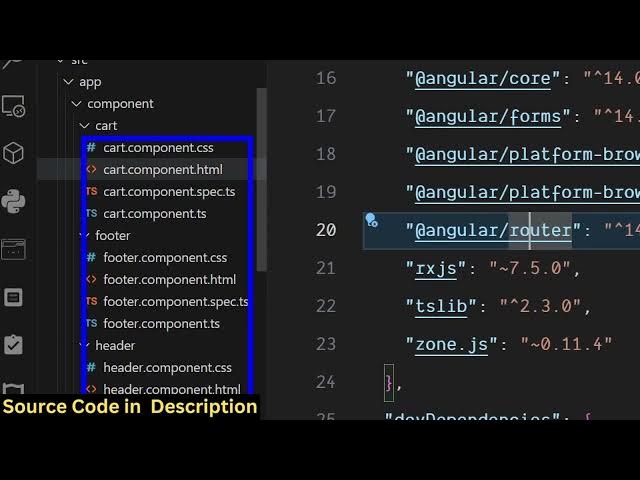
This is actually the full directory
1:19
structure. We are using the latest
1:21
version of angular and it's fully
1:23
customizable. each and every component
1:25
you can add more functionality as well.
1:27
So the link is given you can directly
1:30
purchase the source code. So we are
1:32
running this uh source code as you can
1:34
see inside the terminal npm run start.
1:37
So it's really easy for you to uh run
1:40
this and deploy this as well and you can
1:43
integrate a database as well. So it will
1:45
save you a lot of time. I coded this
1:47
from scratch which have this basic
1:50
functionality. It basically
1:52
have this cart page and you can empty
1:56
the cart again. Click shop now and then
1:58
you will be redirected to this screen
2:00
here.
2:02
You just click add to cart button to add
2:04
the products and then you click the
2:08
this is your cart page. You can delete
2:09
the products from here as well by
2:11
clicking the delete button. This is
2:14
essentially a UI uh the back end
2:16
functionality is not there. just just
2:18
angular UI and we have used Bootstrap
2:22
for this for building out this interface
2:24
that you are seeing right here. We also
2:26
have the search field as well. So here
2:28
you can search for your products
2:32
and these are different categories as
2:33
well. So we also integrated the page as
2:36
well. So you can see you can go to the
2:38
next page.
2:41
So if you know wanting to build out a
2:44
shopping cart kind of a flip card
2:45
website, you can directly purchase the
2:47
source code of this. So this will then
2:51
you basically can integrate a payment
2:53
gate or database as well for fetching
2:55
the products. So essentially for getting
2:58
all these products we using a fake rest
3:00
API right here inside this angular
3:02
project to display the products
3:05
and you can just see the price
3:08
description in which everything is
3:10
coming from the pay API. So as soon as
3:13
you click the products in the cart the
3:16
products will be added in the cart here
3:18
you will see that.
3:21
So it's essentially a responsive
3:24
interface. It also looks good on mobile
3:26
phone as well. So,
3:32
so on mobile phone uh it will look
3:34
something like this. On tablet, it's
3:36
completely responsive user interface. As
3:38
you can just see here, desktop, mobile,
3:42
tablet,
3:44
it basically
3:47
aligns it perfectly on for all the
3:49
devices here. and then click the add
3:51
toart button and
3:54
go to the add toart button. So
3:58
this is the essentially a flip card
4:00
shopping code UI clone in angular. So
4:04
each and every component as you see this
4:05
is a cart component header service and
4:09
here inside this we are fetching
4:14
we using this fake store api.com this is
4:18
a
4:26
API that gives you products.
4:30
So we are using this for fetching all
4:33
these products that you are seeing right
4:34
here. So you can replace your own
4:36
products coming from a database as well.
4:38
So it's really easy. So once you get the
4:40
source code, it's easy for you. And then
4:43
as soon as the button clicks of
4:45
checkout, you can integrate a payment
4:46
gateway as well.
4:49
So if you're interested in this, the
4:50
link is given in the description.