Up next in 10

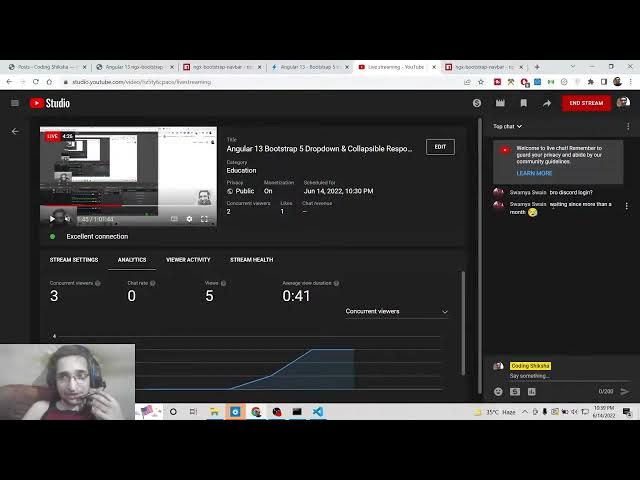
Angular 13 Bootstrap 5 Dropdown & Collapsible Responsive Navbar Using ngx-bootstrap-navbar in TS
Dec 22, 2025

Buy the full source code of application here:
https://buy.stripe.com/cN23fwaVr9kQ2Zi9Wq
Show More Show Less View Video Transcript
0:06
Uh hello friends, today in this tutorial
0:08
I'll be showing you that how to embed
0:11
responsive Bootstrap 5 navigation bar
0:15
with uh items. So this navigation bar
0:19
will be suitable for desktop, mobile and
0:21
tablet devices
0:23
and it will be a collaps collapsible
0:26
navigation bar. So basically if you
0:29
resize a device to a mobile device then
0:32
it will be collapse
0:34
collapsible. You will see that if you
0:35
click this now you can see it is
0:37
completely collapsible. You will see
0:40
that if you increase the size to desktop
0:44
device you will see it will now be
0:46
showing all these uh list items in the s
0:50
uh single line. And now if you if you
0:52
resize it to a mobile device then it
0:54
will be resized to this. So this we will
0:57
be doing this using a special dependency
0:59
which is called as ngx bootstrap nav map
1:02
navb bar and this is a latest version of
1:05
bootstrap which is bootstrap 5. So we
1:08
will be trying to
1:10
just uh display this navigation bar
1:13
inside our angular 13 application
1:16
using this dependency. So this is a demo
1:19
we will be building in this tutorial.
1:22
And if you want to get all the source
1:23
code of this application, you can go to
1:26
the video description link here. I have
1:28
given all the source code in the
1:30
description of the video. This is a blog
1:32
post I have written. Step-by-step
1:34
instruction is given and all the source
1:36
code is also given. So let's get started
1:40
by building this application.
1:43
So the very first thing you need to do
1:44
is that you need to search for this
1:46
dependency which is ngx bootstrap
1:50
navbar. So the very first result which
1:52
comes and this is the result we are we
1:55
need to talk about. You can see this has
1:58
got 563 weekly downloads
2:02
and it is both there for Bootstrap 4 and
2:04
Bootstrap 5 but we will be taking the
2:06
latest example.
2:09
So uh this is the documentation page.
2:15
So now I will be building this project
2:17
locally. So I will make a new directory.
2:26
So I will initialize a new project which
2:28
is navbar.
2:32
So this will ask some questions to you.
2:35
We don't want routing. So we will use
2:37
CSS. So this will install all the
2:39
packages.
2:41
So just wait once these are installed we
2:44
will be writing some the writing the
2:48
code for this application.
2:50
So this will take hardly 15 to 20
2:52
seconds to complete. So if you're
2:55
joining it for the very first time then
2:56
please hit the like button subscribe the
2:58
channel as well. So Sama is asking bro
3:02
discord login. Uh I am working on that
3:05
bro. I will definitely post it tomorrow
3:08
or uh day after yesterday. uh day after
3:11
tomorrow. So definitely I will make a
3:15
video on Angular Discord login and uh
3:18
this is not far away. I will post
3:21
tomorrow hopefully. Discord login in
3:25
Angular. Definitely make sure that you
3:27
watch that video. So if you're watching
3:30
it for the very first time guys, please
3:32
hit the like button, subscribe the
3:33
channel as well. So now the it is
3:36
completed. Now we can move on to the
3:39
project folder and I need to open this
3:42
inside visual studio code text editor.
3:45
So now you can see that guys we need to
3:49
install this dependency. So it is npmi
3:53
ngx bootstrap
3:55
navbar. So this is the dependency which
3:58
is there. This is a command npm ngx
4:01
bootstrap navbar. So just execute this
4:05
command and it will hardly take 5
4:07
seconds to install this module. So
4:12
just install this
4:23
uh waiting since more than a month.
4:25
Yeah, I know that you are waiting. You
4:27
have asked numerous number of times for
4:29
you for this video. But uh uh I am
4:32
helpless. Uh I was very busy making
4:35
videos and writing blog post. So I have
4:38
done researched uh this topic which is
4:42
discord blogging. So I'm telling you I
4:44
will make 100% I will upload it uh uh
4:49
tomorrow. So just wait one more day and
4:52
you will get your video. So,
4:59
so now guys you can see that uh it is
5:01
successfully installed. So now we can
5:03
start the server here which is ngser.
5:08
So it will start this application at
5:10
port number 4200. So now you have
5:13
successfully installed this. So now you
5:15
need to go to app domodule.ts file and
5:18
right here we need to import this
5:20
module. So we will simply write here
5:22
import
5:24
and uh
5:26
which will be ngx
5:28
navbar module.
5:31
So this will be automatically fetched
5:35
from this line which is module ng
5:37
bootstrap navbar. So now you need to
5:40
include this. So put inside your imports
5:42
array ngx navbar module.
5:47
So this is all that you need to do.
5:50
Okay bro, we'll wait. Yeah, definitely
5:52
I'm telling you
5:54
just wait it till tomorrow or you will
5:56
get your video. So you will see the
5:58
first instruction was given just to
6:01
include this. So now we have
6:03
successfully included this. So now there
6:06
is uh the example code which is given on
6:09
my website also you will see that and
6:12
this tag overflow sorry this tag blitz
6:15
example if you see this is the code that
6:18
we'll need to write. If I just paste it
6:21
here inside our file which is
6:24
app.component html.
6:28
So this is the actual navbar guys. You
6:31
can see here this is a navbar.
6:34
This is built using this nav tag.
6:38
So this is also collapsible. So you will
6:41
see we have this collapse tag as well.
6:44
So if I see here it is compiled
6:46
successfully. So if I open this
6:48
localhost 4200,
6:52
so you will see that uh this is
7:02
this is the bootstrap 5. You can just
7:04
see here
7:08
it is not taking that shape. Let me see
7:11
why it is. [snorts]
7:18
Oh, I think we have forgot to include
7:21
the browser animation module as well. So
7:24
for doing this, you also need the
7:26
browser animation module. So just go to
7:29
app.component.html
7:32
and here you will import
7:55
So browser animation module. If you see
7:59
browser animation
8:30
Just add this browser animation. This is
8:32
required for this Bootstrap navbar. So
8:35
now if you refresh it hopefully you will
8:37
see this is your animation here. Oh
8:39
sorry navigation bar. This is the first
8:43
one. home second third
8:52
and uh if you look here uh inside your
8:57
uh angular.json JSON
9:08
you are not getting this uh bootstrap 5
9:11
stylesheet. So I think they have
9:13
included this inside this full example.
9:15
So it is better to look at this example
9:18
which is hosted on stack blitz.com. The
9:21
approach is very simple. You just need
9:23
to include these two lines in the
9:24
app.module.ts PS file after you install
9:27
the module and then you can refer to
9:29
this uh example
9:32
to check out these files here how much
9:35
they included this CSS part because I
9:38
think these stylesheets are the main
9:41
reason why you are seeing this [snorts]
9:42
style like this. So make sure that you
9:45
include all the stylesheets with which
9:47
comes inside Bootstrap.
9:50
So you can see that
9:55
You [snorts] can also fork this example
9:59
inside your local machine. So
10:04
you can also download this as well. You
10:06
can also share it as well.
10:12
So in this way guys you can embed
10:14
Bootstrap 5 [snorts]
10:17
navbar inside your angular 13
10:19
application.
10:20
I
10:23
if you like this video then please hit
10:24
the like button, subscribe the channel
10:26
and I will be seeing you in the next
10:28
stream.