Up next in 10


Get the full source code of application here:
Show More Show Less View Video Transcript
0:00
Uh hello guys, welcome to this video. So
0:02
in this video I'll show you a ultimate
0:04
AI platform where you can actually try
0:07
out all the premium models which are
0:09
there in the market. So the platform
0:12
name is makehub.ai. So if you go to the
0:14
browser simply type this address and
0:17
this website will come right here and it
0:20
basically has all the AI models such as
0:23
Claude, GPT, Llama from all the popular
0:26
AI providers such as Google, Claude. So
0:30
what you need to do? So you can actually
0:33
login with your Google account here. So
0:35
simply create your account here and
0:38
after that you can access any
0:43
AI platform from this single dashboard.
0:46
So it will now redirect you to the
0:47
dashboard area. So it gives you this
0:50
sample credits whenever you log in with
0:52
your Google account. You can even click
0:54
on this button add credit to add some
0:57
sample credits inside this platform so
1:00
that you can try out different AI models
1:02
right here. So if I click the models
1:05
families you basically see open AI GPT
1:08
it provides you deepseek
1:11
meta llama Google gemini anthropic
1:15
claude you will see all the models are
1:17
present right here at a single platform.
1:20
So this you can select any individual
1:22
model right here.
1:24
Let me select deepsek.
1:27
So it provides you with all these models
1:29
right here if you see. So
1:34
then you can go to API key section right
1:37
here and you can generate your new API
1:39
key. Just put a name right here and then
1:42
it will give you your API key. So if
1:45
you're developing any kind of
1:46
application, you can store this API key
1:50
and make request.
1:56
So this is a very simple platform. You
1:58
don't need to create multiple accounts
2:00
at different locations. So
2:04
and now to integrate it, you can
2:06
actually install any of these
2:08
extensions.
2:10
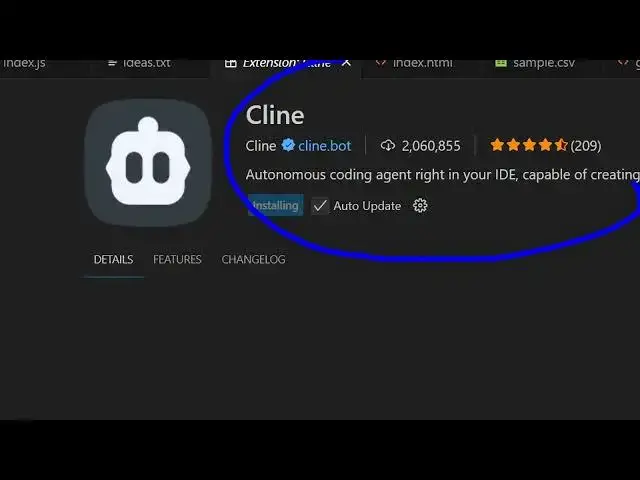
If you are working in VS code simply
2:14
this popular extension is there which is
2:17
clean. So here you can paste this API
2:20
key.
2:22
So simply install this coding agent
2:25
right inside VS code. So this will
2:27
appear
2:32
something like this. So right here you
2:33
can inside the settings page you can
2:35
paste this API key that is generated
2:38
right here. So or you can directly write
2:41
any sort of Python program and directly
2:43
paste this API key and call these any AI
2:47
model. So this is this platform name is
2:49
makehub.ai. Definitely check out this
2:53
and you just need to from this provider
2:58
if you install this extension simply
3:02
from this API provider simply select
3:06
this provider which will be there.
3:13
So if you see this
3:25
So from the provider you can actually
3:29
select this provider
3:35
I think it is
3:39
and just paste this API key. So inside
3:42
this provider make hub you will see.
3:54
So here you select this provider make
3:56
hub just paste this API key
4:00
and just make this request here to this
4:03
API.
4:07
So this is their documentation which is
4:09
given. So definitely check out this
4:11
ultimate AI platform where all these AI
4:14
providers are there and you can
4:16
basically make request
4:22
and also check out my website
4:24
freemediattools.com
4:26
uh which contains thousands of tools