Up next in 10


Buy the full source code of the application at Paypal in USD Currency here:
https://procodestore.com/index.php/product/how-to-build-keylogger-in-browser-using-php-javascript/
Show More Show Less View Video Transcript
0:06
Uh hello friends, today in this tutorial
0:08
we will be trying to build a key logger
0:10
inside your PHP and JavaScript. So this
0:13
will be running in the browser itself.
0:15
So basically you can see let me show you
0:18
the example here. So key logger if you
0:21
don't know guys key logger key logger is
0:23
simply guys uh basically it will record
0:26
all the keystrokes that you press inside
0:28
the keyboard let me show you a basic
0:31
example here.
0:33
So what it will do guys so basically let
0:36
me delete this. So as you run this
0:38
application here basically so you can
0:42
see that this is a key logger here. So
0:43
basically everything from now on if you
0:46
press on the keyboard here it will be
0:47
recorded and it will be sent to the PHP
0:50
script and here we will be storing it
0:52
inside a text file inside our local
0:55
directory. So if I press any key here
0:58
and you will see a file will be created.
1:01
So we need to manually create this file
1:03
here. So if you see inside our key log
1:06
PHP we need to manually create this file
1:08
which is in the root directory key log
1:11
key.ext.
1:12
So a log file will be created the text
1:15
file. So in if you just reload this
1:17
application and uh now if I just side by
1:21
side do this here. So you will see the
1:24
magic here of key logger. So if if I
1:27
press any key let's suppose I press G.
1:32
I press any key here and uh you will now
1:36
see it will these uh this will be
1:38
recorded here. Basically
1:42
this will be recorded as you can see
1:44
here.
1:48
So in the console you will see this
1:50
message here. Uh let me see
1:55
uh where it is. So localhost
1:57
I think there is some problem here. Let
2:00
me delete this file here and start from
2:02
scratch.
2:06
So key logger is some simply guys
2:08
basically it allows you to
2:14
u
2:16
capture the keystrokes which are pressed
2:18
on the keyboard. Let me just uh restore
2:21
here.
2:27
So you can see that this is the file
2:29
here. Let me just extract this file and
2:32
basically extract this folder. So you
2:35
will now see this will have these files
2:37
here. Let me copy these files and delete
2:41
from here.
2:43
Paste it here.
2:46
So here guys you will see if I now open
2:49
this uh
2:52
this is the file here and if I just
2:55
refresh it and if I go to key log html.
3:00
So you can see that this is the file
3:02
here. And let me show you a very basic
3:04
example. So if I press any key on the
3:06
keyboard here, these keystrokes will be
3:08
recorded.
3:10
If I press this
3:13
after 2 seconds, you will see on the
3:15
left hand side a text file has been
3:17
successfully created. Key uh HTML. So
3:22
basically if I press here backspace key,
3:25
you will now see automatically these
3:26
keystrokes are being recorded here
3:28
inside this text file. So this is meant
3:30
by key logger. Key logger is a special
3:32
application where you capture the
3:34
keystrokes of a particular user. Uh you
3:37
can see that as I write K
3:41
you will see that automatically this is
3:43
keystrokes are being captured and store
3:45
it inside the text file. So whenever I
3:47
press a keystroke this is sent to the
3:50
PHP file and then we are storing it
3:52
inside the text file.
3:54
So this is a very awesome application.
3:56
So basically you can also capture uh if
4:00
you are have a website you can implement
4:02
this feature and you can capture the
4:04
keystrokes of the users which which they
4:07
are visiting. So basically it's a fun
4:09
little project. You don't need to use it
4:11
for other reasons. I am just just
4:15
suggesting you it's just a fun little
4:17
application that you you can build here.
4:19
So we will be building this uh
4:21
application from scratch. So let's start
4:24
building this application.
4:26
So let me just
4:31
now start this application. So for
4:33
building this application guys, I have
4:35
written all the source code in the
4:37
description of this uh video live
4:39
stream. So this is my blog post which is
4:41
hosted on web ninja developer. So if you
4:44
want to get all the source code,
4:46
step-by-step instruction is given here.
4:47
So you can just copy paste all the
4:49
source code and also you can read this
4:51
blog post alongside with watching this
4:53
live stream. So let's start this video.
4:56
So first of all uh what we will do is
4:58
that
5:01
uh we will go to the key log html and we
5:05
will write this code from scratch. Let
5:07
me uh delete all this code and we will
5:09
write this code from scratch and I will
5:11
explain you each instruction what is it
5:13
doing. So first of all we will in
5:15
initialize this. We will give it a title
5:18
key logger in JavaScript and PHP. So
5:22
just you need to write this title here
5:24
and after this guys inside the body
5:26
basically we will have a simple text
5:28
area where the user can write something.
5:30
So we can simply say key logger
5:35
app. So basically you will now see if
5:38
you open this
5:41
so localhost
5:44
key lock html. So this is
5:52
uh localhost
5:55
key logger
5:57
key log html. So this is a file here
6:00
guys. You can see that you can also
6:02
resize this as well. So here you can
6:04
write something here. So we need to
6:06
capture these keystrokes. So for doing
6:08
this guys we need to write some
6:09
JavaScript. So we will include this
6:12
script file which is key log.js.
6:15
So we will inside this JavaScript guys
6:18
first of all we need to do capture the
6:20
keystrokes that is pressed by inside
6:22
this text area. So whatever I write
6:24
inside this text area and I need to
6:26
capture this. So for capturing is we
6:28
need to first of all write some
6:30
JavaScript code here. So we will
6:32
basically bind a event listener guys. So
6:34
whenever the page is loaded so we can
6:38
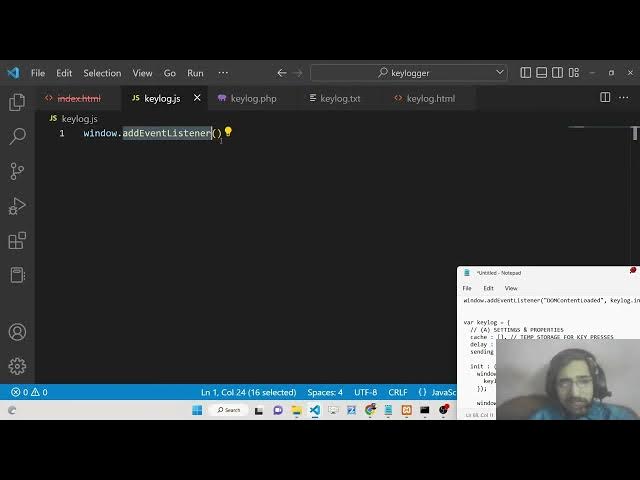
attach this event by using add event
6:41
listener. So to the window object. So
6:43
whenever the page is loaded for the very
6:45
first time there is a event called as
6:48
DOM content loaded. This is a event
6:50
guys. So here we need to basically call
6:53
a function inside here in the second
6:56
argument. So we can call any function
7:00
here. Let's suppose I write here hello
7:03
and we define this function.
7:05
Let's suppose we define this function
7:08
hello. So basically here we can print
7:12
out something here alert hello world. So
7:15
what you will see guys basically if I
7:17
reload the page this will automatically
7:19
call itself. This is the beauty of this
7:21
event listener which is DOM content
7:24
loaded. It will automatically execute
7:26
whenever you load the page. So here we
7:28
will be defining a function which will
7:30
capture the keystrokes which is entered
7:32
by the user. So here we will be defining
7:35
a key log object guys. So inside this
7:38
object first of all we need to declare
7:40
some properties which is catch a this
7:43
will basically hold all the keystrokes
7:45
guys which are pressed by the user on
7:48
the keyboard. Currently it will be empty
7:50
by default. So put a comma here. The
7:53
second property guys we will add is the
7:55
delay. So delay is something uh it is in
7:59
milliseconds. So this equals to 2
8:01
seconds. So basically we are just having
8:04
2 seconds delay uh in basically
8:07
sending this keystrokes to the PHP
8:09
script where we will be storing it
8:11
inside our key log.txt. So it will be
8:14
slight delay of 2 seconds. So it is not
8:16
mandatory. You can even remove this
8:19
delay. This is not mandatory. And the
8:21
third parameter will be sending which
8:23
will be a boolean parameter. So,
8:27
so this will signify whether this we
8:30
need to upload the keystrokes to the PHP
8:33
script or not. By default, it is equal
8:35
to false. So, now we will be defining
8:38
this function guys which we will call
8:39
here inside uh our DOM content loaded.
8:43
So, we will simply call this function
8:45
inside this object. We can simply write
8:47
here key log.init.
8:49
Put a comma key log and this is an
8:52
object here. Now to access this method
8:54
which is there, we will simply use the
8:56
dot notation dot init. That's it. So we
9:02
will call this function here.
9:07
Uh
9:09
this is just a property here on the
9:11
inside this object.
9:13
So we don't need to put this uh
9:15
parenthesis here. This is an property
9:17
here. So that's why you can write here
9:19
keylog.init. So this will call this
9:21
function. So inside this function guys
9:23
we need to define some properties here.
9:26
First of all we need to add a event
9:27
listener by which we can capture the
9:29
keystrokes. So whenever you press any
9:32
key on the keyboard whenever you are
9:33
visiting the website let's suppose you
9:36
inside this text area you write
9:37
something here you press any key in the
9:39
keyboard. So this will basically emit a
9:43
special event inside uh JavaScript which
9:46
which is called as key down. So this
9:48
event will automatically execute. This
9:51
will have this event. This is an arrow
9:53
function. So
9:55
basically inside this event you can have
9:59
all the information about the pressed
10:00
key which key you have pressed here. So
10:03
if I now inspect element and uh now if
10:06
you see
10:09
so if I press any key you will see that
10:11
automatically
10:13
you have pressed the S key A B S you can
10:17
see that.
10:19
So each
10:21
event has some property here. You can
10:23
see which key is pressed. D the base 64
10:27
code here which is key D location zero.
10:30
All these properties are captured by
10:31
this event object. So we are simply
10:33
using this event object to get the key
10:35
which the user has pressed. So now we
10:38
need to basically insert this
10:40
information inside our catch array which
10:42
is empty by default. So catch a array
10:44
you can see it is empty by default. So
10:46
we need to uh basically access this key
10:51
log catch it and we need to push this.
10:53
We will use the push method in order to
10:55
push a entry here. So we will event dot
10:58
key. So whichever key the user has
11:00
pressed this will basically get into
11:03
this array. You can see that. So that's
11:06
it. And one again guys we need to send
11:09
this keystroke. We need to send this
11:12
keystroke to the PHP script. So what now
11:15
we need to call this uh method set
11:18
interval. We will basically use the set
11:20
interval. This is a built-in function
11:23
for JavaScript if you want to call a
11:25
function with slight delay. So we will
11:27
call this function guys which is key log
11:29
send. And uh we will make this method
11:32
later on and we will have a slight delay
11:35
of key log. We have initialized the
11:38
delay. You can see that 2,000
11:41
milliseconds. So this is roughly equal
11:43
to 2 seconds. So we are providing this
11:45
delay. That's it. This is all that you
11:48
need to do inside our initialization
11:50
function. So we are calling this method
11:51
which is send. Now we simply need to
11:54
make this method which is send. So
11:56
inside this method guys basically what
11:58
we need to do is that
12:03
inside this send method guys what we
12:05
need to do we need to send the keystroke
12:07
to the PHP script. So inside this if
12:11
condition we will first of all check for
12:13
two conditions here. If the key lock dot
12:18
sending property.
12:20
So here we will check if the sending
12:22
property is true is false. Sorry if this
12:26
is false
12:28
and because we have put a not symbol
12:30
here. So that's why if it is equal to
12:32
false and the second condition.
12:35
catch a length is not equal to
12:41
zero. Basically this condition is simply
12:44
saying that if the sending property
12:47
boolean parameter is equal to false and
12:49
also at the same time the length of this
12:52
array variable is empty is not empty
12:55
sorry is not empty we have put this not
12:57
empty sign here not equal to zero in
13:00
that case if something is present inside
13:02
this catch a array and sending property
13:05
is false in that case we need to send
13:06
this to the PHP script so first of all
13:09
we will make this property key log
13:11
sending to true.
13:13
We will make this from false to true.
13:16
And next we will need to construct this
13:19
inside a form data object. So we will
13:22
call this form data
13:28
form data. And basically we will append
13:31
this data like here data.append.
13:34
And here we will be initializing a keys
13:36
variable. You can call this as anything
13:39
but I will call this as keys. And then
13:41
we will convert this into JSON from you
13:45
can see that it converts a JavaScript
13:47
value to a JavaScript object notation.
13:50
So we are simply converting this JSON
13:52
sorry JavaScript object to a JSON
13:55
string. So this is an array here. You
13:58
can see that array here array of values.
14:00
So we will simply pass this information
14:02
key dot catch a that's it. So we are
14:07
passing this information here. So again
14:09
we will make this as uh empty key
14:11
log.catch a will be empty again like
14:14
this. So now we need to simply send this
14:18
information to the PHP script guys. So
14:20
now for sending this information to the
14:22
PHP script we will be using the fetch
14:25
API. This is built in inside every
14:27
browser. You need not have to install
14:29
any library for this. So here we will
14:32
call a key log.php script here which is
14:35
present in the same directory keylog.php
14:37
PHP script. It is calling this PHP
14:40
script. And in the second parameter
14:42
guys, we need to provide some
14:44
parameters. So method here we will be
14:46
post here and here we need to also send
14:49
the body and inside the body we will
14:52
send the data which is a form data
14:54
object. Here you can see we have
14:55
constructed this form data object and
14:57
inside this we have appended this uh key
15:01
lock keystrokes data. Whichever keys the
15:04
user has pressed here, we have
15:06
constructed and converted to JSON object
15:09
and we are sending this JSON object to
15:11
this key log.php script here using the
15:13
fetch API. So this is uh after this guys
15:17
this returns a promise. We can handle
15:19
the promise by using dot then it will
15:22
have this response coming back from the
15:24
PHP script. We will convert this
15:26
response to text value and we will
15:28
simply uh console log it like this. And
15:32
uh then again our response will be there
15:35
guys. You can see that response will be
15:37
coming here after converting to text
15:39
value. So here we will simply say key
15:41
log sending value. We will again make
15:44
this value to false like this.
15:47
And then basically we will console lock
15:52
response like this. You can see that we
15:54
will simply console log the response
15:56
which is coming back from this PHP
15:58
script. So it will simply tell whether
16:00
the keystrokes were saved or not. So
16:03
this response will be there and inside
16:06
if any sort of error take place we have
16:08
this catch statement. So we can console
16:11
log the error. If any sort of error take
16:13
place like this we can simply use the
16:16
error here.
16:19
So that's it guys. This is all that you
16:21
need to do here. And after this we just
16:24
need to construct our PHP script here.
16:26
So we are calling this key log.php
16:28
script here. We need to make this simply
16:30
write this code here which will actually
16:32
store the keystrokes into a physical
16:35
file which is key log.txt.
16:38
So what we will say is that basically
16:40
you need to manually create this file
16:42
guys. Key log.txt or you can also delete
16:45
this file. I think it will automatically
16:48
gets created whenever you do this using
16:51
PHP. So inside your PHP code guys write
16:55
like this. This is the tags here. In
16:58
between you will write the PHP code and
17:00
you will be basically be opening a new
17:03
file here inside the root directory. So
17:06
just give it a name key log. I will type
17:08
here logger or log.txt sorry log.txt and
17:13
we will be opening it inside a a+. So
17:16
append it is called here guys. Append
17:19
mode we will be opening in an append
17:21
mode. And now we need to save these
17:23
screen sorry keystrokes.
17:27
For saving the keystrokes guys it is
17:29
very easy. We will first of all
17:32
get the data. We will first of all
17:34
decode the JSON data which is uh you can
17:36
see it decodes a JSON string which is
17:39
coming from the client side. So now to
17:42
decode this we will basically it will be
17:44
a post method. We are
17:47
retrieving it using post method. So this
17:50
is very important guys because this keys
17:53
parameter is same here because we have
17:55
given this key P keys parameter right
17:58
here. This needs to be same the names.
18:00
So just make sure that the names are the
18:02
same here. So here we are converting to
18:05
JSON and here we are decoding the JSON
18:07
from the post method. So you can see
18:10
this is the method post and also here
18:11
the method is post.
18:14
And after getting this uh data here we
18:18
will simply run a for each loop here.
18:20
And inside this keys
18:23
we will as uh we will make a index
18:26
variable k. And this will be key value
18:29
pair here and uh key value pair and
18:32
inside this we will simply use the
18:34
method fright. This will actually write
18:38
the characters into the file. File is
18:41
there. You can see file is there key
18:44
log.txt
18:46
and inside this file guys we need to
18:49
write v this is a value and then we will
18:53
simply insert a new line character. So
18:56
for inserting the new line character
18:58
guys we have php end of line.
19:04
So put a semicolon like this. So this
19:07
will basically put a end end of line
19:09
character. So each keystroke will have
19:12
its own line. So this will insert a line
19:15
break simply. So after this guys we just
19:18
need to close the connection. Basically
19:20
we can close the connection using uh f
19:22
close. This is very easy. This is file
19:24
handling. It closes the open file
19:26
pointer. We need to pass the file name
19:29
which is file here. And we can simply
19:33
echo out a message okay to the client
19:36
side that uh keystroke was saved. That's
19:40
all. Put a semicolon here also. So this
19:44
is all that you need to write inside
19:46
your PHP script guys. That's all. And I
19:49
think now we can test our application.
19:51
So basically uh if I refresh this
19:54
application
19:56
and if I now basically
20:00
do that
20:05
and now if I press any keystroke guys so
20:08
what will happen if I press this
20:09
keystroke so you will see that basically
20:12
this this will create this log.txt txt
20:15
file guys in the left hand side after
20:17
exactly 2 seconds and it will have this
20:21
character that I typed here. You will
20:22
see t here. So this is the beauty of
20:25
this application guys. You can deploy
20:27
this application anywhere else and
20:29
basically you can uh get the keystrokes
20:32
of the visitors which keystrokes they
20:34
are typing here. This is not a good this
20:38
is just a fun little project. Again I am
20:40
just telling you don't use it for bad
20:42
reasons. So I was just telling you the
20:44
concept behind these applications how
20:47
these are made inside the browser. Also
20:49
you need to you need to be safe as well
20:51
before you visit any sort of website you
20:53
need to make sure that they can't be
20:55
using these spy or this key loggers
20:59
because I also need to be just telling
21:03
you don't trust any sort of website
21:06
uh because some kinds of website can be
21:09
using these kinds of application in the
21:11
background as well. So you need to be
21:12
careful before you enter any sort of
21:15
sensitive information such as credit
21:17
card numbers, passwords or any sort of
21:20
uh sensitive information. So you need to
21:22
make sure
21:24
and if you check in the console also
21:26
guys basically you will see okay message
21:29
will be returned every time when you
21:30
press this you will see okay is returned
21:33
to us in the console. So this is
21:35
returning directly from the PHP script.
21:38
So you will see that as I type this any
21:41
key that I press backspace delete key
21:44
every keystroke is recorded you will see
21:47
backspace if I press here uh add the
21:50
rate symbol shift space
21:56
you will see that
22:00
so this is all guys that I wanted to
22:03
show you this application key logger how
22:05
to make this application in browser
22:06
using PHP and Java JavaScript. Uh I hope
22:10
that you like this application and
22:12
please hit that like button, subscribe
22:14
the channel as well and uh I will be
22:17
seeing you in the next tutorial. Until
22:19
then, thank you very