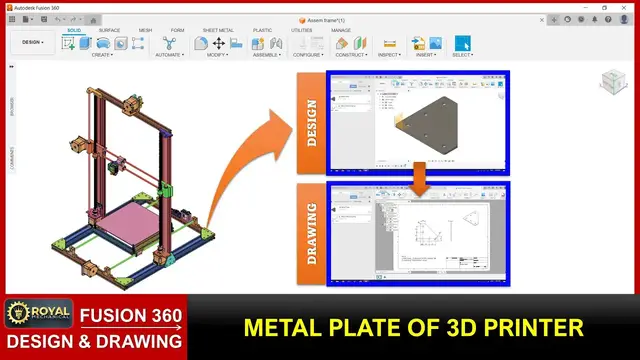

Autodesk Fusion 360 | Design and Drawing | Metal Plate of a 3D Printer
Nov 18, 2023
Learn Fusion 360 in 30 Days. For Free! on YouTube. Only on Royal-Mechanical. This video demonstrates how to create 3d design and 2d drawing of the metal plate of a 3d printer.
In this video you learn below commands.
1. to launch Autodesk Fusion three sixty,
2. hide the data panel,
3. show the data panel,
4. create a new project,
5. create a new folder,
6. unhide the origin,
7. create a sketch,
8. sketch a line,
9. sketch dimensions,
10. modify a dimension,
11. finish the sketch,
12. extrude new body,
13. sketch a circle,
14. swap normal sketch entity to a construction sketch entity,
15. select sketch entities,
16. apply equal constraint,
17. apply coincident constraint,
18. extrude cut,
19. create a fillet,
20. select overlapping features,
21. save,
22. create a drawing,
23. create a base view,
24. create a center mark,
25. create a dimension,
26. vertical-align a dimension,
27. create a projected view,
28. create an isometric view,
29. create a text, and
30. export a pdf drawing.
Visit our Website: https://www.royal-mechanical.com/
Visit our e-Learning Platform: https://elearn.royal-mechanical.com/
Follow us on Social Media:
WhatsApp: https://chat.whatsapp.com/DQHdgFnk50H3x5atZqPynn
Facebook: https://www.facebook.com/roymechanical
LinkedIn: https://www.linkedin.com/company/royal-mechanical-engg
Facebook Group: https://www.facebook.com/groups/theroyalmechanicals
#Fusion360
#CADDesign
#Engineering
#ProductDesign
#CADModeling
#3DDesign
#Manufacturing
#DigitalPrototyping
#DesignProcess
#LearningFusion360
#DesignSoftware
#CADTraining
#IndustrialDesign
#MechanicalEngineering
#LearnCAD
#Fusion360Tutorial
#ProductDevelopment
#DesignSkills
#CADBeginner
#EngineeringDesign
Show More Show Less