Up next in 10



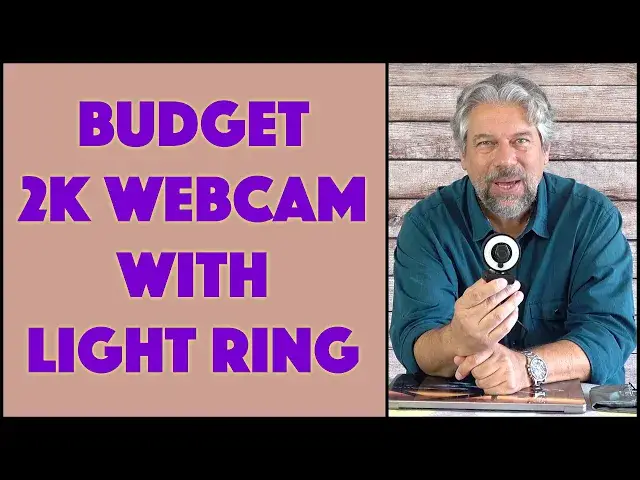
Fed up with your crummy built-in Web cam and horrible mic for Zoom, Skype, Microsoft Teams and other uses? Then you'll really like this slick Workstream by Monoprice 2K USB Webcam with Light Ring. Except for one hiccup, that you'll really want to know about before you make a purchase decision on this budget solution. Tech expert Dave Taylor demos the Workstream 2K USB Webcam with Ring Light to show it's strengths and weaknesses.
Check it out at: https://www.monoprice.com/product?p_id=43016
Then visit Dave's Q&A Web site at: https://www.AskDaveTaylor.com/
#workstream #webcam #2k #monoprice #askdavetaylor
Show More Show Less View Video Transcript
0:00
A 2K webcam with a built-in light ring
0:02
Let's check it out. Dave Taylor here, and I'm checking out this
0:13
This is the Workstream by Monoprice 2K USB webcam with light ring
0:20
So, really cool, right? Now, there's a lot to like about this, not the least of which is there is a security cover
0:27
I just opened it up so you can see the lens, and more importantly, the lens can see you and comes with a five foot cable at the end of which is a USBA
0:39
You'll have to bring your own USBA to USBC adapter if you need one like I do
0:44
But these are just a couple of dollars. So it's a really easy conversion
0:48
Now, I'm going to give you some specs. I'm going to do a demo. I'm going to tell you right up front there is a very specific quirk that you're going to want to
0:56
know about before you make a purchase decision. Now, as I give you a close-up, I will tell you, this is, like I said, a 2K USB webcam
1:05
So it's 2592 by 1944 pixels at 30 meghertz. So it's a pretty nice image, as you'll see
1:14
It gives you a 70-degree viewing angle. And the privacy lens cover is something you can opt to have or not
1:20
If you're going to have it on a laptop, you can just unplug it, and that makes it easier
1:24
and perhaps slightly more aesthetically pleasing. your call, USBA cable, the LED light ring has three levels, and it will work with Mac or PC or Chromebook
1:38
So I'm going to plug it in and let's go ahead and turn on the computer
1:42
And this gives me the ability to show you that one of the issues is there no active or indicator light So I going to leave it right here Then I going to go into QuickTime Player
1:57
And I'm going to, let's see, actually just do a recording. So what I want to do first is I want to record myself using the built-in camera on my computer
2:11
So let's see. let me switch things around here so that's this camera and I want to make sure I get the built-in
2:20
microphone and we're doing this just for comparison purposes so what I'm going to do is I'm
2:26
going to switch and now what you're seeing is the webcam built into my MacBook Pro
2:32
and hearing the microphone built into my MacBook Pro so this is sort of our baseline
2:37
now let's switch and see how the Monoprice unit does Now you're seeing the video live from the Workstream 2K unit and the video itself is actually really good
2:49
Now, it's maybe not a fair comparison because my MacBook Pro is super expensive so it has a really good built-in webcam
2:56
A lot of older computers, especially like Chromebooks, have really garbage webcams
3:01
They're just really super low-res. So this is a much better resolution and you're hearing the audio from it too
3:09
It's all pretty good. But here's where we get into a funny situation. Let me turn on that ring light on the lowest setting
3:15
Can you hear that buzz? Yeah, that doesn't go away in the medium setting either
3:21
But if I turn it to high, at the highest level of brightness for the light ring
3:27
the hum goes away. So clearly that hum is an artifact added by the design of the light ring and how they are lowering the brightness on those intermediate settings which is kind of a drag I going to turn a light off So here we are back to it just being a webcam without using it as a light
3:47
and it's still pretty darn good. Now, let me switch to being back on camera
3:51
So there's the demo, and there's the hiccup, right? So it doesn't have an active light
3:56
Maybe that's something that would be nice. But honestly, it's pretty easy to turn your cover on
4:01
and then you don't have to worry about it, right? What is a bigger issue is that hum when you have the light on the low or medium setting
4:12
And that's really frustrating because what's going to happen is you're going to forget. You're going to say, oh, I need to turn a light on and turn it on really bright and say
4:19
oh, that's really kind of bright for my eyes. Let me turn it down a little bit
4:23
And then you're going to forget that the person at the other end, all they're going to hear now is this
4:28
uh, behind your voice. So I think that's something that you really need
4:33
need to know and it's really frustrating because there's so much to like about this. I think the
4:39
design is really good. The price is fantastic. You know, the video quality, the audio quality
4:45
all entirely acceptable for this price point. But the whole thing with the hum on the low and
4:52
medium light setting, kind of a drag. And I'm not the first person to notice that. There are other
4:57
reviews of this product that observe that same limitation. Now, having said that, you're
5:03
can just live with it. You can just remember either I have no orange or I have the light on
5:08
maximum. Those are my two choices and I'm just going to pretend those other two options don't exist
5:13
Entirely reasonable. When I tell you the price, you'll be like, oh wow, I mean, I could live
5:18
with that. So it's trade-offs. It's always trade-offs, especially when you get down to those
5:23
lower price units like this one So we do need to talk about the price But before I get to the price I gonna ask if you could subscribe to my channel a click or a tap on that subscribe button
5:34
then turn on notifications to make sure you know about my new videos
5:39
And we're connected. Great. Now, this is the work stream by Monoprice 2K USB webcam
5:47
with light ring and it is 2499 at Monoprice.com. So for under 25 bucks. This is something that can really up your video and webcam game and make you look and sound a lot better, especially if you're using older gear. All you have to remember is that you'll probably either going to skip the light ring entirely, or you're going to have to remember to have it on off or high, but ignore those intermediate settings. Now, I think at some point Monoprice is just going to release a slight
6:24
twist and a little change to this design and then the newer models of it will just sidestep that
6:31
whole issue and it'll go away. But for now, obviously, as you saw in the demo, this is definitely
6:36
an issue to know about with this particular webcam. And I've worked with Monoprice for a long time
6:42
I've tested a lot of their gear. It surprises me this has that issue. So that tells me it's something
6:47
they're going to fix pretty darn quickly. So there it is, the straight scoop. Hope you found this
6:53
valuable and I hope to catch you in my next video
#Camera & Photo Equipment
#Teleconferencing