Up next in 10



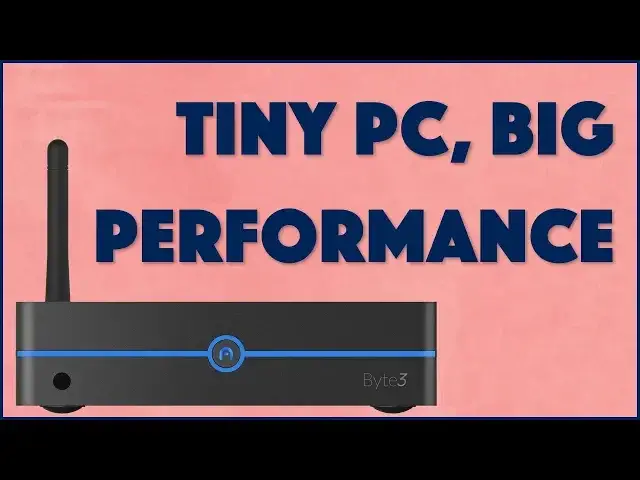
It's an entire Windows PC (or Linux box) that's the size of a paperback book. How fast could it be? Turns out that the Azulle Tech Byte3 packs a lot of punch in its tiny package with its Apollo Lake 1.5Ghz processor, HDMI 2.0 and HD VGA connectors, 1 gig Ethernet and lots more.
Tech expert and long time Windows and Linux expert Dave Taylor of https://www.AskDaveTaylor.com/ checks out the Byte3 and finds that it's a really good combination of performance and small size, making it a great file server or media server.
Also tested: Azulle Tech LYNK Remote Keyboard.
Check out the Byte3: https://amzn.to/2rWUqD5
and the LYNK Remote: https://amzn.to/2BMngdJ
Show More Show Less View Video Transcript
0:00
Can this mini PC give your computer a run for its money
0:03
Let's find out! Dave Taylor here and I'm looking at this
0:15
This device that's smaller than a big paperback book is the Azul Byte 3 fanless mini PC
0:22
And it looks small but don't be deceived, there's a lot jammed into here
0:26
This features a 64-bit quad-core Intel Apollo Lake running at 1.5 GHz and 4GB of RAM, though
0:35
you can go as little as 2 and as much as 8. RAM's expensive though, that's going to affect your price
0:41
And by default it has a 32GB internal drive and an M.2 SATA slot
0:47
So you can actually plug in a second drive, all super nice, small, easy to work with
0:52
You can get it installed with Windows 10 Pro or with Linux
0:56
Getting Linux makes it a tiny bit less expensive. So let's go through a quick tour of all the ports and everything and then I'll give you
1:03
a quick demo and we'll talk about performance. Now first, however, I want to go through and show you just a little bit or just tell you
1:11
what's going on here. So we have an LG 24-inch monitor I bought separately
1:16
We have a Wharfdale speaker. Tell me this is not like total rock and roll speaker
1:21
It's actually a really nice sounding speaker and it has a flashlight feature
1:25
Seriously, does your computer speaker have a flashlight? See, there you go
1:29
Not such a bad thing. And of course we have the Byte 3 with its little IR remote, but I jumped directly to this
1:37
This is the Azul Link remote and why I got this is because it gives you a teeny tiny
1:43
little keyboard and on the other side it gives you the ability to emulate a mouse, all obviously
1:49
wirelessly and it has a microphone feature. So super handy for you to be able to just work directly with this without having any
1:56
wires stretching across your room. Because let's face it, this is really designed to be a server, a media server, a print server
2:04
a file server, whatever you're going to do with it. This is probably not going to be your main day-to-day PC, though it could be
2:10
It obviously is running Windows 10 and I'll tell you a little bit about what we have there
2:14
when we get to it. Now, let's start with the ports. On the side you have a microSD, you have an SS port and you have a USB 3.0
2:23
And then on the back, and I'll just go from top left to bottom right, you have a 3.5mm
2:29
audio jack, you have a Kensington lock, you have two USB 3.0 ports, you have a 1 gigabit
2:36
ethernet, you have HDMI, which is how I'm connecting to the TV, you have VGA, you have
2:42
the power plug, you have a USB-C connection and you have a Wi-Fi antenna
2:49
Now, let's see, the VGA can run at 1080p and the HDMI, it's actually an HDMI 2.0, so it
2:56
can drive a 4K monitor at 60 frames per second, so that's pretty good
3:01
That's going to work really nicely with your TV. Also has Bluetooth 4.0 and let's see, the Wi-Fi, it supports 2.4 and 5 gigahertz Wi-Fi
3:11
obviously, 802.11, I don't know what, BCN, whatever, AC probably, all of that stuff
3:19
you probably double check their specs there, because that obviously was a little fast and
3:23
loose on my part, so it goes. Now, let me show you what I'm doing
3:27
So I have this booted up and I have to tell you, I used a regular plug-in keyboard at
3:32
the beginning, because there's a little catch-22, because the very first thing you want to do
3:37
is you have to enter something on the configuration that doesn't show you what you're entering
3:43
which makes it pretty darn hard to figure out how this keyboard works
3:47
So I just plugged in a regular keyboard and flew through all the configurations super
3:51
easy, I mean, you know, how hard is it to configure a Windows 10 computer, right
3:55
And now, on here, I think of these as media players, right
4:00
So I have Plex running down here, this is the man who would be king with Michael Caine
4:06
and then up here I have Xfinity streaming. So now, using this, let's see if we can get some of this to work
4:13
So first off, let's go here and we'll just play just for a second, and you can see, and
4:20
the audio is coming out of here, because this LG monitor doesn't actually have any audio
4:25
and obviously this device doesn't have space for a speaker, so we have the video working
4:29
there, and let's see, maybe we can go full screen for a second or two
4:36
Let's see how that's working. So this obviously can work as your TV, and yes, I'm talking the whole time, because I
4:43
don't want to get into any trouble with rights. So let's pause that, and let's see
4:50
So the mouse takes a little getting used to, and we're going to go over here to Plex, and
4:54
like I said, on the Plex I have the man who would be king
4:58
There we go. It's not quite as bright as the other program, but still, obviously it's working perfectly
5:06
well with my Plex server, which is a couple of rooms over, and that's actually running
5:10
off a Mac Mini, which is almost the same form factor and three times as expensive
5:16
Okay, okay, we'll stop this, and we'll go back to where we were
5:22
So it works. It works well. It's surprisingly decent in its performance, and it's certainly, you know, you plug in
5:29
a keyboard and a mouse, and you have a monitor, you're good to go, but you can also just plug
5:34
this into your TV, and it'll work great as a set-top box with way more capabilities than
5:40
all the stuff that's out there that you're buying from your cable company for $30 a month
5:45
This thing is a one-time investment. You update, you put in software, you do whatever you want
5:49
It is your PC or your Linux box, whatever you want to do, and I would guess if you're
5:53
running Linux, it'll actually run even faster, because Linux is generally a little bit more
5:58
power efficient. So here's what I did to give you some sense of its performance
6:03
I ran the WMI object performance numbers, and this is a range of 1 to 10 on a variety
6:09
of different scales. It's actually built into Windows 10. You can go onto my AskDaveTaylor.com site, and you can get an article to see, run your
6:17
own numbers, compare what you have with what this does, and that'll give you some good
6:21
data, but as you can see in this little inset, it gives you a CPU score of 8.6, a D3D score
6:29
of 9.9, and D3D is supposed to be for video games and computer games and all that stuff
6:34
so that's a really great score, a disk score of 6.7, which isn't bad
6:39
It's not horribly slow. A graphics score of 4.5, well, that's not great, and a memory score of 5.9
6:47
Now you can increase your memory score by getting more RAM, so that's easy, and you
6:50
can increase your disk score by, for example, if I put in an external SATA that was faster
6:55
than the built-in 32 gig, that would give me a better score, but the graphics, that's
6:59
kind of the weak link here, so if you want to get this and use this as a hardcore gaming
7:04
machine or you want to use it for things like, I don't know, Photoshop or video rendering
7:10
or something, then that low graphics score might end up affecting you, but honestly
7:16
given the price point of this, you're probably not going to do that. You're probably going to just have this plugged in under your TV or in your entertainment
7:23
console or underneath your desk in your office, and it's going to be running as a server
7:27
just chugging along day after day, working fine. So I think that having graphics be its lowest number is probably not a huge crisis
7:35
Your opinion may vary. So really, I mean, that's my experience with this, is that I will say it's a pretty decent computer
7:45
This works perfectly well. I could really see using this to drive a big 4K TV
7:50
This is just a regular HD 1080p TV, but obviously there's more going on and there's more power
7:57
and you'll notice that I have the audio plugged in to the monitor, not to the computer, so
8:02
the HDMI is also, as you would expect, feeding audio, and it's pretty important because if
8:07
it didn't do that, then it would be less capable and less useful as a media server
8:12
So the only other thing I'll say is it doesn't particularly run hot, which is nice, though
8:16
It obviously has the possibility of running hot, which is why they have this sort of textured
8:21
top on it. Like any of these devices, don't pile things on top of it
8:25
It's just asking for trouble. And otherwise, this is actually a nice little starter PC
8:31
This actually could work perfectly well if you have a teen who isn't a hardcore gamer
8:35
but wants to get into maybe programming or security, or they want to learn Linux and
8:40
they want to do a boot-level install of a Linux OS instead of running it as a VM or
8:46
something, this could work perfectly well. I mean, actually really, really well for that
8:50
Plug it into whatever you want. I mean, you know, I picked up this LG monitor. It was super cheap at Best Buy
8:55
Really good deal for this. I'm really happy with it. I could plug it into anything
8:59
I have lots of different screens here in the office, so that's pretty easy. I have to say, the thing that I found the most frustrating, though, was this remote
9:09
This remote requires you to be pretty dedicated to enter data, particularly if you're entering
9:14
passwords, because you do have complex passwords, right? This thing's kind of a pain in the booty to work with
9:20
So if you're doing something like searching for your favorite movie by entering three or four letters of the movie name, this is going to work fine
9:27
For anything more serious than that, this might be something that you will actually
9:31
fairly quickly jump over to a real keyboard. The mouse feature is pretty neat, but I also found that I had to constantly wake it up
9:41
See, I had to do it here again, because if it sits for a very short amount of time, it
9:45
turns off, and then you have to push the mouse on off button to get it to wake up
9:50
And then there's sort of this weird parallax thing where sometimes this is me pointing
9:56
at the screen, and other times this is me pointing at the screen. So I find I do these sort of grand gestures to get and find where the mouse is, and then
10:05
I can actually use it for different controls. So now we can do things like..
10:09
Oops, I don't know. I'm not sure what just happened. Oh, I see. Okay
10:14
We don't want to go back to the movie. Although, well, I do want to go back to the movie, but we're not going to go back to the
10:19
movie in the video. So the good news is this is super inexpensive, so this is not a huge investment if you get
10:25
it and for the most part you don't use it, or you just use your old keyboard
10:30
Not a huge crisis. Now let's talk about price. But before we get to price, can I ask if you can click on subscribe and go ahead and
10:37
subscribe to my channel? Really appreciate when you do that. And while we're talking about it, do you have a little tiny mini computer or mini PC or
10:45
something plugged into your TV other than what like Comcast has given you
10:50
Tell me about it in the comments. I'm curious how people can figure up all their systems, because I have a fairly complicated
10:55
setup in my house and in my office. So with that, this obviously has a variety of price points because of the different configuration options
11:05
The options that I have, which is the 1.5 gigahertz Apollo Lake, 4 gig of RAM, 32 gig
11:11
internal drive running Windows 10 Pro, licensed of course, come on, is $239.99 and you can
11:20
pick it up at Amazon.com or you can get more information about their product line at AzulTech.com
11:27
And then the Link Remote, this guy and the other side with the keyboard, this guy is
11:33
actually also can work for set top boxes and Xbox One, PS4
11:38
It's just a general purpose remote with keyboard. So that's kind of cool, right
11:42
This is $29.99 at Amazon.com. So between the two of these for 250 bucks, you're actually doing pretty darn well
11:51
Plug it into a nice big screen and just get started. So it has its limitations
11:56
There are definitely some factors that are just inevitable in a device this size and
12:01
there are some additions you're going to want to plug in most likely. But other than that, as a starter, mini fanless PC, this is actually pretty impressive
12:10
So this is Dave Taylor. I'm going back to my movie, which means I will catch you in my next video
#Media Streaming Devices
#Virtual Reality Devices