Up next in 10



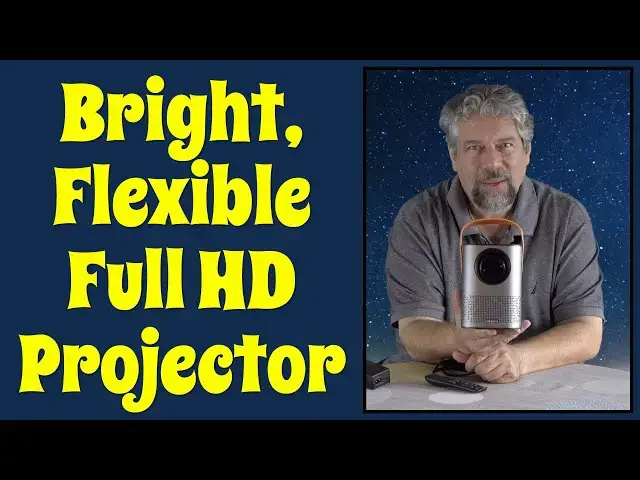
A bright, crisp HD video projector with built-in Netflix, YouTube and Spotify? That's exactly what the Meauro WI-Fi Mini HD Projector offers, and it's pretty darn sweet. There are a few limitations but this bright 6000 lumen 1080p projector with HDMI, USB, and built-in storage is definitely one to check out. And check it out tech expert Dave Taylor does in this review, including extensive demo footage and a focus on the Settings pages.
Check it on Amazon: https://amzn.to/3xtSUYs
=============================
25% OFF Code: Davefans
Expires: 08/18/2021,11:59 PM,PDT
==============================
Check out Dave's Q&A Web Site at https://www.AskDaveTaylor.com/
#projector #hdvideo #meauro #netflix
Show More Show Less View Video Transcript
0:00
This HD video projector might just change the way you watch movies and TV
0:05
Let's check it out. Dave Taylor here, and I'm checking out this
0:15
This is the Miro Wi-Fi Mini HD projector, and it's pretty sweet
0:21
As you can see, it is roughly the size of, I don't know, maybe a four-pack of tall sodas, like Red Bulls or something
0:28
with a convenient carrying handle, has the whole lens and everything on the front
0:35
It has speakers on the front and back so you get stereo. There is a focus wheel here, which is obviously very helpful
0:44
It automatic keystone, so if you project it at an angle and your images like this
0:49
it'll automatically correct it to make it square. That's pretty darn important
0:54
On the back are a bunch of input ports. Here's a close-up. You have power
0:58
you have USB 3, HDMI, and you have AUX out and the reset button
1:05
And on the top is the power button, but good news is you don't really need most of those
1:10
because it also comes with a remote control. Now, this remote control
1:14
does not include batteries, so you'll need to get a couple of triple A's to put in here, but then this gives you
1:20
all the functionality. You get to all the settings and preferences and everything
1:24
really handy. So, there's more to talk about. Here's the power adapters and stuff, but I know what you want
1:31
You want to see it in action. So let's go into a dark room together and have a look
1:37
You can see it has a crystal clear picture. I'm projecting it on a wall surface right next to the edge of a wall
1:43
which is why you see the reflection on the right. But it's right front and center is YouTube
1:50
There's access to all of the apps. If I want to switch sources, I have my Mac hooked up
1:55
So if I go to HDMI, then this is the H.D.M.I input. It takes a second to switch
2:02
And here's my Mac desktop nice and crystal clear. You can imagine if I had the projector further away, I could have an even larger image
2:11
and anything I can show on my Mac should show up on the projector
2:15
Pretty handy. Now, let's go back with the remote. I'm just going to do the back button
2:20
That gets me here. And I think one thing people are always interested in is the settings So here are some of the different settings and here that system update option and such but you want to get all those fine for what you like
2:35
And we go back here and we go to all apps. Then you can see here are all your choices
2:42
You'll probably spend most of your time in Netflix or YouTube or Spotify, since those are your
2:47
three primary choices that are built in. And let's go on to Netflix and see how it looks
2:54
So I can't show you things and I actually have disabled the automatic video preview
3:00
but you can see this is eminently watchable. And if we want to go and choose, oh, I don't know, let's try this
3:09
And let's actually watch it for a second, hopefully. Well, it looks like I picked the wrong button
3:17
Let's go back here. And I see what I did. Let's press play
3:22
and Netflix automatically picks the best resolution for your system. And let's maybe see if we can just jump forward a bit
3:35
But also here, let me get closer so you can hear the sound
3:39
I haven't let you hear the sound on this. And yes, that's at full volume
3:52
So that's about all the sound we're going to do here because I definitely do not have the rights to the Star Trek motion picture soundtrack
4:01
So I'll back up and back up and we'll leave Netflix. And that's my demo
4:07
There's lots to like here with this device and it's nice and bright and I'm not even in a completely dark room
4:14
So let me jump back on camera. Okay, there are some limitations with this
4:18
But honestly, having built in Netflix, YouTube and sports. Spotify's pretty good
4:24
And of course, being able to switch to anything on a USB, like a thumb drive full of movies
4:29
or be able to use HTML and plug in, honestly, your computer for streaming
4:35
You could plug in a DVD player if you wanted to. Anything that outputs, obviously including gaming systems, you could use this as a projector for
4:44
Now, let me give you some specs. So it is a full 1080 piece, so it's 1920 by 1080, and it's projection
4:52
It does have automatic keystone correction They recommend that your optimal distance between the lens and your wall surface is somewhere from 100 to 200 inches because if you have it super close it doesn
5:05
focus very well. And if you have it super far away, it is bright, but it ain't that pretty. You're
5:11
not going to be lighting up an auditorium with this device unless the auditorium is super dark. So
5:16
not intended for that purpose. That's good to know. I will say it is a 6,000 lumen. And
5:23
Lumen is the name of the game with video projectors because the bigger the number, the brighter the image
5:29
the less you have to worry about the room being super dark and the more it actually can work in different
5:34
environments. This one's a champ. 6,000 lumen's not bad. And the bulb because of their power
5:41
management and cooling system can run up to about 80,000 hours. They say, I obviously haven't
5:47
tested that because if you divide that by 12, 12 hours a day, or 24 hours a day, divide that by 24 hours a day
5:52
divide that by 24. That's a while of testing. Now, it does have a built-in fan and every so often that fan did kick in
6:01
Generally, I didn't find it was doing that while I was watching content, but if I turned it off, it would then do that to cool down the bulb, which I think is part of its management system
6:11
So you get maximum possible duration. Now, it identifies itself as an Android device, but it's not really running Android TV
6:19
So you don't get access to the Google Play Store or anything like that
6:24
You can't just install whatever you want. Maybe in a software update they'll do that
6:28
And I should note that if you get one of these, you want to immediately do that wireless software update
6:34
because there's a big and significant change that they released just a few weeks before I recorded this video
6:41
Made a big difference, and it made a difference in what software was available
6:45
So you'll want to do that. Now, it also supports Bluetooth 4.1
6:49
so you have the ability to do remote as a speaker or theoretically hook this up to a remote speaker if you want to do that
6:57
inputs we already looked at hdmi USB 3 so you have your options there you can use dongles you could use something like VGA
7:06
I'm not sure why you would but you could it also has eight gig a built-in storage so that's pretty nice now
7:13
a typical movie is somewhere between 800 meg and a gig maybe 1.1 gig
7:19
So you could theoretically put like your kids half dozen favorite movies on this device and then it becomes self And while I have it flipped upside down I should point out that there is a tripod mount and it can work like this or like this or you can rear project
7:38
So if you have this and then a screen and then the audience
7:41
it can handle all three of those situations with just some simple settings
7:46
Pretty handy. Again, no batteries in the remote, probably not a crisis
7:51
And you can see the size here. it's about three pounds it's really again it's probably about the same way as a four pack of red
7:58
bulls before you chug them so really the only thing left to talk about is the price but before we get
8:04
to the price i'm gonna ask if you could subscribe to my channel please go ahead and click or tap on that
8:09
little red button and boom you're subscribed really appreciate that more subscribers i have the more
8:15
leverage i have to get gear and give you candid and honest responses and reviews because i'm not
8:21
going to sugar code anything I'm going to show you the good and the bad that's what I do
8:26
so go ahead subscribe really appreciate that give me a thumbs up if you found this to be
8:31
useful if there's something you wish I would have demoed or shown or talked about then leave that
8:36
in a comment really appreciate that great this is the Mero Wi-Fi mini HD projector it is
8:44
16999 and there's currently a $20 off coupon so it's 14999 at amazon.com
8:51
If you're watching this pretty speedily after I published it, I also have a discount code that's even bigger in the description of this video
9:01
So you'll want to check that out. That makes this a really good price. And overall, this is a really nice, simple solution
9:09
They could have added HDMI cables in the box. They could have had a lens cover for transporting it or something
9:16
But they also have done something really nice, which is just make a simple
9:21
straightforward device that you plug in and you go and it works and it's easy and it has nice
9:28
sound and there's lots to like. So I'm going to go back to my movie, which means I'll hope to
9:33
catch you in my next video
#Online Media
#Consumer Electronics
#TV & Video Equipment
#Media Streaming Devices
#Virtual Reality Devices