Up next in 10



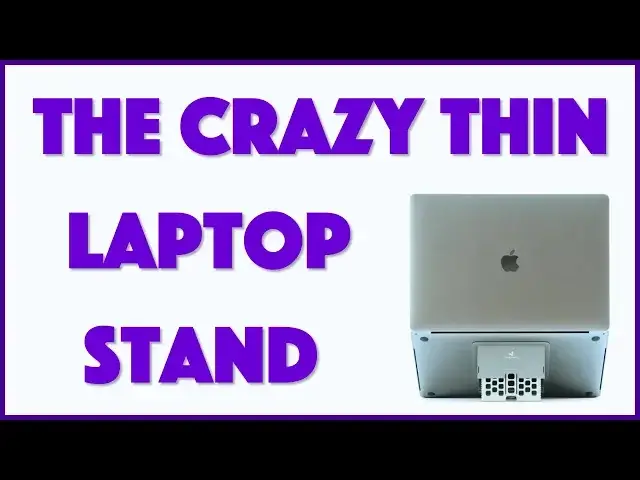
There are a lot of reasons why a laptop stand is a good idea to help with the generally poor ergonomics of your current laptop. But stands can be thick and heavy, so people skip 'em and cope. Except the remarkable Majextand ("magic-stand"). Made out of stainless steel, it's less than 1/10-inch thick and works great.
Tech expert Dave Taylor of https://www.AskDaveTaylor.com/ added one to his Apple MacBook Pro and found it offered a great solution for portability and flexibility both. And when folded up, it's basically invisible!
Check it out on Amazon: https://amzn.to/2CY5Ts1
Note: It's possible I did end up installing it upside down, so check with the manufacturer for their official installation instructions or... just try it the way I have it and see if that works better!
Show More Show Less View Video Transcript
0:00
Is this the best laptop stand in the world
0:02
Let's have a look. Dave Taylor here, and I spend a lot of time working on my laptop
0:14
You probably do too. And, you know, ergonomically, they're not really very good
0:18
There's a lot of issues. We'll come back to them in a second because I'm looking at a solution to some of the issues with ergonomics on a laptop
0:25
I'm looking at what's called the magic stand. And yeah, I know, the spelling's a little bit terrifying, but it's a stainless steel laptop stand, and you can see it's on the bottom of mine
0:36
And it's really simple. Once I install it, I can just simply pull it and get to whatever angle I want, and then I can, for example, do this
0:45
And why is that helpful? Well, it's definitely not helpful for your wrists, right
0:49
So if I open this up and let's just sort of open up the laptop, so there are two key ergonomic elements
0:56
The first one is the angle of your wrist for you to be able to type
1:01
And generally speaking, you want to have your wrists just straight. This should be a straight line
1:06
It should not tilt down and it should definitely not tilt up. So what I just did is not so good for my wrists, but we'll come back to that because the other piece of ergonomics is actually the screen
1:19
And what you really want is you really want your screen to be at eye level
1:24
So really I'd like to have my screen here. but that makes a little hard for you to see me
1:29
So anything that raises my screen up, obviously is going to do good things for my neck and my back and my shoulders
1:36
and I'm just going to feel better using that. So the magic stand solves that problem by making it super easy
1:44
for you to adjust it to whatever height you like. And what's cool is the whole design is super neat, right
1:51
You can see it is an incredibly slim case or stand In fact, it's 0.066 inches thick
2:01
The entire unit adds a whopping 4.8 ounces. And it is 5 by 5 So it easy enough It literally affixes with an adhesive that comes right off of already taking it off and put it on a couple of times I get back to that in a second
2:17
But super easy to work with. And you can see you just position it sort of central and near the back
2:23
near the hinge. That's all there is to it. Now, the company recognized that by doing this
2:29
it's possible on many computers that the tabs or little feet won't be enough. So they include a
2:36
thicker feet. So this turns out really well. So I have these thicker feet I put on all four
2:42
spots. And the ones in the front, of course, are shaped that way so that even if I angle it
2:48
it still stops it slipping. So they really thought this through. Very, very nice. And it has six
2:53
adjustable elevations. And I'll just show you, you just sort of pull it up. There's one
3:00
two, three, four, five. So I count five. I guess if you have it
3:06
where it's completely recessed, that's the sixth. Okay, so it says six adjustable elevations
3:13
I'm going to call it as five adjustable elevations plus your laptop. But even here, this is at the highest elevation
3:20
It's still stable, easy to work with. And again, this will raise, you can see from the side
3:26
This will raise my screen a good three or four inches up from where it would otherwise normally be
3:31
And especially if I'm maybe watching some video or just reading a document or something
3:36
that that difference will change my body alignment and that'll actually be ergonomically good
3:42
So you then have the issue of the keyboard. And obviously, you know, the more you do this
3:48
you might have a nice job raising up the screen, but your keyboard kind of gets all messed up
3:53
So my solution to that, have an external keyboard. This is, and I don't think you can get these
3:59
anymore, which is sad. This is the beautiful old Apple Bluetooth wireless keyboard with aluminum
4:06
case and everything. It's very nice, as you can see, small, simple
4:10
easy to work with little keyboard. That's still better than the keyboard on the MacBook Pro
4:14
but we won't go there. That's a whole different video. But suffice to say this setup now is really great because I can have my screen nice and high so that better for me because I going to actually be less likely to scrunch and crouch over it
4:27
And I have a keyboard that I can put at whatever position I want or even have it on my lap if I want to sit back and recline while I'm working
4:35
So the combination of these two is a big jump up on ergonomics versus just having your laptop
4:42
Now, again, if you don't have an external keyboard, then having this sort of setup
4:47
where it's at an angle like this is not going to do your wrists any favors. You're going to actually
4:53
probably have really painful wrists carpal tunnel things going on and repetitive stress stuff
4:58
It's not going to be pretty. So if you don't have an external keyboard, then you might want to use
5:03
the two side tabs and not just close it all the way, but maybe just have it to the first stop. So now
5:09
it's still a little better, but now you can actually make a conscious tradeoff of, you know
5:15
what's more important? Raising your screen up or having your wrists at a good angle
5:19
So that's something you might even adjust as you go along on a given day. So super easy
5:24
And I'm a big fan. They've done so much right with this. The packaging actually mimics the
5:29
design of the product, which is really cool. So here's the package. It comes in, right? And you
5:34
lift this up in basically the same way that you use the product itself. And then this opens up
5:42
and then you have different components in different spots here. You even have this looks like little shoe strings
5:49
These are extra adhesive strips. So if you want to take it off and put it on a different computer
5:54
which is super easy to do. I've already done it a couple of times. You can actually, if your current adhesive isn't working
6:01
you have a replacement. Now, the only thing I will say, and I'm talking to you guys, Magic Stand
6:07
is that your instructions are wrong. Your instructions say that you, should have the logo actually further from the front of the computer
6:18
But a little practice demonstrates that that is not correct. So this is the front of my computer and there's your logo
6:25
So I don know whether something got confused between printing and manufacturing but experiment with both orientations on your computer If you get one of these to make sure you get the one that gives you more stability when you actually have it at maximum extension
6:39
So it's super easy and when I realized I had it on wrong, I just popped it off, turned it around, put it back on, done
6:45
Literally like 15 seconds, super easy, right? So this is a pretty neat product and it's a beautiful piece of engineering
6:53
I'm really, really a fan of it. And so I will simply say that we need to
6:59
talk about the price but before we get there and let me just put the package back together
7:03
because it's it's such a neat piece of packaging but before we talk about the price I want to ask
7:08
if you can subscribe to my channel and if you use a laptop stand tell me in the comments do you
7:14
also use a separate keyboard or do you like sort of sacrifice your wrists in the interest of your
7:19
neck and your screen height so I mean I might work great for you you might have super supple
7:24
wrists because you do lots of wrist yoga or something I don't know maybe I should just like move to
7:29
Hawaii. Never mind. I won't go down that road. But let's just get back to the product. So this is the Magics Stand, stainless steel laptop stand. It's available in space gray and black and gold and silver. This one's silver, which is why it matches the color of my MacBook Pro. It obviously will work with any laptop, but it's designed for the MacBook line, which is why the metal colors match. You know, if you have a different laptop, use it and try it anyway
7:59
It is 4999 at Amazon.com. So it's pretty spendy for a laptop stand, but it's real secret power, secret superpower, is that when it's closed, it really adds no thickness to your laptop
8:16
And that makes it a pretty fantastic option. So this is Dave Taylor
8:20
I'm going to get back to my work, which means I'll catch you in my next video
#Computer Hardware
#Laptops & Notebooks
#Gadgets & Portable Electronics