Up next in 10



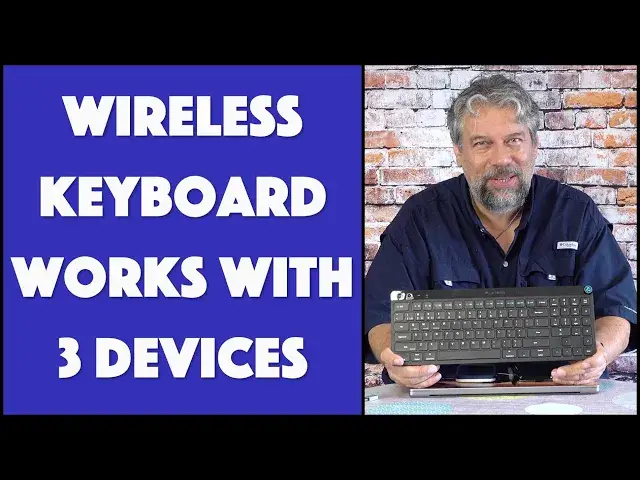
Tired of on-screen keyboards? Who can blame you? The JLAB JBuds Multi-Device Wireless Keyboard lets you switch between THREE different devices, and works like a charm, making entering information on your smartphone or tablet 100x easier. It also includes a 2.4Ghz dongle so you can work with a Mac or PC, even if they don't support Bluetooth connectivity. Tech expert Dave Taylor demonstrates how it works by switching between a MacBook Pro, iPhone 13 Pro and Pixel 6 Pro with the tap of a button...
Check it out at: https://www.jlab.com/products/jbuds-keyboard
Then please visit Dave's Q&A Web site - https://www.AskDaveTaylor.com/
#jlab #keyboard #wirelesskeyboard #bluetoothkeyboard #jbuds #iphonekeyboard #androidkeyboard #askdavetaylor
Show More Show Less View Video Transcript
0:00
A wireless keyboard that lets you bounce between three devices? Let's check this out
0:12
Dave Taylor here and I'm checking out this. This is the JLab, JBuds multi-device wireless keyboard
0:19
and it's incredibly thin and really light and really nice functionality. It lets you connect
0:25
to three devices and just bounce back and forth between them depending on what you need. So
0:31
it's important to know that two of those devices can be Bluetooth and it supports Bluetooth 5.2
0:37
but the third device is going to be via a dongle. So let me on the back pull out the dongle. It's
0:44
super easy to work with. It is this and basically all you have to do is plug it into the USB-A port
0:53
on your computer for example or your television even. You could try that and it's instantly ready
0:59
to go. There's no pairing or anything. So what I did for my demo is I have a USB-A to USB-C adapter
1:08
Thank you Apple for having incompatible ports. It's okay. So that's ready to roll. I plug it into
1:14
my MacBook Pro and it's ready to go. Now I also have an iPhone 13 Pro and that one is paired as
1:23
Bluetooth number one and I have a Google Pixel 6 Pro and this is paired as Bluetooth number two
1:33
So it's super easy to work with. Let's get this thing unlocked. There we go. So all I have to do
1:42
is on the top there's a power switch and now it's turned on and it's automatically and instantly
1:48
paired with one of these devices. Which one? Well the second button is actually the connect button
1:54
So if I push it once it'll light up and show me which color and there's three colors. There's blue
2:00
orange and purple. Blue and orange are the two Bluetooth so they're going to be one of these two
2:06
smartphones and then purple is actually the dongle. So that's going to be already paired and ready to
2:13
use with my computer. Now let's have a closer look at the keyboard because it's a 95 key
2:19
scissor switch keyboard with 1.8 millimeter keystrokes. So it's a very soft and quiet
2:26
keyboard. If I want to type on it you'll hear there's actually not much to hear
2:31
So it's that little sort of chicklety click that's very characteristic of like laptops and
2:38
systems like that. Now they are soft touch keys. There is a number pad and there's also a little
2:44
volume control knob which is great because when you pair it it just instantly serves that purpose
2:51
and I've tried that on the phones, on the computer, just louder, softer. There's nothing you have to do
2:57
There's no customization but you can customize it. There's a program they have called JLab Work App
3:04
and using that you can create programmable shortcuts and three different user profiles
3:09
that you can switch between. So you can have one all set up for gaming and another one that you
3:15
have that you use for work that maybe gives you like some handy shortcuts in Microsoft Word or
3:20
something like that. Super easy to work with. Again I want to emphasize it's not three Bluetooth
3:27
connections. It's two Bluetooth and one 2.4 gigahertz wireless connection via the dongle
3:34
Really that's pretty much everything you need to know. There's USB-C on the top and that is a
3:40
charging cable and you plug it in and you charge it. Takes an hour or two if it's completely to
3:45
zero and once it's fully charged it will run for on average 10 months without you having to charge
3:52
it again. So you're not going to be charging it very often and there's actually a second LED on
3:57
the top that gives you battery status. So if you're running low on battery it'll start flashing red
4:02
and you'll be like all right I'll have to plug it in and charge it for another hour so I get
4:07
another six months. So really easy to work with. So what I want to do is I want to give you a demo
4:12
So let me move the camera around you'll be able to see all three screens and then I'll show you
4:17
how the keyboard makes it super easy to switch between the devices. Let me just set that up
4:23
All right so it's off and I'm going to use the slider switch to turn it on
4:28
and then it's blue so that means I'm hooked up to the iPhone and if I test it
4:41
it is doing something a little confusing. I should explain that I am sharing a note
4:50
between my phone and my computer but I'm typing on the phone because you can tell if I switch
4:58
devices and I'll push this and it'll change color. All right so now that keyboard shows up and I've
5:07
switched it to the pixel and that on-screen keyboard went away and now I can keep typing
5:16
That works fine and if I push it a third time it'll go to the dongle and that's purple and now
5:24
it's here so I can type here and you see it's the bigger type. Now watch what happens when I
5:32
spin the knob. You can see hopefully you can see there is that this volume control is being
5:40
adjusted but if I push it again to go back to the phone then there we go now that volume's
5:50
being adjusted and if I push it a third time to go over to here and again you can see by having
5:57
the on-screen keyboard show up and go away is now I'm adjusting that volume. Very cool. Let me jump
6:04
back on camera. That's about everything I can show you. Let me give you some dimensions. It's 14.5
6:10
inches by 5.5 inches by as I showed you one inch thick. It is 16 ounces and it also comes with a
6:18
two-year warranty so if you have any issues in those two years they will stand behind it and
6:23
they'll get you all fixed up. So all we need to talk about is the price and I think you'll be
6:27
pretty startled at how inexpensive this is but before we get to the price I'm going to ask if you
6:33
could click and subscribe on my channel. It's super easy. Click or tap on that subscribe button
6:38
turn on notifications, and we're connected. Great. This is the JLab JBuds multi-device wireless
6:45
keyboard and it's $39 at JLab.com. If you are someone who wants to have a large full-size
6:53
keyboard with small portable devices it's a pretty nice setup actually and be able to switch between
6:58
them this is a great solution. Definitely one worth checking out. That's all I got. I hope to catch you
7:04
in my next video
#Computer Hardware
#Laptops & Notebooks
#Consumer Electronics
#Shopping
#Gadgets & Portable Electronics