Up next in 10



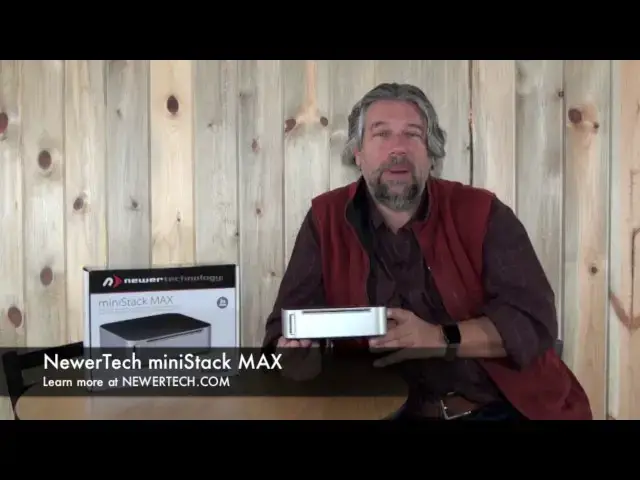
Got an Apple Mac Mini as a server? Congrats, you're smart enough to have the most affordable macOS system on the market. But it's missing a few things, and that's where the NewerTech miniStack MAX is a rockstar. It adds a DVD burner (or you can upgrade to a Blu-Ray burner), more disk space, tons more connection options, and lots of other features, all in a form factor that's a perfect complement for the Mac Mini size and shape.
Dave Taylor of http://www.AskDaveTaylor.com/ talks about the miniStack MAX and how it's helped him configure the perfect small office network server.
Learn more: http://www.newertech.com/
Show More Show Less View Video Transcript
0:05
hi Dave Taylor here again and I want to
0:07
talk about the Mac Mini this is a sort
0:09
of under some device that Apple sells
0:11
and it's basically if you took a really
0:14
nice Macintosh and took out the screen
0:16
and took out the keyboard and the mouse
0:17
and everything what would you have left
0:19
a box and that box would have all of the
0:22
core functionality of a really pretty
0:24
sophisticated computer - all the
0:27
peripherals and that's exactly what the
0:29
Mac Mini is and starting at around five
0:31
hundred bucks you can get one and they
0:33
work great as servers and that's what I
0:35
have I've had this in my office for
0:37
probably a decade different Mac minis
0:39
and it works really really well I use it
0:42
as a file and print server an archival
0:45
server it manages all of the sort of
0:48
data flow in the office network and not
0:51
only that it also works as a plex media
0:53
server so for our entertainment system
0:56
that's where actually all the files live
0:57
now the thing is Apple maybe took a
1:01
couple of shortcuts when they were
1:02
developing it so while the mini is a
1:05
really nice elegant little device there
1:07
are some things that maybe it needs and
1:09
that's where this comes in this is the
1:12
newer tech mini stack Macs and what this
1:15
does is number one it duplicates the
1:17
form factor of the Mac Mini in fact when
1:20
you put this on top it's exactly the
1:22
same size and it's the same finish that
1:24
brushed aluminum so it's very
1:26
elegant-looking but what this offers is
1:28
basically everything Apple forgot so
1:31
starting on the front this particular
1:33
model has a cd/dvd reader-writer so it's
1:37
really super easy to burn DVDs notice on
1:40
the side here is an SD card reader how
1:43
handy is that and they even thought
1:44
through to put it on the front so you
1:46
don't have to fumble in the back but
1:48
it's when you get to the back and I'll
1:50
give you a close-up here too but when
1:51
you get to the back this is where it
1:53
really rocks you can see it has four USB
1:56
connections three of which are powered
1:58
you through USB three it has two
2:00
firewire 800 connections and that's
2:03
actually how I'm connecting to the drive
2:05
on the Mac Mini so superfast
2:07
interactivity and it also has one eSATA
2:10
connection if you have a device that can
2:12
handle that
2:13
and of course it has DC in power in more
2:16
interestingly it also has something
2:17
called the what is this this is the
2:19
Kensington security slot so if you're
2:22
running a server lab or you're at a
2:24
school you can actually lock these down
2:26
and no one's gonna walk away with one
2:27
which I would understand if they would
2:29
because it's really nice now that's all
2:32
the stuff on the outside the most
2:34
important thing on this the thing that
2:36
really got me to get one is that it has
2:38
a three terabyte drive so that's a lot
2:41
of extra storage that's a lot of extra
2:44
space that frankly I need on my computer
2:46
if I'm using this as a big file server I
2:48
need lots of space and that all comes
2:50
with this and it's super handy now it
2:53
turns out that the mini stack has three
2:55
primary configurations and it basically
2:58
really kind of wrote revolves around the
3:00
drive that they put in so this one is
3:03
the cd/dvd reader-writer they also have
3:06
one that has blu-ray and CD and DVD is a
3:10
reader writer and then they have another
3:12
one that has two it has one that's a
3:14
blu-ray reader and one that's a DVD
3:17
reader/writer so depending on what you
3:20
want you can have just DVD and of course
3:22
they all do CDs so you can do just DVD
3:24
reader/writer or you can do a DVD
3:27
reader/writer plus blu-ray reader or you
3:31
can have one that actually is a blu-ray
3:33
burner or writer too so those are the
3:36
three primary options lots of other
3:37
configurations how big your disc is all
3:40
these other things this particular
3:41
configuration that I have that is three
3:44
terabytes and DVD and obviously all the
3:47
peripherals on the back and everything
3:48
or ports in the back and such this runs
3:50
two hundred and sixty seven ninety-nine
3:52
so really not bad at all and what that
3:55
means is this plus a Mac Mini so around
3:59
eight hundred dollars I can get an
4:01
extremely sophisticated workstation
4:03
server and of course I can plug a
4:05
computer screen in and I can plug
4:07
keyboards in fact that's what I've done
4:09
is I have a second monitor that actually
4:11
plugs into my Mac Mini and it's actually
4:14
a Mac so there's nothing mini about it
4:16
it's a very fast very powerful computer
4:19
now turns out that this is actually
4:21
compatible with Windows and Linux
4:23
machines too so while it might be
4:25
designed to be a
4:26
perfect match for the Mac Mini that
4:28
doesn't mean you can only use it with
4:30
the Mac Mini it's just a nice handy
4:32
well-designed peripheral that is going
4:35
to be an easy addition certainly from
4:37
the price tag but functionality to an
4:39
easy addition to any computer setup
4:41
that's going to give you tons of
4:42
capabilities so not much else I can tell
4:45
you about this I will tell you that at
4:47
its most basic this starts at a hundred
4:49
and sixty dollars and it can go up to
4:51
five hundred dollars depending on if you
4:53
want the full monty configuration and oh
4:58
speaking of the full monty see that
5:00
subscribe button oh I know you want to
5:02
click on it so go ahead and subscribe
5:03
please and then you'll catch all my
5:06
other tech and gadget reviews and I'm
5:08
pushing them out pretty fast as so you
5:10
definitely want to pay attention and
5:12
find out what I like and dislike about
5:14
devices so you clicked good then we
5:18
clicked so this is the newer technic
5:22
Macs 3 terabyte with CD / DVD
5:26
reader/writer
5:28
and you can learn more about it at newer
5:30
tech comm and this as configured is 260
5:35
$7.99 this is Dave Taylor and I really
5:39
need to get this back on my server
5:41
because I really need to boot my server
5:42
back up I had to turn it off to be able
5:44
to pull this out that's how much I use
5:46
this so Dave Taylor and I'll catch you
5:49
in my next video
5:54
you
#Laptops & Notebooks