Up next in 10



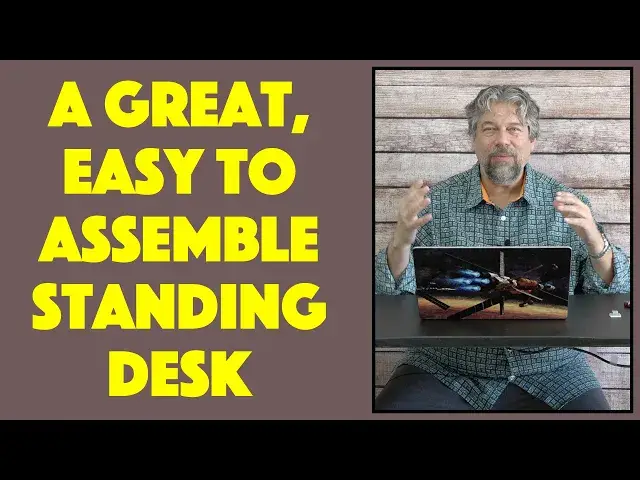
If you're still working at a fixed height desk, you're missing out on one of the most ergonomic improvements you can make to your workspace. Tech expert Dave Taylor checks out the ApexDesk FLEX Standing Desk with Curved Top with Power Grommet and finds it's surprisingly easy to assemble and comfortable to use. With a height adjustment from 25" to 51" it's also extraordinarily flexible, as demonstrated.
You can check it out at: https://www.ApexDesk.com/
Check out Dave's Q&A Web site at: https://www.AskDaveTaylor.com/
#apexdesk #standingdesk #workspace #ergonomics #desk #askdavetaylor
Show More Show Less View Video Transcript
0:00
A tough standing desk that's surprisingly easy to put together
0:04
Let's check this out. Dave Taylor here, and I'm checking out this
0:14
This is the Apex Desk Flex, Standing Desk with Curved Top. And it's really nice
0:21
It's super strong. It's not intensely hard to build, although I tagged my son
0:27
I'll show you how he did with it. It's 60 inches wide by 30 inches deep
0:33
There's tons of working space. And there's a nice cut out here because it's a curved top
0:39
Now, since it's a standing desk, it also can adjust height. So I have a control on the right
0:45
And if I push the button, then I can change it lower
0:51
Or I can, of course, change it to be higher. So whether I want to stand up, whether I want to sit
0:59
sit on a tall chair or sit on a low chair or a ball or whatever the heck you want to sit on
1:06
it can adjust to any height you want. Really nice. Now, I'm going to tell you more about it
1:12
but first, let's jump over to my montage of assembly with my son doing all the work. So let's jump to that
1:29
He did a great job. It was pretty straightforward
1:48
And really the biggest Achilles heel that we found, and this is true of so many of these devices, is cable management
1:55
It's just hard to figure out what to do with all the cables. Now we did not include the cable management tray which was probably a mistake on our part Had we have done that then it would have been a lot neater But you know a couple pieces of tape solved the problem They also include this little cable management clip with two tape
2:17
They have a couple of these, so that would help too. But as you can just barely see over here, I still have cables hanging down
2:24
And if I had multiple monitors or other devices and they all had wires and cables and power
2:31
I'd have this like little cascade of cables that are coming down behind my desk
2:37
Some people don't care. Other people will want to organize that. And that might be something where, again, that cable management tray could be useful
2:45
Or maybe just getting some Velcro ties and getting it all set up and then Velcro tying it
2:50
and then running it down by one of the legs. You can't actually tape it or connect it to the leg because, as you can see in this picture
2:59
it's telescoping leg pieces. So you want to make sure that you have the flexibility
3:05
to get the desk to the different heights. Now, the control, it's an LED memory controller on this unit
3:11
and it's super convenient. It's right here, right underneath the surface, and it has four memory locations
3:18
So you can get four different heights and save them. For example, you might have your sitting at my chair
3:25
working at my desk height, and that might be Memory One, and then you might have your standing up in the middle of the day so I can just stretch out and get different ergonomics
3:34
And that might be memory too. So you just push a button and it immediately goes to your favorite height
3:40
Super easy to work with. Now, the edges are beveled. So it's not a sharp edge on the desk
3:48
Everything's nicely beveled. The bevels a little bit less here on the back and there's a small cut in
3:55
Four cables if you want to have this pushed against a wall. and you want to have a monitor with the cables going down
4:01
So they've really thought all this through. It also has two holes
4:05
I have on this side I have a hole that I just have this little sort of cover with a brush So it easy to run cables through that I was doing that with the power from my laptop And this one particularly interesting because we upgraded And this has the Apex desk power grommet
4:24
So it gives me two three prong power outlets, so they're grounded
4:29
And it gives me two USB charging ports, all with a single wire that I then have
4:34
It's a six foot wire that then comes down underneath. You can just see it here
4:39
And then it's just another thing. have to plug in. Now, one thing I would have liked them to have done is figured out how to have
4:47
maybe a tiny power strip underneath the desk so that if I did get something like this
4:52
I could plug it into that and just have one cord going into the wall. But, you know
4:59
if you really wanted to do something like that, you could solve it yourself. So the legs are steel
5:05
T-leg frame, load capacities, a pretty staggering 235 pounds. That's a little
5:11
a lot of weight. I don't care if you have those old CRT monitors and have two of them, you're
5:17
still not going to hit that weight. I don't know how the heck you'd get over about 60 pounds on a desk
5:22
but I don't know, maybe you have really heavy prototypes you work with. It comes in three different
5:27
colors. This is black. It also has a walnut and a really pretty red apple. Very nice looking
5:34
And the power grommet comes in black. So black and black works really well as a paired color
5:39
and what else can I tell you about it? I really, really like this
5:44
I just, I love the idea of standing desks because I love the idea of being able to mix it up
5:49
so I don't have to just sit and always be like in this one position for the entire day
5:55
And from an ergonomic perspective, keep in mind that your ideal height will be so that your arms are at about a 90 degree angle here
6:04
when you're actually working on your computer. So you might adjust it or lower it to get
6:09
that then you do the same when you standing up Perfect Such a nice way to just change things up and everything I a big fan So the only thing like I said that I kind of wish there there were a little more thought into cable management and maybe some sort of integrated plug to power this little power grommet but that all I got
6:30
Otherwise, it's fantastic. It is the easiest one of these standing desks we've ever put together
6:37
here. I didn't need two people. We've put together desks that required four people to build the
6:43
desk. So having my son be able to do the whole thing all by himself with the only tool he used
6:48
being a power screwdriver, that was pretty fantastic. Really nice. It's really solid
6:55
It's really strong. It is heavy. So, you know, you want to get it into this position that you want, and then you're super flexible
7:03
So we need to talk about the price. But before we get to the price, I'm going to ask if you could subscribe to my channel
7:09
a click or a tap on that subscribe button, and we're connected. So, excellent
7:14
This surface and everything else is the apex desk. flex standing desk with curved top and it's 59999 but I noticed on their website
7:27
if you sign it for their mailing list you get a 5% discount which hey drops it
7:32
down to 56999 at apex desk.com if you want to upgrade to get the power
7:38
grommet and you absolutely should if you're going to get this desk get this to
7:43
you will thank me for it this power grommet is 2999 at apexdesk.com
7:50
And if you want to get that cable management tray that goes underneath and makes this all
7:54
a little bit neater, then that's also $299. Altogether, there's so many things I like about this
8:01
Surface comes in different sizes, different colors, there's different control systems. Definitely worth checking out their website
8:08
I'm getting back to work, so I'm going to have to catch you in my next video
#Desktop Computers
#Home Improvement