Up next in 10



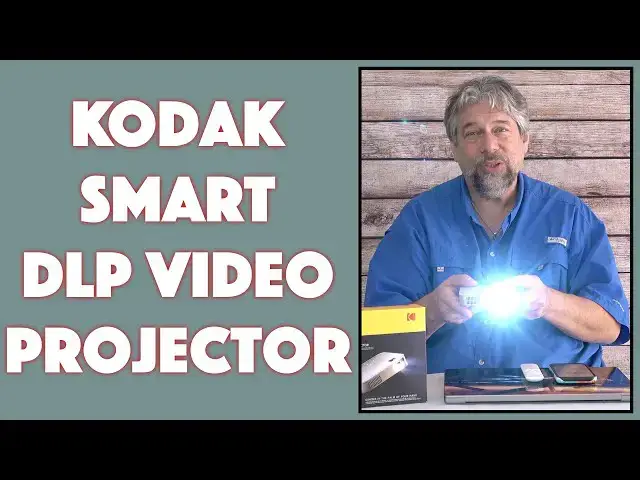
A video projector that can fit in your pocket and still puts out a bright, crisp image? Tech expert Dave Taylor checks out the Kodak Luma 350 Portable Smart Projector and finds that while there's lots to like, there are some definite quirks too, though many of those are related to specific streaming services, not the projector itself. Will it meet your needs? Maybe. He explains everything you need to know!
Check it out at: https://amzn.to/3B0q4mZ
Then visit Dave's Q&A Web site at: https://www.AskDaveTaylor.com/
#kodak #dlp #projector #luma350 #hdprojector #4kprojector #netflix #askdavetaylor
Show More Show Less View Video Transcript
0:00
It's a tiny video projector, but is it any good? Let's check it out
0:11
Dave Taylor here, and I'm checking out this. This tiny little gadget is the Kodak Luma 350
0:19
portable smart projector, and it's actually pretty slick. It's a 200-lumen DLP
0:24
projection system, so it's surprisingly bright, though, as with all projections. the darker your room, the brighter the projection
0:33
It's just how that works. And they say that it has 4K resolution
0:38
but its native resolution is 854 by 480, but don't let that throw you off when you're thinking
0:44
480, that's not 4K, because it can handle a much brighter and a much more complex signal
0:50
and it samples it down so that it can project using this affordable technology
0:55
and actually give you a surprisingly good, crisp picture. In a few minutes, I'm going to show you a sort of a little mini environment that was going to give us a chance to demo some of the features
1:07
You'll see what I'm talking about. But it is important with any video projector to find out the native resolution because companies are really excited about telling you that it's full HD or that it's 4K or it's 3D or God knows what else they say
1:23
But reality is, is that a lot of them are actually projecting at a lower resolution, which again
1:29
is not necessarily a problem, just something you should know about. Now, it also supports Bluetooth and it has Wi-Fi connectivity
1:36
because it has built-in software that makes it essentially an Android TV
1:41
which is really great. So it has onboard Netflix and YouTube, and you can get to a bunch of different channels like Amazon Prime Video
1:50
And on Netflix, for example, you can actually download content and save it on here
1:55
And it's battery powered. And so once I have it fully charged, I can turn it on and it will actually work for a couple of hours
2:05
You can see there, I mean to point that down a little bit so it doesn't mess up my camera
2:08
But it is actually, maybe you can see here on, I guess I can show it behind me, but it is booting up and it is actually getting ready to show that home screen
2:19
Obviously on a wood surface, not a great projection surface, but it works perfectly fine in terms of its noise level
2:27
can hear there's a fan but it's pretty darn quiet and I'm going to turn it off again
2:36
so let me give you a quick tour of some of the features here so on the front you have
2:41
the projector on the left side you have the focus wheel which is important and you have those
2:47
little cutouts for the speaker it actually has two 1.5 watt speakers which is not going to
2:54
fill an auditorium but if you're like in a hotel room or something This is going to be perfectly adequate for you to be able to listen to at least the dialogue of your favorite movie
3:03
Again, it's not a hi-fi experience, but when we switch to the back, you'll notice there's a 3.5 millimeter output jack
3:11
and that is so you can put on headphones or plug in an external speaker if you want
3:16
So if you're the kind of person that travels with a lot of gear, you can really get this hooked up pretty sweetly
3:23
Now, the USB, you can use a flash drive. you can store data on that flash drive and then browse it with this, which works great
3:31
But you could also plug in something like a Fire TV stick or a Roku stick
3:37
You know, there's a lot of different services now have little devices that look like flash drives
3:41
You could plug one in and just use that. Or you can use HTML
3:45
And in my demo, I'll plug it into my MacBook and show you that I can mirror my screen
3:51
Now, again, imagine in it being in a larger space and people can just like lay back
3:55
and look on the wall and see what it is that I'm working on. Pretty cool
4:01
And then finally, there's that 15-volt input because one of the things that comes with is
4:06
comes with a cable and a charger. And this proves to be important because it only has about
4:12
a two-hour battery life. And once that battery is depleted, obviously you need to plug it in
4:18
again. So that's everything on the back. And then on the right-hand side is the power switch
4:23
and the other speaker. So while we're talking about the box, it also comes with a short but high quality
4:31
H.DMI cable and some quick start instructions that I found very comprehensive And here the coolest thing a remote control Now for reasons I can explain when you get the remote control the first thing you have to do is pair it with the projector
4:47
So turn the projector on, put the batteries, it takes two triple A's in the back, put the batteries into the remote
4:53
and then hold down simultaneously volume up and volume down on the remote for about five seconds, and it will pair with the unit
5:02
Now, why it isn't automatically paired or pre-paired when you get it out of the box is something I can't explain
5:09
And it did throw me off a little bit where I'm like, oh, I'm pushing all these buttons and nothing's happening
5:14
That's strange. So you read the manual, you find out, and you figure out how to do it
5:19
So this remote is very helpful, but it turns out that there are some services like Netflix where this remote doesn't actually cut it
5:28
So they also have an app. and this is the Kodak Luma app
5:35
Free download, you can pair it and connect it with this, and this gives you more controls
5:41
and certainly a more sophisticated experience, including an actual on-screen keyboard, which means that logging into YouTube
5:49
logging into Amazon Prime Video, logging into Netflix is at least a thousand times easier
5:55
than using this or even using the onboard controls and painfully going in A
6:02
B, C, no, that wasn't C, backup, C. You know, you've done this way too many times
6:09
These remotes are great for a lot of things. They're not great for entering passwords, especially
6:14
So having the app is a huge win. Now, it runs a version of Android 6.0, which is pretty typical
6:22
It's a pretty ancient version of Android from the phone perspective. But Android for entertainment devices tends to be many generations behind
6:32
It also supports DLNA and Miracast, but it doesn't support Chromecast, and it doesn't support Apple Airplay
6:40
So you could get Chromecast, for example, by buying one of the little Google Chromecast Gizmos and plugging it into the HDMI
6:49
and that would be an entirely acceptable solution that would also then give you more streaming services, because this does pretty well, but I did find some issues with Hulu, and I'll talk about that in just a second
7:02
One of the other things it does is auto keystone correction, which is great because if you can project it at a perfect, you know, 90 degrees from the surface you're projecting on, everything's fine. But as soon as you do it at any sort of angle, instead of having that nice rectangle, you have something where the top and bottom are different sizes, this can recognize and automatically correct that. Pretty slick. Now, the battery, it's a 7,500 mill-amp hour battery. It doesn't really matter to you
7:31
other than it gives you two hours of playback, which is, you know, plenty
7:36
And then, like I said, it has two 1.5 watt speakers. So enough talk, enough talking about this stuff
7:44
Let me give you a demo. I've gone ahead and put the projector on a tripod, and I have a little mock-up screen
7:50
It's going to be really small, and it will definitely mess with my auto exposure on the camera
7:55
You'll see that in a second. But generally speaking, the larger the surface, and you really want a white-up
8:01
surface if you possibly can like a wall, but the larger your projection, the darker the room has to be
8:07
for good results. So if you want to project it to its maximum theoretical of 150 inches across
8:13
you need to be in a really almost completely pitch dark room for it to look good. And it will look
8:18
good because it is a nice bright 200 lumens. But for now, since I don't want to be completely in
8:25
the dark, for this portion at least, then we're going to do something small. So let me turn it on
8:29
and then you turn it on by pushing and holding the power button
8:34
And then there's some controls on board on the projector itself, which confirm what's going on
8:39
But right now, I have a connected via HDMI to my MacBook
8:44
So what it's going to do is it's going to start up, and then it's going to say no signal
8:48
So let's open up my Mac, and it should automatically then connect to the projector
8:53
and give me a mirror of what's on my computer screen, and there it is
8:58
And so you can see I'm on YouTube. I can, you know, pick a movie and I could watch it if I want
9:03
Obviously just about any content I can put on my computer screen, I would then be able to project including professional presentations or, you know
9:13
animation for the kids or something So that works really well but now I going to use this and we going to go back to home And the home will give us the ability to change inputs
9:27
And I'm going to go to source and I can choose screen mirroring or file browser
9:35
If I plug in a flash drive, for example, to the USB port on the back
9:40
that would be an easy way to do it. But we'll just go back to home and I'm going to just launch Netflix
9:44
launch Netflix. Now, here's a funny thing about Netflix, is that Netflix is on board. You can
9:50
download content off of Netflix. That all works pretty darn well once it warms up and gets connected
9:57
Come on, you can do it. There we go. But you can't very easily scroll in Netflix on the remote
10:04
So, enter the Kodak Luma app. And I know it's available for the iPhone. I'm not sure about
10:13
its status with Android, I would assume it's an Android device that the Luma app should also
10:19
be available for the Android phones. But first thing I have to do is go into settings and connect to projector
10:26
All you need to do is make sure they're both on the same Wi-Fi network
10:30
And if I have good phone karma, there we go. So now it's connected
10:35
So now I can move. I have a cursor. Can you see that little arrow
10:40
It's right here. It might be a little tricky to see. But here's the thing. It's a secret. It's not told. It's not document anywhere. But if you do a two-finger swipe, then you can actually scroll in Netflix, which is pretty important because if you can't scroll, then it's kind of a frustrating experience. But I'm going to go back to home. And that gets me back here. And so now I just have the cursor mode. But I can also use the arrow mode, which chooses different things
11:12
One thing that's really wonderful in the app is you can click and get to a keyboard
11:17
So when you're logging into your favorite services, this is absolutely a game changer
11:22
It will save your sanity. So let's go back to where we were. And now let's go into, whoops, that was not what we wanted
11:30
Let's go back. Let's go down to Prime. And I'm going to choose that
11:34
And so my experience is that it works fine with Prime. It works fine with Netflix
11:41
It works fine with YouTube. It doesn't work with Hulu. What happens is that the app says there's an update
11:47
and then when you go to try to update it, it says not compatible with this device
11:52
And a lot of these streaming services are kind of problematic to work with something like a projector
11:58
They're really not designed for that. So one way you could get around that
12:01
is you can get something like an Amazon Fire TV stick or a Roku stick, which is basically like a USB flash drive
12:09
but it actually has its own smarts. And if you plugged it in, into this into the USB port, then you would be able to actually, you know, watch really all
12:19
of the different channels because at that point it's literally just a projector and you're
12:23
not really using any of its onboard smarts. And that's okay. So we can get here and let's see
12:30
There was a movie I was already watching. Here we go. I'm going to go here and I'm going to choose this and we'll choose resume
12:42
And I know it's not super easy to see, but, okay, you can hear and see that the movie is continuing
12:53
Now, I obviously don't have rights to re-broadcast this movie, so we'll just back right back out of it
13:00
And, okay, let's see, there we go. And we got a little bonus audio there, even though we went back to the home screen
13:09
So that's cool. Anyway, so hopefully this is a good demo. I haven't tried it with every possible streaming service, but like I said, the only one
13:17
I encountered a problem on was Hulu of the ones I tested
13:21
Now let me jump back on camera and tell you a little more about the device
13:25
So there are sort of the trade-offs here, the pros and the cons
13:29
And my experience, having looked at a lot of these little projectors, is they all have their weaknesses
13:35
They all have things where it's like, hmm, why didn't you guys do that slightly differently
13:40
And some of it is because the digital rights management is such a complex thing that if I actually
13:47
like plug in my phone to this through a lightning to hd mcdapter, then there will be content
13:55
that I can watch on my phone but as soon as I plug something in it just goes blank And that not the fault of the projector that the fault of the streaming service that the DRM issue that might be something where for example maybe an Apple TV plus I can
14:09
watch it on my phone perfectly fine but if I try to air play it to a device or I
14:14
try to plug it in via HTML then the phone immediately says ah you don't have the
14:19
rights to do that I'm just gonna blank it out I'll give you the audio because I don't care about that but I'm not gonna give you the video signal so
14:25
So when you read reviews of these sort of entry levels projection systems, a lot of people
14:30
complain that they don't support this and they don't support that and the screen was blank
14:35
and all this. And it's not the projector. If you really want to have that conversation, then you need to go back to the streaming provider
14:42
and say, why are your DRMs so tightly locked down that I can't let my kids watch their favorite
14:48
anime series off a projector, even though that's the best way for them to do it
14:53
So kind of a separate conversation. but there's a lot to like about this. In particular, it's just really small and light. In fact, it's 4.4 inches by 4.4 inches by 1.1 inches, and it's 1.8 pounds. It does have that tripod mount on the bottom, which obviously I was using to put it on the tripod. There's a lot to like about this. It is really fun. It can be really handy if you need to give a quick demo and you just don't have an external monitor and you don't want seven people huddling
15:25
behind you watching your computer screen, this is a solution. If you're in a hotel, if you're
15:31
traveling, if you're on a cruise ship, I suppose, anywhere you have a blank wall and a dark room
15:37
you can use this to project content and that can keep your kids, your friends, I don't know
15:43
the people that you really don't want to be in your space, they can all be entertained by this
15:47
and then just make sure it's plugged in and they're good to go and they can be entertained
15:51
for hours. So really, really cool. It is a little expensive, all of these devices tend to be a little expensive because those DLP projectors are
16:01
expensive. And it does have a problem that many of these do, which is sometimes the focus
16:07
wanders a little bit. So I've found that when I was watching a show, I could dial in and get the
16:13
focus the best I could. And then like, you know, half an hour later I'll be looking at it and it's like
16:18
hmm, I think just a tiny change and it comes back in focus. And that's just again, part of my
16:25
experience with these sort of devices. So the downside is that it is a little quirky
16:32
It does have some issues. It is a little expensive. The upside is, this is tiny
16:37
You could easily put this in your pocket. You could throw this in the backpack that your kid carries around and say
16:43
hey, honey, you know, you could plug in your switch to this
16:47
and then you could project it onto the wall. How fun would that be when you're playing with your friends
16:52
And they would immediately light up and say, wow, I definitely want try that. So that's the pros, that's the cons. It's definitely one worth checking out in the video
17:01
projection space. Know what you're getting into and know its capabilities. And I would say for people
17:08
if you are really, really obsessed with getting a specific channel like Hulu or Disney Plus
17:13
and that's a like make or break, then get this from a place where you can actually have a good
17:19
return policy. So if it doesn't work for the channel you want, then you have options. I think that
17:25
would be a smooth, simple, and straightforward way to deal with it. So we do need to talk about the
17:30
price. But before we get to the price, I'm going to ask if you could subscribe to my channel
17:35
click or tap on that subscribe button, click or tap on that little bell icon to turn on notifications
17:41
We're connected. And if you found this to be valuable and a fair and reasonable assessment
17:46
I would definitely appreciate if you gave me a like or a thumbs up. So don't forget to click on
17:50
that too. All right. Great. This is the Kodak, Luma, 350, portable smart projector, and it's 29999 at Amazon.com
18:03
And my experience with Amazon is that they are very good with returns. So that is definitely one to consider
18:09
And I think that overall I might just get back to the next episode of Wednesday on Netflix
18:15
so I'll have to catch you in my next video
#Consumer Electronics
#Camera & Photo Equipment
#TV & Video Equipment
#Media Streaming Devices