Up next in 10



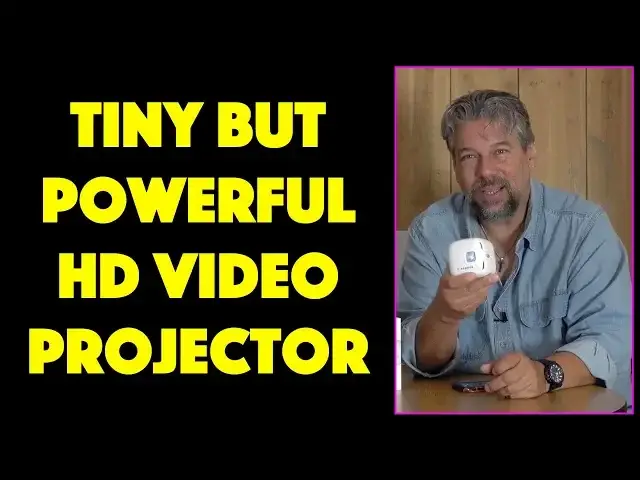
Ever dreamed of a TV & movie video projector you could easily toss into an overnight bag or even hand to your kids so they can watch their favorite shows? How about one the size of a Rubik's Cube with full 1080HD video and a 5 hour battery life?
Tech expert Dave Taylor of https://www.AskDaveTaylor.com/ tests out the CINEMOOD Portable Video Projector with Netflix, YouTube and even an MP4 video of his own, and found lots to like about this tiny powerhouse. It also has some shortcomings too that you'll want to know about...
Check it on Amazon: https://amzn.to/2LnA1SA
Show More Show Less View Video Transcript
0:00
A portable video projector the size of a Rubik's Cube? Let's check this out
0:12
Dave Taylor here and I'm looking at this. Let me point this right at the camera. You can see it is
0:16
a video projector. This is, this tiny little guy, is the Cinemood portable video projector. And
0:23
you'll notice it's working and it's not plugged in because it actually has a battery that lets
0:29
you get up to five hours out of this thing, which is amazing. It's also only half a pound in weight
0:36
and it is about a 3.1 inch cube. So it is pretty much the size of a Rubik's Cube
0:41
though far more interesting. Now let me tell you that it only projects at 35 lumens. So if
0:47
your kids are playing with it and they do happen to point it at their eyes, it is not going to be
0:53
the end of the world, which is really important because there are a lot of projectors that can
0:57
actually damage their eyesight. Not good. Now you can say, hey come on, we're going to just always
1:03
use this when the parents are around, but you know, kids being kids and all that. So that's important
1:09
But the flip side of that is it's not very bright. So we'll do a live demo, but I'm going to have to
1:14
bring some lights down to have you be able to see what's going on. On the flip side, it is a full 1080p
1:21
HD projection. So it looks really good. And of course, like any projector, the darker the room
1:27
the bigger you can make the image and have it look good. So if you want this to be the size of like a
1:32
75 inch TV, you need a pretty dark space to do that. If you want it to just be on the back of a
1:38
car seat, you can do that probably in full daylight and it'll look pretty good. So they say it can do
1:43
up to a 12 foot projection. That's going to be pretty big, but it is nonetheless a really neat
1:50
self-contained unit. It also has built into it software for Netflix, Amazon Prime Video
1:56
YouTube, Amoeba TV, and it includes a whole bunch of content, notably a bunch of licensed Disney
2:03
content. Now don't get too excited. It doesn't have like the 10 greatest Disney animated movies
2:09
that would make this a little more expensive, but a lot more amazing. But what it does have
2:13
is it has 65 digital books and it has safety videos and little cartoons and animation shorts
2:20
So it has a decent amount of content, but nothing that your kids are going to be clamoring to watch
2:25
Although after they watch it once, who knows, maybe they'll like some of it. It is nicely
2:30
self-contained. It also has onboard storage so you can drop on a couple of your favorite movies
2:35
or videos too. I put one on here. We'll get to that in just a minute. And like I said
2:41
it has a five hour battery life. So there's a lot to like about it and it's really simple
2:47
So before we get to actually doing the demo, let me just show you that on one side you have power
2:53
and you have a power indicator. You have an audio out so you can use external speakers or earbuds
2:59
headphones, whatever, if you don't want to hear it. And then it charges via micro USB
3:04
There are speaker vents on the back. And then on the other side, there is the focus up and down
3:11
And then there's this fun thing. And I think I can demo it even just here. Let's see. It's a
3:16
little spotlight. So you turn it off and you're back to your regular projection. You can see that
3:21
a little bit, but you push the button and now you have the spotlight. I think it's just for fun
3:26
but you know, kids might enjoy being in the spotlight as it were. And on the top is a
3:34
five button controller with a check mark in the middle and four navigational directions
3:40
All of that's duplicated in the CineMood app on your smartphone, which pairs with the device
3:46
So anything I can do on the device, I can also do on the phone. And frankly, things like logging
3:51
into your Netflix account is a thousand times easier on the phone through the app than it is
3:57
on the device itself. Please, please, you're going to struggle and you're going to toss this thing
4:01
out the window. Don't do that. Get the app, pair it, and then on the app, you'll log in in just a
4:07
minute or two. I still had some fiddling back and forth to get it all to work, but I did eventually
4:12
finally log in. So in fact, having said all of that, let's do a demo. So what I'm going to do
4:18
is I'm going to bring the lights down a little further and then we'll just project it right here
4:22
onto this little white screen. So hang on and I'll switch things around. I'm going to control all
4:27
this with the remote app because it makes it a whole lot easier to work with. And as you can see
4:31
as you go along, the navigation is pretty straightforward. You move along from element
4:37
to element and there's some like finger puppet stuff and everything. And in the app, there are
4:42
in-app purchases, which I was a little surprised by. So you want to be careful with that. But things
4:47
like scenery, which is like, you know, star fields and aquariums and all that sort of stuff, that
4:52
actually costs additional money. But let's go straight to apps and then I choose and go down
4:59
and we can go to YouTube. And let's see how this does. We can go here. And now here's where this
5:06
is a huge win that you're using the app because I can do the search on the app. In other words
5:13
on my phone. And then we're ready to roll with a video. And of course, the internet is made for
5:19
cats. So here's our cat video. And you're not going to be able to hear it very well because
5:25
the microphone is pretty far away. So let me step a little closer
5:46
Okay, so there you go. Cat video. Let's jump back and let's go to the next thing
5:52
which would be Netflix. So let's see what's on Netflix. And pretty easy to work with the Netflix
6:01
app. Actually, your phone becomes more of a movement pointer, which is takes a little getting
6:07
used to. So, you know, you have to sort of navigate around a little bit. But let's go to movies
6:16
And we will say, let's go to TV shows. See what comes up. And again, in a darker room
6:24
this would actually be more visible. But this should hopefully work. And let's go ahead and
6:30
just get this started just so you can get a sense. Again, I'm going to step a little closer
6:40
so you can hear. And one thing it takes a little getting used to is that you can't actually
6:55
navigate through the CineMood app unless you pause the video, generally speaking. So here
7:03
we will actually go all the way back. Here we go. So now you can see there's Prime Video
7:11
And well, let's see. It looks like the app is going to take a second. There we go. So let's
7:17
go back. And there's Netflix and Prime Video and Telegram and Amoeba and all these. But let's go
7:24
back to the My Setting or My Area because My Stories is how I access videos that I've copied
7:34
directly onto the CineMood. So here's one. It's a little bit of an inception sort of thing, but
7:39
it's a video of one of my other reviews. And I just plugged in the CineMood to my computer
7:45
and copied across the MP4. And it works perfectly well. I mean, you know
7:54
again, the thing to notice, there's no plugs, no wires, no nothing. So super easy to work with
8:00
And then finally, what I also want to point out is that you can access all the settings and change
8:07
whatever you're doing with the system, including sleep timers. So all of that's really cool
8:13
Now, let's switch around and I'll get back on camera and we'll talk a little bit about my
8:17
thoughts regarding the CineMood. There you have it. So it actually works pretty darn well. I mean
8:23
pretty darn impressed. And it's mostly just a size and form factor and five hours on a battery
8:30
and the fact that you can download your own content. All of that's really cool and comes
8:36
with a little tiny rubber stand so it doesn't move around, particularly if you're plugging it in
8:41
And then there's another box. And in the box is instructions and a wall charger and a charging
8:49
outlet, which is the micro USB. So nothing really amazing, but straightforward and important stuff
8:55
that you need, which leads you back to this unit itself. And let me go ahead and I'll just power
9:01
it down, which means I need to do a couple of things. And so now it's powered down. The light
9:07
should go off momentarily. So it's really kind of a pros and cons sort of thing. They've done a lot
9:14
right with this little portable projector. It works. It's easy to work with and understand
9:20
And it will hopefully turn off very soon. You know, but the thing is, is it was actually a bit
9:28
of a bear to get it all set up. I had a lot of problems getting Netflix to work. I did obviously
9:33
as you saw, finally get it to work. But even then, I have to say the Netflix mobile app that they're
9:40
using for this doesn't really make it easy for you to navigate around. You saw that a little bit
9:46
in what I was doing. So, you know, there's pros, there's cons. This might be something that your
9:51
kid might find slightly frustrating. But if you can get to good programming, and most importantly
9:57
if you can get to be in a sufficiently dark environment, it really is a remarkably good
10:02
projector system. It's bright and vivid colors. It's good high res. It actually has an easy focus
10:09
mechanism. The keystone mechanism is a little bit more complicated. You have to go into settings to
10:14
adjust it. And keystone is when you have it looking like this instead of rectangular. We
10:19
had a little tiny bit of that, but not too much because I was mostly projecting it straight on
10:24
But if you want to have it like up at a steep angle or something, you can adjust for that
10:28
But you're going to have to go into settings to fiddle that. That's something where I wish there
10:33
was another control that did keystone, or maybe just automated the whole thing where it looked
10:38
at its image and said, oh, that's not rectangular. I can fix that. Other projectors do that. But
10:43
that adds to the price. So there's your tradeoffs. Pretty interesting device. The other thing I will
10:49
say is that the sound quality is pretty abysmal. It's functional, but you're not really ever going
10:55
to want to listen to any movie or any TV show or even any music that has anything you want to
11:02
actually enjoy. It's really just like all on the high end. This is like an old AM radio
11:08
Now, it's functional. Your kids probably won't complain too much about it. And of course
11:13
you can plug in. So you could plug in another speaker with better quality, or you could plug
11:18
in headphones or earbuds. So that might be a saving grace, but they could do with some work
11:23
on the audio quality too. Nonetheless, it's a pretty interesting solution. It's a pretty
11:29
interesting product at this price point. If you're looking for something to entertain the
11:34
kids or just for yourself in a hotel room on the road, you pull this out. Maybe you plug it into
11:39
your computer or you stream something off your phone or go into one of the apps and you're good
11:44
to go. And this will definitely keep you entertained for a couple hours. So that's pretty nice. Now
11:51
before we get to the price, let me ask if you can click on that subscribe button. Really appreciate
11:55
when you subscribe to my channel. Cool. Now, this is the Cinemood Portable Video Projector
12:02
the size of a Rubik's Cube and full 1080p resolution. The Cinemood Portable Video Projector
12:09
$349.99 at Amazon.com. Now, there are a lot of projectors at a much lower price point
12:17
but they tend to be much lower resolution and have even clumsier interfaces. Not easy to do
12:23
a good interface for one of these devices. So I would say if this is something interesting to you
12:28
you should definitely check it out. And with that, I will catch you in my next video
12:53
Transcribed by https://otter.ai
#TV & Video
#Consumer Electronics
#TV & Video Equipment
#Virtual Reality Devices